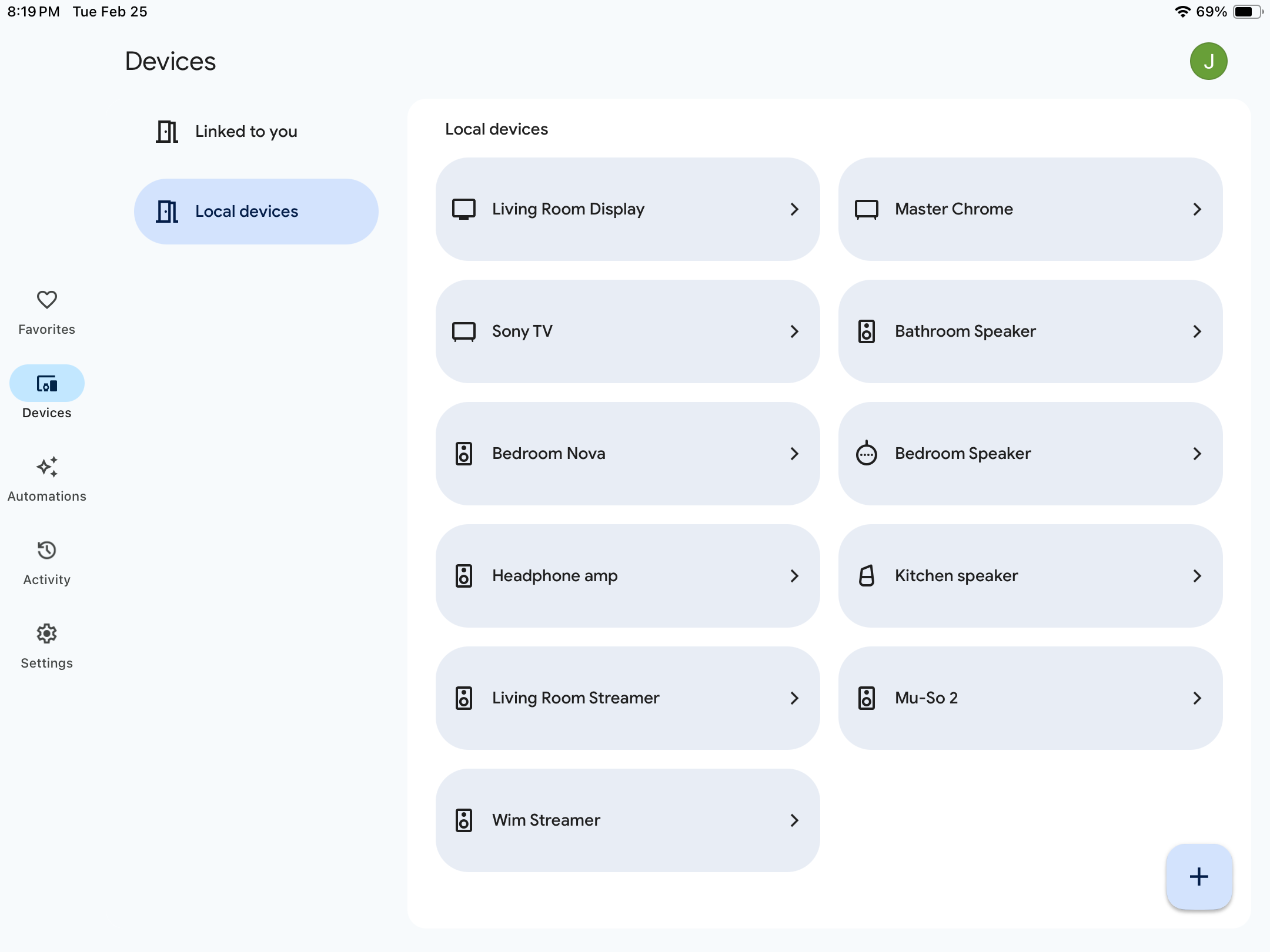
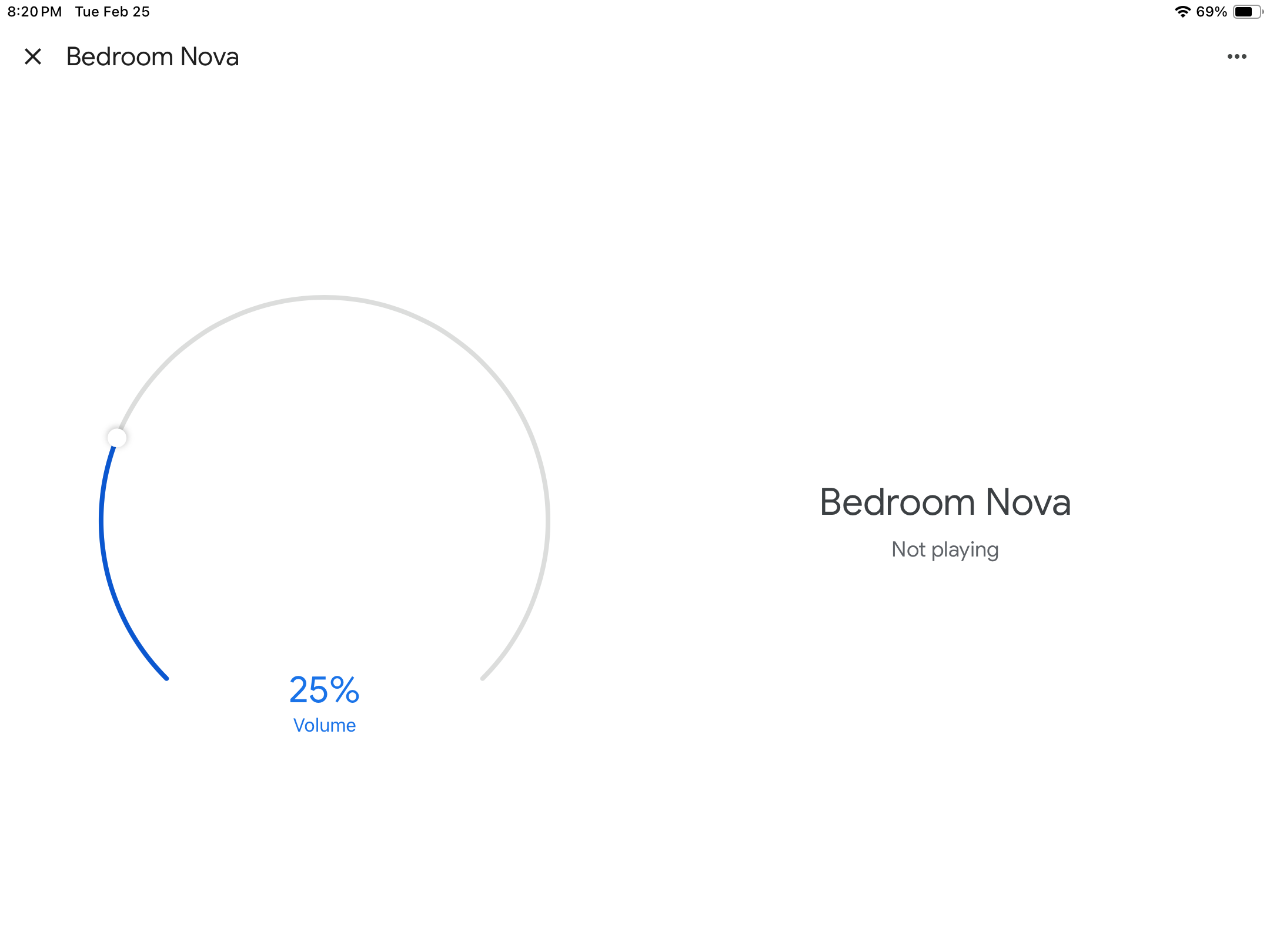
Thank you for reaching out regarding the issues with your Naim products and Google Cast/Home.
Naim in the UK is aware of the problem and is actively working with Google to find a resolution. At this time, we do not have an estimated timeline for a fix, as any solution will need to be thoroughly tested to ensure it works properly and does not introduce new issues.
Once ready, the update will be released as an app update in the respective app stores.
We appreciate your patience and are optimistic that the issue will be resolved soon.
Now, to give Naim the benefit of the doubt (and I’m not sure I should), they may be referring to another problem I reported at the same time.
As for the response you got, I would note that I have a dozen or so Nest/ChromeCast devices, but this only happens with my Nova. The problem exists on multiple iDevices.
I doubt that the problem is the token as I’ve had the Nova for several years and the problem only started a few months ago.
I will revert to Naim with respect to my own ticket.
Further to the below e-mail, several other Naim users have reported the same issue. In one case, Naim indicated that the problem might be in their phone settings or network setup. I doubt that this is the case for the following reasons:
The Nova is connected by Ethernet to a satellite on my mesh network. I have had no other problems with it. I have a Muso 2 connected to the same satellite and it has not exhibited this behavior. Nor has my ND5 XS2, nor my QB 2 which is on wi-fi.
Over the period during which I’ve had the problem, I have done several resets on the Nova and my router, but the problem remains.
I have the problem on multiple Apple devices (tested 3 iPhones and an iPad). The issues sprouted up one by one on the various devices over time.
I’ve had the Nova for several years and this problem only began to occur several months ago. I had not made relevant changes to my iDevice set-up. Indeed, for the older iPhones (used as iPods), I hadn’t made any changes in years except updating iOS versions.
I have about a dozen items in Google Home. The Nova is the only one suffering this problem.
Clearly this is a bizarre quirk. It doesn’t even affect all my Naim streamers. But it’s real and only applies to my Nova. Moreover, others have experienced the same problem with Naim streamers. Logic suggests it is a disconnect between the Google app and the Naim firmware, but there is no way for me to investigate either of those.
Please advise.
=============
Because of the way the problem infected one iOS device at a time, my best theory is that the problem is tied into a Google Home update, and was triggered whenever the iDevice silently downloaded the update.
That worked for me with my Muso but not with my Nova, and I’ve had some issues with resetting my Nova - all resolved in the end - so I’m chary of doing it.
Also I don’t see myself using voice commands for my Nova, which is used primarily with my music server and Qobuz. I’m much more likely to use voice commands for Internet radio with my Muso and QB.
Hello again. When I saw that Naim had once more released a new update in December after the aggravation caused by the last one back last Autumn, I decided that now Chromecast was once again working in Google Home, best to leave well alone. It seems this was a wise decision and the system 4.4.0 still works flawlessly. This is not in anyway me communicating a feeling of smugness but just letting you know that this system version still remains in working order with Google Home and do you still advise to leave the update 4.4.1 at arms distance?
I don’t believe the update has anything to do with the issue, but that is just a feeling. The update is to the firmware, but I believe the problem relates to the software. That would explain why I have the problem with some of my iDevices but not all.
However, if you’re happy with 4.4.0, just stay there.
Can I suggest you factory reset the Nova and use your main router to set things up. When done, move to your desired location and connect to your mesh as before.
As mentioned, my Nova is connected to the mesh satellite via ethernet. My experience shows that a factory reset would let me move the Nova back to a room - no need to connect to the main router. But experience also indicates that within 48 hours, the Nova would once again fall out of the room. Then, depending on which iDevice I used, I would or would not have a button in the Google Home app to return it to a room - only to repeat the process a day or two later.
Bear in mind that Google knows about the Nova - I can ChromeCast to it even if it is not in a room. But placing the Nova in a room is necessary for it to work with the Google Assistant.
Tech support from both Naim and Google have acknowledged that this is a bug.
So, Naim North America could not resolve the problem (which I only discovered when I contacted them) and advised me to contact Naim UK. This I have now done.
In the meanwhile, Google reverted, saying that this was a Naim issue. That is not fully true - at least with respect to the loss of the “Add to a Room” button. When my ChromeCast Audio puck became a local device, I could not add it to a room without doing a reset. That’s not a big issue if it happens once in a while, but my Nova reverts to Local Device status at least every other day, and I am not going to do factory resets that often.
Not ideal, but a workaround to try is to create a new home and then move the Nova local device to it. Once moved you should be able to remove the local device from the new home, and then re-add to the original home at which point you can assign it to a room.
(I’ve done the above a couple of times successfully, but gave up when it kept reverting to a local device.)
I added it from wihtin the new home. It’s at that point ettings become available and you can delete it.
Interestingly, I had a notification 9 hours after going through the process as described above that another user in the home had removed the Nova from the room. (This happened in the middle of the night, as if by magic so to speak.)
But HOW do I add it to a room in the new home? The first illustration is my new home “Test.” I select the Nova. I get the second image you see. No gear icon/no “Add to a Room” button
A number of Wiim users did the same thing successfully. There’s a thread I’m not allowed to link here.
I tried it once without success, but in any event, as my Nova drops into Local device status 3-4 times a week, this is not a truly viable solution, as I don’t want to do factory resets on my Nova every time.
Edit - So I tried your suggestion again and ran into the same problem - After multiple attempts Google Home never found the Nova. And I confirmed that the Nova was properly on the network.
Maybe Google Home was looking for a wi-fi connection, while my Nova has an Ethernet connection - just a guess.