In general yes, I don’t have a BT wifi home system to check indeed it supports that.
However my Ubiquiti mesh wifi absolutely supports that.
1 Like
Yes . They all have Ethernet ports so can be daisy chained wired or wirelessly. Depends on how many wires you want to hide!
Thank you both. I have a TP-Link Bridge/Extender upstairs that works perfectly apart from not seemlessly switching when we transition between upstairs and downstairs but we just about live with it and have good coverage in a 2 x 150m2 chalet bungalow. I noticed with my BT SH1 that in the same position as Hub5 that the TP-Link didn’t work so I went back to Hub5, but one day I may have a problem. The TP-Link Ethernet port drives the upstairs PC quite well.
Having had to buy a new Ethernet cable for a new Lenovo ThinkCentre without Wifi (its a business grade PC i9 16GB and very good) I plumped for a flat cat 7 into the 1 gigabit port. So now I’m thinking of another cable to the upstairs PC as these cable are a bit more flexible and discreet and I have a route in mind. I may upgrade to another BT package (I have Fibre Broadband at 36Mbits/9Mbps with the cabinet 100m away).
So playing with ideas.
Phil
1 Like
I’m quite new to the forum, but I can report that BT Whole Home (black discs) has provided very good coverage throughout my house allowing me to run Roon from an Innuos Zen Mini in a multi room configuration easily. My Innuos acts as Roon Core and endpoint and is connected by ethernet cable to a switch which is connected to a BT disc in my study. The Innuos connects via usb to a dac for listening on headphones. Roon also organises streaming of my music library on the Zen Mini to my Muso and two Sky boxes - the Muso is connected to my router downstairs in the lounge by ethernet while the two Sky boxes are connected by WiFi only. Everything is rock solid. When my ND5 XS2 and Nait XS3 finally arrive, I may move the Zen to connect to my router with ethernet pass through to the ND5 XS2 but it probably won’t be necessary. A big thumbs up for the BT mesh network!
3 Likes
Sounds good, and yes for those in the UK, those BT Whole Home systems seem to be the business.
If they had supported PoE I probably would have used them as well.
There seems a lot of confusion with the BT systems.
As I understand it: the BT Whole Home system is only the ‘white’ discs that can be used with any wireless hub (router) and are bought as single or multiple disc packages.
The ‘black’ disc is the BT Complete Wi-Fi, these discs can only be used with the BT SmartHub-2, and yes these really are the business & can be bought or as part of the BT contract with or without the SmartHub-2.
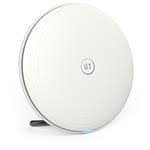
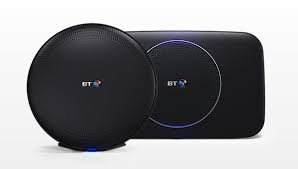
Interesting I wasn’t aware of confusion. Like you I understand the key differences are:
The BT Whole Home sets up an additional SSID for the mesh compared to any existing router SSID, whilst
The BT Complete Wifi adds onto the the router’s SSID, and perhaps as such is optimised for the BT SmartHub2… but I didn’t know it could only work with SmartHub2.
So BT Whole Home seems to be ideal to use with any existing ISP wifi router or standard router as you say… where it is probably best to switch off the router’s wifi anyway if present.
BT Complete Wifi appears only relevant if you have the BT SmartHub2.
1 Like
I’ve seen this ‘confusion’ a few time on this forum & others, e.g. talk about “the black BT Whole Home disc”, I have to say that BT have to be blamed for much of this with their marketing fuzz speak
(IMO only of course  )
)
Re what works with what - as I understand it: the black Complete WifFi disc is only set up for the SmartHub-2, the instructions with it are only for that master hub. To install the disc, power up & plug in a temporary ethernet link to the SmartHub-2 & they run an auto handshake, then disconnect & place the disc in whatever other room or floor & its all set.
Prior to that I helped a neighbour who bought a black disc to use with his HH4 & it wouldn’t work, he exchanged it for a white disc & that fixed it.
1 Like
My bad. Sorry for the confusion. Indeed it is BT Complete Wifi I have with black discs and utilising BT SmartHub 2.
2 Likes
Mike, my understanding is exactly the same as yours. I recently bought the white whole home discs and can confirm they perform extremely well. All discs wired Ethernet in my case, but they don’t need to be.
The BT product line up is extremely confusing, it took me quite a while to figure out the difference between the white discs (Whole Home) and black discs ( Complete WiFi). The white ones will work with any isp/ router, whereas the black ones only work with Smarthub2.
You can buy the white ones individually or in packs, but you can’t buy the black ones. To get them you need to take out a contract with BT ( 2years I think…) for the isp and Smarthub2, so in that sense you can only rent them but not buy them.
All very confusing, and trying to get any sense out of BT customer support is a lost cause…
Paul
I had a quick look - I must admit I thought their product pages were pretty clear to me - and non tech centric - a few more could follow their lead. In my opinion it possibly can’t get more consumer plug and play than that…
The key product is the BT Whole Home wifi - either mini, standard or premium and there is an easy guide to identify which depending on size of household and types of applications used… nice.
https://shop.bt.com/learnmore/bt-branded-products-and-services/bt-whole-home-wi-fi/
There is no mention of Complete Home wifi that I could see any where - even in conjunction with the SmartHub2 - which suggests to me that is only perhaps a legacy product that no longer exists.
Simon,
I am a BT customer ( a happy one) and kept getting email offers to “upgrade” to Complete WiFi and in the process of trying to find out what it is I stumbled across the Whole Home offering. Initially not easy to unpick the difference.
Below the link to Complete WiFi, which seems to be targeting new isp customers.
Even the Whole Home WiFi is further complicated. It offers three types, Mini Whole Home WiFi, Whole Home WiFi, and Premium Whole Home WiFi, and I don’t think the discs are compatible with each other. Yes the have a selector tool which is very simple, but for someone who wants to know a bit more about each type, and is not an expert in these WiFi/networking, it is not very useful.
Paul
That’s just my point Simon, even you are confused with BT, you can’t find the Complete WiFi product, this is their standard ISP product line, SmartHub-2.
You can buy the parts separately from BT & www vendors or as part of the BT (ISP) package, & thats where a lot more info can be found.
Not sure I follow.
They have one product group called Complete Wifi - now packed into effectively small, medium and large.
I have no confusion with that, I think its excellent - as I say its very clear - and I wish more would take a leaf out of BT’s book on this sort of simplicity.
If others buy from other vendors then I guess one doesn’t have control over how those are sold. But I looked across BT.com consumer / product site and could see no mention of anything else but yes I might of missed it lurking somewhere.
So all I can recommend is if you want to use their products, use those as referenced on their current product pages, which is the Complete Wifi product range. Even the SmartHub2 router on the product page references Complete Wifi now.
S
Quite. The Whole Home Wi-Fi range works fantastically well with any router or ISP so why would you bother with something tied to just BT?
Exactly same experience: replaced all the apple stuff with deco m9. Result, no dead spots, and Incredibly higher speeds everywhere.
1 Like
I have a late generation Airport Extreme and Airport Express (extender) and wondering if I can improve my network by getting a mesh system.
Are there any standout systems that work well in the states that isn’t a google product?
I was considering the Ubiquiti Unifi products (esp AP AC Lite) but got turned off when I couldn’t reach anyone for sales support as I’m not clear on how these units work.
There is a plenty of wifi mesh systems, Linksys, Netgear, Amazon, and others.
Thanks but I’m more interested in personal experiences with specific equipment.
There is no need to live with “double NAT” with the Google system; just let the Google system be your home dhcp server/router. That’s what I do. Connect a big ole’ switch to it, and you’ll have as many wired ports as you need, plus the wifi. I see no downside to this.