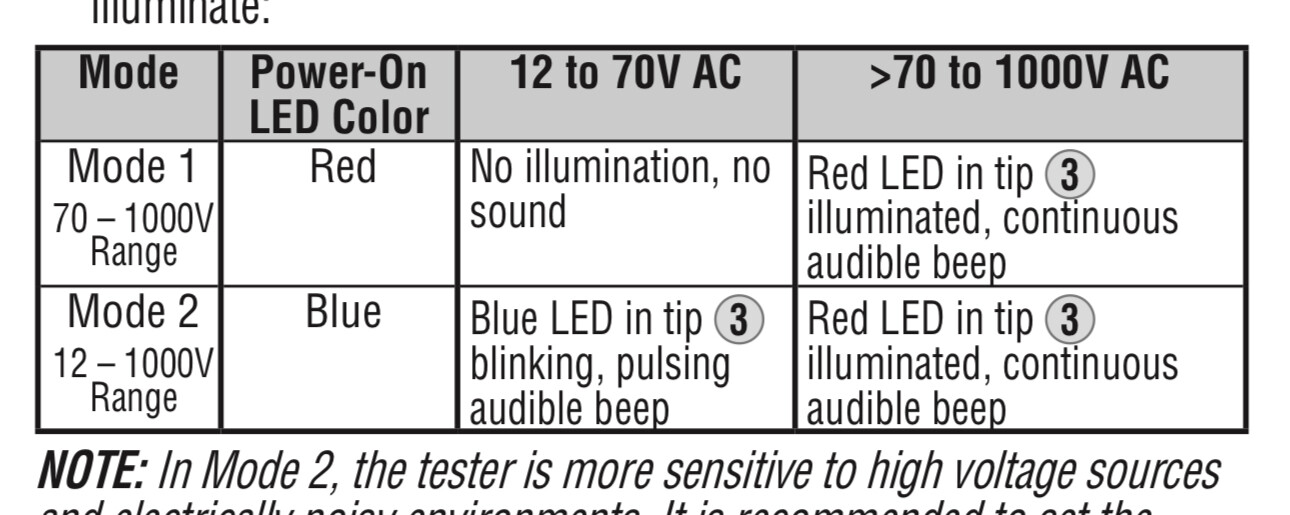
The Eero Pro7s I have cause a similar ‘no contact’ meter to light up red always on one of two legs. It has two Ethernet ports. It’s always the one connected to the switch, not the one connected to the modem (I can swap cables).
Following the cables, once it enters the GS108e, presumably because it’s in low power mode, the other cables coming out of the GS108e don’t have this issue.. I guess the gs108e ‘takes care’ of the issue - whatever the issue was…
The no contact always flashes blue for the other cables.
FWIW ChatGPt thinks the Klein meter is being fooled.
Still - there is a difference in magnitude of being fooled - in all cables it pulses blue, but with some it’s red!
What are your powersupplies for the router, modem and the Eero Pro (which i am not familiar with) and does it make a difference which slot you use on the GS108e for your cables ?
I’d rather overthink than spend 1000s on voodoo cables…
FWIW - replaced all switches with GS108e running in low power mode powered by ifi power X,… and that had made a nice enough difference to the whole system that the $1000 English electric noise isolator isn’t don’t anything useful and can be returned.
Also - for whatever reason with the network sorted the $180 Wiremold is working almost as good as the $2500 Nordost 20A QBase…
At this point I do believe that all these tweaks do work - but they work as bandaids so folks don’t have to worry about setup. You can spend megabucks for plink and play or get 99% there with good setup and hygiene …
Hence the question…
and it’s not related to the netgear - in a different room got the eero hooked up to two devices - and one of them pulses red and the other blue.. with the Klein meter…
Since these devices aren’t grounded maybe it’s just shunting something to one Ethernet cable or the other …
I also do not believe in ethernet noise isolators. Tried several of those. It was much more effective and cost saving in my setup to avoid noise in the first place.
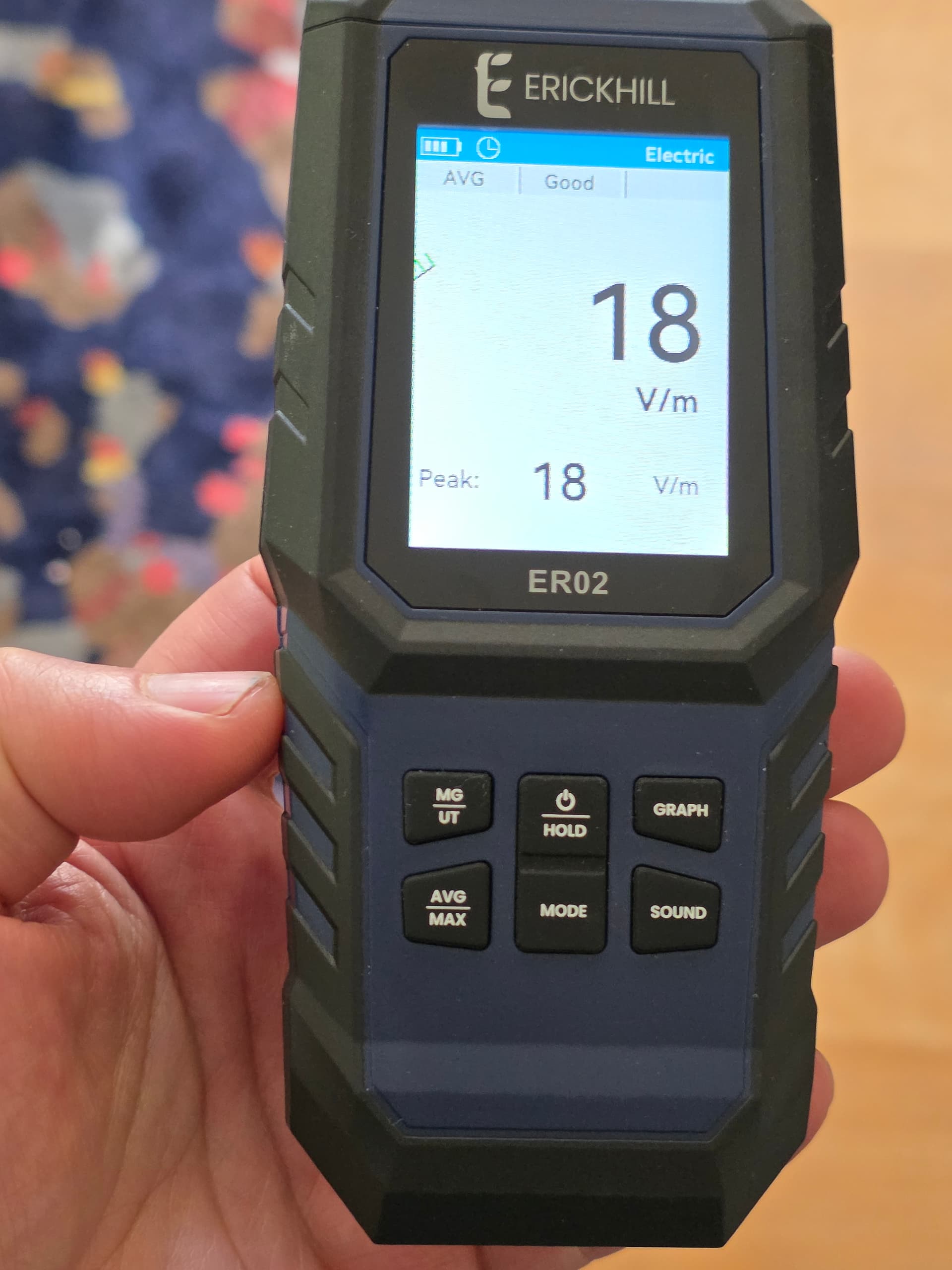
It is hard to tell whether the signal you get from Klein meter is relevant. A better tool that works really well in my hands is this type of thing
In my experience and based on the readings from this device, i made the following observations:
1)Noise in the Lan cables can differ depending on their connection, as in your case, for reasons that i dont know.
2)the least noise creating linear power supplies are those that have super capacitors in the output stage, such as the Mr Nixie SPSC. Affordable and very effective. I compared this to Sbooster, Plixir, Keces etc..
3) powerbanks work very well too. For my roon core i replaced an expensive linear power supply with a large power bank. Eliminated noise in the Lan cable between roon core and switch completely.
4) A non-tractable source of noise are devices plugged into neighbouring outlets. In my system, i have to unplug the some non-hifi stuff plugged in at sockets that are 3 meters away from my router/switch/ plug. Nothing that i tried gets rid of that type of noise and ethernet isolators are no exception.
With all these measures the noise reading in my router/switch/roon setup are almost zero at any connection, with considerable benefit for sound quality.
At the end, the winning setup for me was the cheapest one . This conclusion of course only applies to the rooter/switch/roon side of my system.

 . This conclusion of course only applies to the rooter/switch/roon side of my system.