Hi Mike, you may have read some of this stuff in other posts I’ve made elsewhere but in this context its hopefully worth repeating.
3 years ago I started with a clean slate to create a local and remote streaming system. In terms of networking I started with 2 priorities:
- As good sound quality as possible
- Solid, uninterrupted, high performance network access for all network devices in my house.
My network is based on a mix of ethernet cabling and wi-fi and can be defined as follows:
- Devices that only support 2.4GHz wi-fi
- Fixed devices that are a long way away from the wi-fi router
- Mobile devices
- Video streaming
- Audio Streaming
Within a few miles of my home I had 3 major electronics retailers so I was able to buy and return a number of devices to trial and compare. These included 2 brands of mesh networking, extenders, power over mains devices, various routers plus some high quality ethernet cabling that came from Synergistic Research.
At the end of this I finished up with the following installation, which provided the optimum sound quality, optimum video streaming and most robust wi-fi without buffering interrupts or dropouts.
My broadband of ca 630Mbps is provided by Virgin Media via co-ax cable to a Hub 3, which is a combination cable modem and 2 band router. I run this in Modem-only mode and take an ethernet cable from its WAN socket to a TP-Link Archer AC 5400 Tri-Band Router. Referring to the above devices list this is set up as follows:
Band 1 2.4GHz. 1 & 2 & 3
Band 2 5GHz. 4
Band 5. 5GHz. 5
The above arrangement gives me solid domestic wi-fi without any heavy streaming loads to drag down bandwidth, a dedicated HD video streaming band and a dedicated HD audio streaming band.
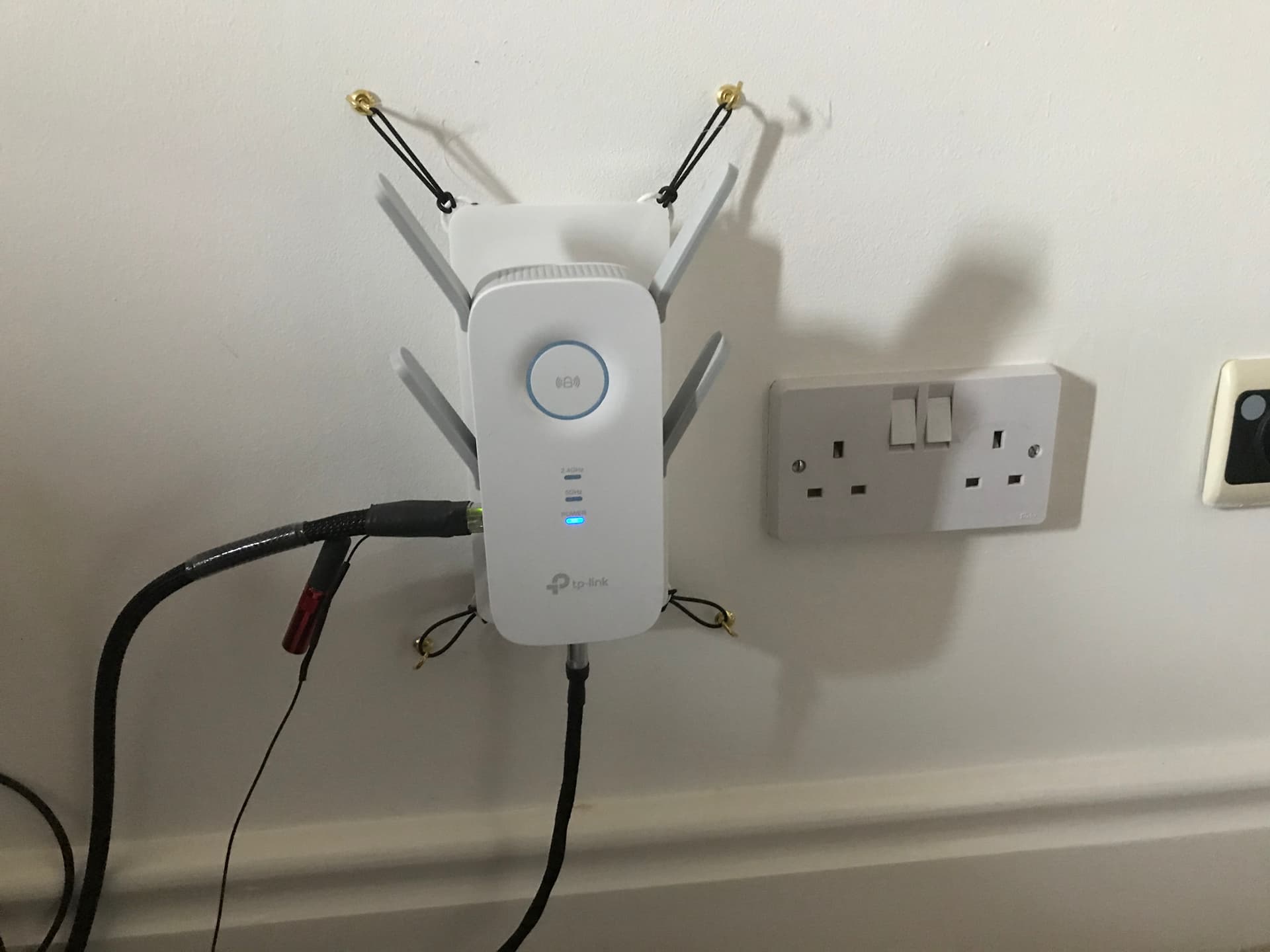
My hi-fi server was initially an Innuos Zenith MkII SE, now upgraded to a Statement. In the hi-fi room I installed a TPLink RE650 AC2600, chosen mainly for its sound quality. The RE650 is set up as a wi-fi to ethernet bridge, with the 2.4GHz band, polling and LEDs all switched off and clients limited to the Innuos Statement. I can manage both the Archer 5400 router and RE650 bridge from my iPhone or iPad using the TP-Link Tether app. I run a short ethernet cable from the RE650 bridge to the Innuos. Due to the high speed wi-fi transmissions, the innuOS 2,0.X ‘push’ operating system, and the single client wi-fi there is almost no network traffic during active music replay, which means very little ‘noise’ or CPU interrupts.
I started out by adding an AQVox SE switch between the RE650 bridge and the server and now run a cascade of AQVoxSE into Melco S100/PF Ultra OCXO into Innuos PhoenixNET into the Statement. The installation has been highly optimized with anti-vibration platforms, highly screened star-wired ethernet cables and Sean Jacobs DC4 power supplies throughout.
One day, when I get FTTP I will certainly give fibre optic a try but in the meanwhile the musical performance of the above system is exemplary.
The pictures show the now modified RE650 with anti-vibration wall mount, 5V DC LPS feed and Synergistic Research Atmosphere X Ref ethernet cable.