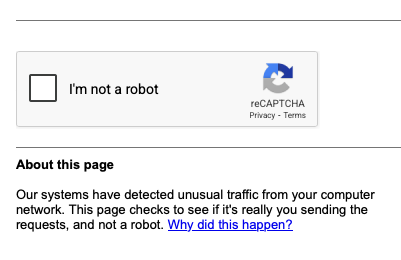
I used to get in on my MacBook but not Mac. Both use Private Relay. In the end I moved the default safari search to duck duck go on the MacBook. If I need google, that works fine if I open a link directly to it - the issue is only when google is the default search in Safari
I am regularly getting this with the Steve Hoffman forum and they have posted that it’s a deliberate policy for some countries because they have been getting so much Bot traffic and they want to weed it out. The Hoffman site doesn’t require that annoying photo tick process. Maybe other popular websites are doing the same. This is the statement I referred to:
"Our server has experienced a large influx of bot traffic from specific countries. While a few of the bots may have legitimate uses, most are unknown and untrustworthy. In short, they are using our resources for no apparent benefit to either our server, or our members and human visitors.
We were seeing as high as fivefold the number of visitors (who are not logged-in members) we usually see on the forum. This has the possibility of slowing down the server, and forum/site access for everyone. If you have experienced slowdowns in recent weeks, this is the reason why.
We have identified many of the countries involved and have taken steps to slow down or block these bots from accessing our server."
Yeah this started happening recently. In fact I am no longer even able to search google without that. So I just said, “sod you then” and set my search to Bing.
Almost certainly the case.. effectively you are using an Apple VPN .. and there will likely be some port address processing going on.
Now the receiving web site may be seeing a lot of similar requests coming from a small range of addresses across different ports. This could also look like a sort DOS attack or other attack.. so triggers a bot detection process.
Unless you are in a public or untrusted WiFi area I would disable Apple relay system. You don’t need it for home use unless you are wanting to hide your meta data for nefarious reasons.. and in which case you are better of using ToR.. ie an onion router, which is similar to what you might use for the dark web.. where you wanted to be genuinely anonymous .. it might also trigger a call from the security teams of your ISP in some scenarios because it is genuinely anonymous as opposed to VPNs.. it is possible to get red flagged in some scenarios.. in some parts of the world it is illegal, but not in the UK.
Back to to regular web, I would say 99.9% of web traffic is encrypted now by default … so the value of relays or VPNs for web use is largely diminished now unless you are unlawfully seeking to defeat geo location controls for copyright etc. . For non web protocol use (I suggest most consumers use web protocols now with their applications) or where you are on a non trusted wifi hot spot away from home then encrypted relays and VPNs still have value.
I don’t think it is. I do have an AdBlocker which sometimes causes issues with blocking the cookie acceptance/rejection popups however the ‘unusual traffic’ warning comes up randomly not with every search.
I would suggest looking at changing your search engine to duck duck go. I found it works pretty much for everything, then occasionally I go directly to google .co .uk for one off searches that don’t give me the answer. To quote them “The browser that actively protects your personal information.”
No, I’m sure you weren’t being nefarious… but the web service doesn’t know who you are by your public address, other than your ISP and regional location. It’s only your ISP and your national law enforcement authorities who would know that if you were a subject of interest… and that is often the same whether using a VPN or not.
Your public address changes every so often too through your ISP dhcp.. but not all do this.
Do you have your own private IP addresses that your register a domain name to? If so you likely know legally you have to provide certain key bits of identify information about your domain to ICANN /registrar… so anyone can use WHOIS or other internet tools to look up that info.
However for regular egress flow use and/or reasonably anonymous use an ISP provider aggregated address which is regularly reassigned through DHCP. Sometimes and more common on small business accounts that address can be made static… but is less anonymous obviously. This will usually happen for v4 and v6 addresses with many ISPs and is the default for most consumer broadband type connections (shared)… as opposed to using a dedicated DIA (direct internet access) which are more typical for larger commercial or public sector organisations where you typically have a small network subnet assigned to you.
For broadband the reverse look up usually translates to your ISP address blocks… I’d be intrigued if you say it doesn’t in your case
The ICANN reporting is annual, though often it’s just a click to confirm no change. If you do have a static address with a domain though and decline to maintain your records for WHOIS lookup, your domain will be suspended and IP may be marked as “suspect” until you comply. Late compliance can take over 7 days to get everything back to normal too.
I don’t think that’s the issue with this message though. I have several computers and this message only appear from one of them and only via Chrome. Nothing is blocked or denied in my browser settings. It falls into a category of problems that’s weird but solvable with a bit of investigation but with a busy schedule and other browsers and search engines at my fingertips, it very much shifts into the “I can’t be bothered. Google, you’re dead to me now” category.
I saw it a few times on iPad when I temporarily had Apple Relay on… that was using Safari … I had other issues with Apple Relay to do with location verification services… so I simply disabled…
I can’t say that was the definite issue that caused the bot detector to pop up… but I don’t see it currently.
Yes as I said it is very unlikely to do with blocking or withholding … but more to do request the end service sees from a whole load of different ports across an address range. This can look like an attack. Now the web service WAF would normally mark specific address ranges as trusted… but perhaps for what ever reason some of the Apple Relay addresses are not currently trusted…
I have a static IP address with a small provider I’ve been with for probably 20 years - initially thought it would be handy for various reasons including considering an internet facing server but I never did this or registered a private domain against it (though might do at some point). I’m not so sure the static IP is as useful now especially when it comes to privacy.
The interesting thing with iCloud Private Relay for me is that I suppose I trust Apple wisely or not a bit more to deliver with Safari and their Mail app, but the ‘VPN’ aspect doesn’t apply to other apps as far as I’m aware (or at least non-Apple ones) - I’d imagine this might be something they’d extend to be manually configurable in the future for other apps.
As much as I don’t necessarily need one I might be better off with a proper VPN, but this just potentially hands your access history to a 3rd party company and if they keep records or get hacked it could compromise security/privacy too.
One of the reasons I wondered about another device being compromised is that I gave my son admin rights on his PC a few months ago as he’s quite into gaming and I was always installing utilities/apps/helper apps for him - I trust him not to do anything clearly unsafe and as he will know far more about such software I decided that he’s of the age where he needs to take responsibility for such things as he’ll have to do so as an adult when he buys his own devices.
Well quite and if you are with a small provider that you have trusted for the last 20 years and assume you have had no issue then you might be better sticking with then, than trusting a VPN provider you know nothing about.
I wouldn’t unduly worry about your static IP address. It sounds like you have only egress flows and your broadband router firewall will be dropping most other unsolicited things.
The privacy only is relevant to whom you are talking.. and there are no records they can access other then when you previously visited .. they can use cookies that you agree to.. and if you have not registered a domain name to your ip address, only your ISP will have those details…
It’s not really an issue… I would focus far more on keeping internet facing systems updated and mindful of phishing and vishing attacks and avoid clicking on unsolicited hyper text link in emails and texts… those are the far more likely sources of compromise, rather than fixed line or mobile broadband/data anonymity.
But yes if using a public WiFi spot and certainly if unencrypted (ie no password) then use Apple relay or a vpn.