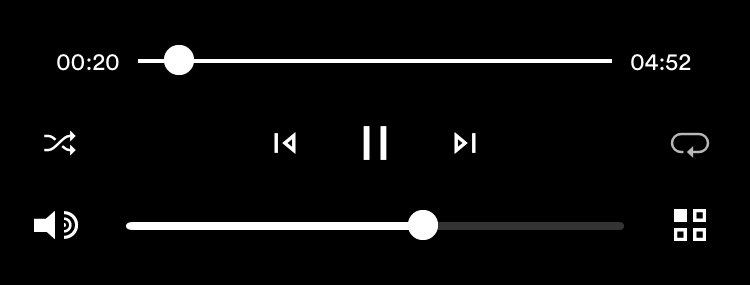
Shuffle and continuous loop play are on the Naim app Now Playing screen, tap the Shuffle icon (crossed intersecting arrows) on the left bottom of the screen
I think you need to look at the ‘Jukebox’ or the ‘Dynamic Browsing’ function of Asset. To be honest, I also struggle with it. I haven’t spent time on figuring it out yet.
No need to config anything in Asset, It really is simple as I posted above. Load one or more albums onto your Now Playing screen and just use (touch) the Naim app shuffle feature.
The ‘Jukebox Track Selection’ is good for shuffle playing a complete collection. Click the ‘…’ on the ‘Jukebox Track Selection’ and press ‘Play’. Each time you do this, a different selection of tracks is played randomly.
Selecting artists, year, genres etc. and than shuffle playing needs to be done with ‘Dynamic Browsing’, but that one I haven’t figured out yet.
Thank you for the suggestions. My favorite way to listen to mu library is just to chose «all songs” and the random play or shuffle. That how I did it on my iPod, then itunes. Now I use bdPoweamp on my cell phone and it supports this listening style just fine.
However using the Naim app, I select my nd5xs, upnp, asset Upnp, then “Title”, “*all titles”, choose a track and then click the shuffle button to shuffle all titles, but it won’t do it. I’d like to do the same with genre, or artist or even albums.
Oh well, you have directed me to the jukebox track selection feature, thank you. It will have to suffice.
I just can’t believe this feature has not been incorporated into the Asset software.
How are you trying to start play in the Naim app? In the UPnP Tracks listing, if you tap the … button in the top R corner (i.e. not the … button next to a track) then hit play, you should be able to get the list to start playing.
That is a partial solution. If you want to play tracks of a specific artist, that will probably work. The problem is with shuffle playing a large collection or selection of tracks. The maximum number of tracks in a playlist, created by the app, is 500 tracks. If you use the Play option from the top-right ‘…’ menu, it will only select the first 500 tracks from that list. That’s not what you want if you want to randomly select 500 tracks from a large collection. The only way to do that is using the ‘Jukebox’ option of Asset, for as far as I know…
The 500 track limit is in the Naim app, not the streamer. @HenryDog206 has an advantage here in that the UPnP (and Tidal) inputs on his 1st gen. streamer can be controlled using the remote, and this will bypass the limit on the app and allow longer play queues.