Hi all,
Just had my NDX back from Naim after a service. I want to be able to control volume on my ipad via the Naim app (which I used to do prior to the service). I have a cable from remote out in the NDX into RC5 of the pre amp. I seem to recall I need to change something in the NDX settings (system automation to enable it?) but can’t seem to find the right setting to get it working.
Can anyone help? Thanks in advance.
Hi Locks 11878
These are my Syst Auto settings, it includes facilitating FM Tuner (NAT-05) but if you don’t have this, or do have a CDP, its easy to figure out.
NDX front panel display settings for System Automation
Pre-Amp > Enabled
Pre CD > No
FM Radio (Pre-Tuner) > Yes
Pre HDD > Disabled
Pre AV > Disabled
Pre Aux1 > Disabled
Pre Aux2 > Disabled
DAC > No
Hope this helps
1 Like
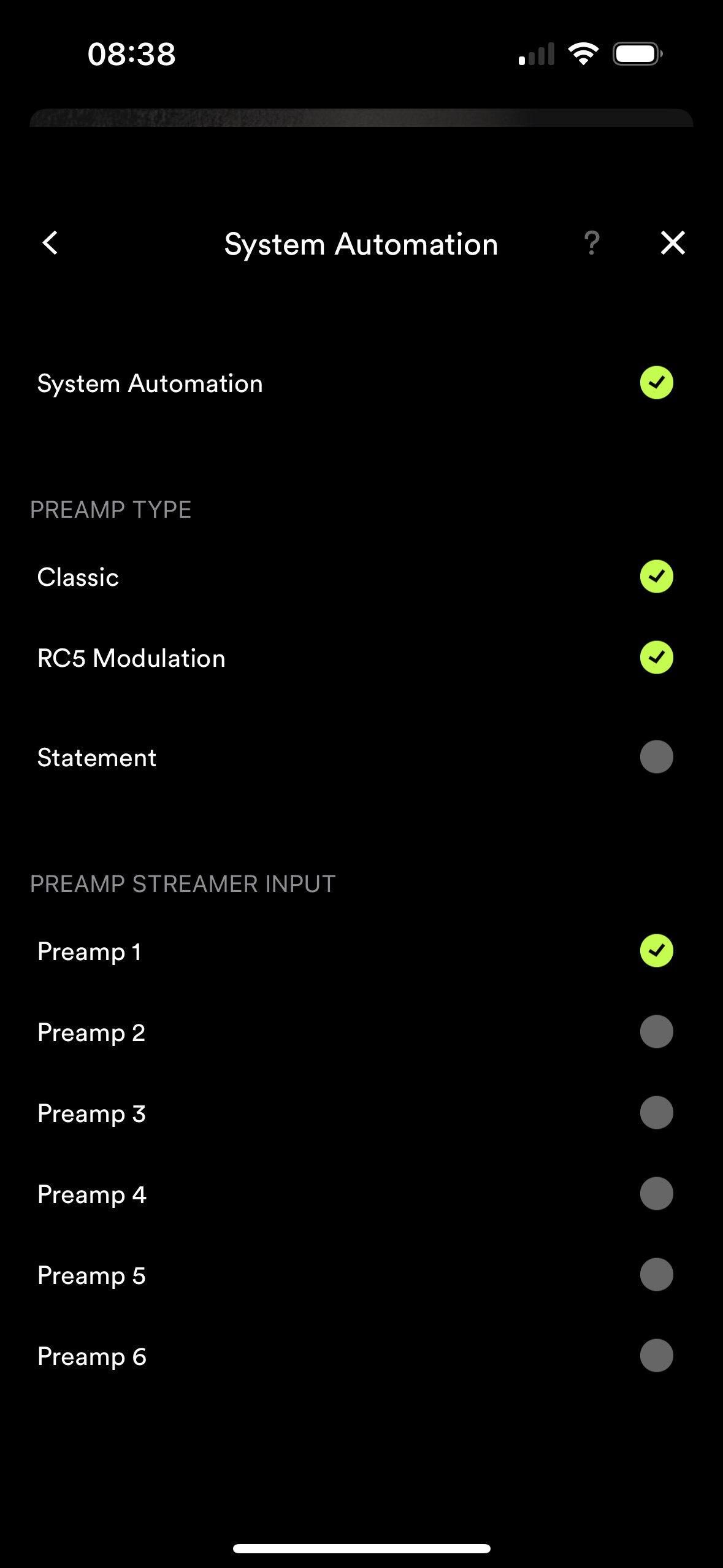
Don’t know if I’m helping but this is what my app looks like to link volume control between my NDX2 and 282 via a 3.5 to rca cable.
 compared to NDX.
To use iPad to control volume, can I use a 3.5mm RCA-RCA cable from remote out socket on ND5XS2 to my NAC 52?
And then adjust settings as above on the iPad Naim app?
[I have ND5XS2 - nDAC - NAC 52].
There’s no system automation on a 52 to you can’t use it for volume control. You’ll have to wait until you upgrade it to a 552
1 Like
Got it sorted with these settings. Really appreciate your feedback!
1 Like
system
September 3, 2023, 4:28pm
9
This topic was automatically closed 60 days after the last reply. New replies are no longer allowed.