Internet radio

I’m using the latest version of the Focal/Naim app.

I’m selecting an internet radio station - in this case Radio Paradise Mellow Mix.

It starts playing and as has been referenced (via the update) there is album art showing now.

But…. It’s out of synch and doesn’t correct itself in that the song title and the album art match but it’s not what’s playing.

If I go online to the website and lookup what’s been playing I can see it’s several songs out of step.

Any ideas please to sort this out?

I’ve closed and re-opened app but stays the same.

I’ve noticed similar issues with Radio Paradise on the last couple of firmware versions, and I’ve reported them to Naim, so they are aware of it, but I don’t know how much of this is within their control as opposed to an RP issue.

My guess is that the album art is coming from the XPeri metadata service and not from Radio Paradise itself. Maybe @Stevesky knows if that’s the case or what is going on.

In fact I’ve rechecked and ‘weirdly’ the album art and track name matches what the RP website (browser) says is currently playing on the Mellow Mix but the music actually playing from my Nova is not even showing in the playlist (history) for the last 24 hours?
Hi all,

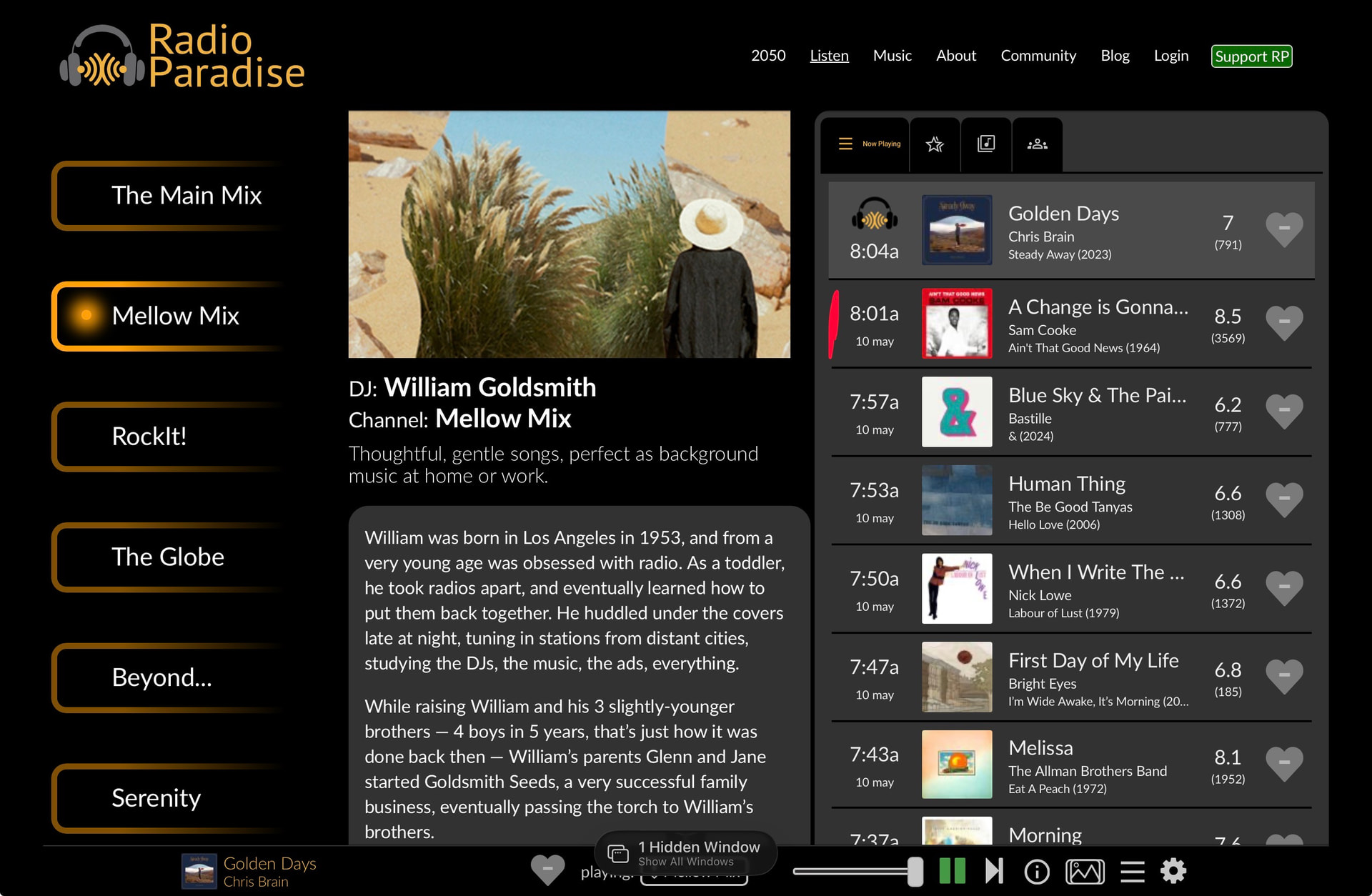
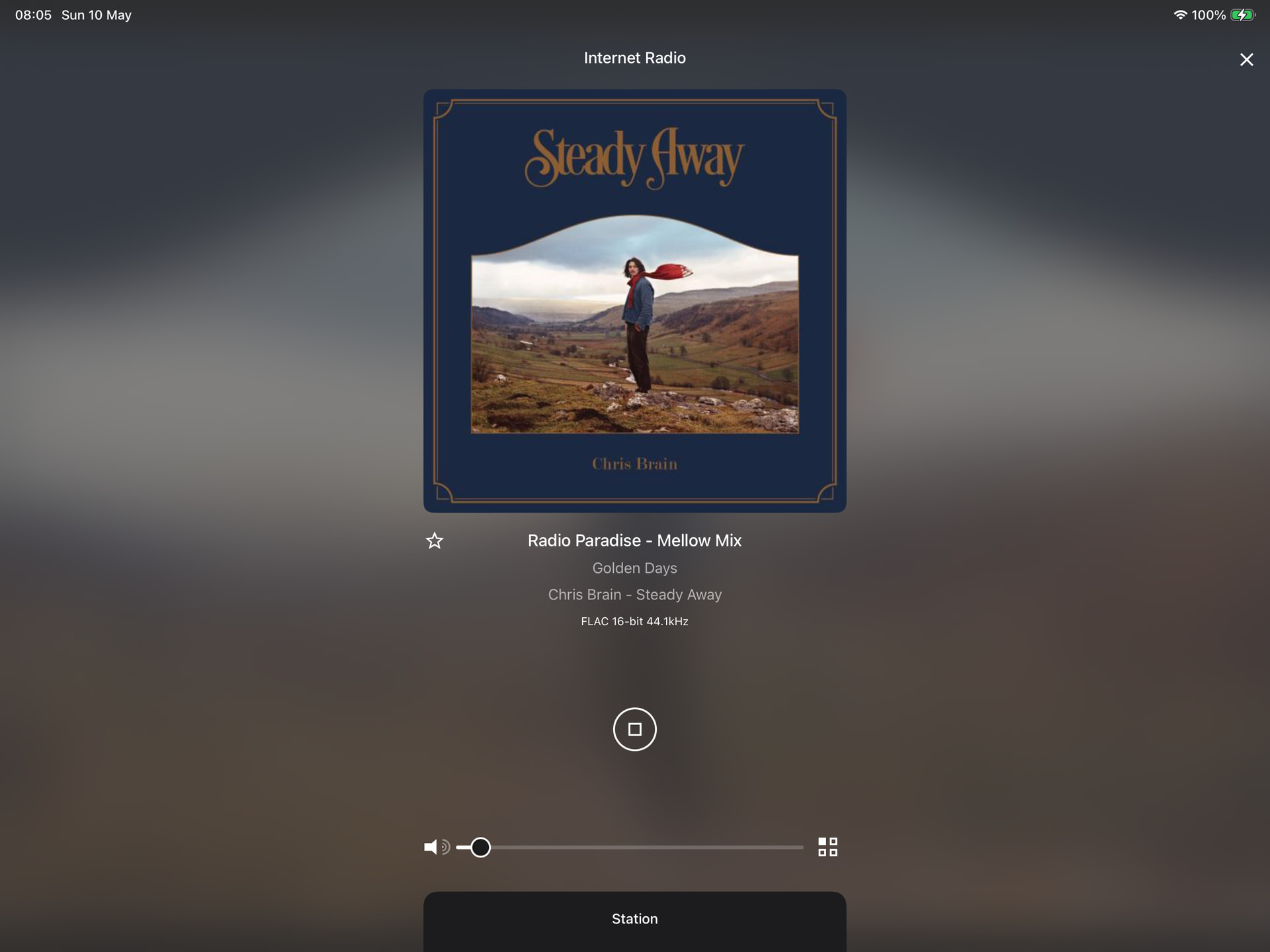
Radio Paradise Mellow on their server side has a sync issue at the moment, Example:

Their website. I’ve marked in red actual music playing on their website player and on naim:

On Naim. We’re getting the same out of sync meta as we run off Radio Paradises api’s:

Will write them an email on the subject as this has been an ongoing issue across all their channels for many months.

Best

Steve

2 Likes

Thank you.

Hi,

I just heard back from the Radio Paradise team and it should be now fixed.

Best

Steve

2 Likes

I’ll check again shortly.

Cheers.

Checked and all synch’ed again.

Excellent support work.

2 Likes

This topic was automatically closed 60 days after the last reply. New replies are no longer allowed.