For those Apple users out there; anyone experienced with manipulating (not editing, just storing / cataloguing / organising) large Photos libraries with a Mac Studio?
When I say large library, I’m talking in the c1TB / 250k+ photos and videos territory.
It’s ‘manageable’ with my 16GB RAM MBA, but I’m thinking about adding a desktop - either an M4 Mini or M4 Studio. I have no real need for the more expensive Studio except for issues w Photos. As mentioned above, I don’t do any photo / video editing, moviemaking, etc. So those use cases for the Studio aren’t there. But would definitely like to future-proof consumer grade photo storage and organisation.
Are the extra CPU/GPU cores on the Studio going to perform better than say a higher spec Mini? Curious if anyone has gone through the same. Thanks!
Whats the spec of the mba?
If concerned about the number of photos in the collection, the Apple Photos app permits multiple libraries..
This would allow you to split the collection by ‘genre’ and reduce the number of items per library.
Depending on growth rate of the collection I would be less concerned about future proofing, the tech specs of systems improves so fast that buying now for say 5 years time would be a waste, whats out next year will always be faster and probably cheaper.
On Youtube there is the Artisright channel is specialized in testing with Apple computers and photography. Although it mainly focuses on Capture One and Photoshop it will most like give you the right direction. You could take a look there to see if there is a comparison between the two.
The number of items mentioned should not be an issue as Photos could import Aperture libraries which can hold up to 1 million objects. My understanding is that Performance will depend on how much you make use the ‘smart’ functions such as ‘people’ and smart albums for cataloging.
There will however be a hit when it comes to Photos own management functions such as rebuilds, updates and icloud backup.
My photos library is around 30k items running on an m2 pro mini and it’s snappy when scrolling and editing.
You mentioned that management is ok on the mba, do you have free space to duplicate the collection and create a single library to test its performance?
I don’t have experience with such large libraries (I’m at less than 10% of that), but there’s some general “Apple specs” stuff.
BTW - which MBA generation is in use today? I assume, SSD is larger than 1 TB, if you have such a large library?
My expectation for better spec’ed Macs (mini or Studio) would be:
The SSDs are about twice as fast, when you have a Pro or Max chip, compared to the base Mx.
That could help a bit, with accessing indices, loading previews, … but I don’t think, it’ll be a game changer.
The Pro and Max chips have more CPU and GPU power than the base model, CPU wise they are rather close to each other, GPU the Max kind of doubles the performance.
However: unless you’re re-indexing the whole library or mass-importing many pictures, I don’t think the CPU will have massive parallel stuff to do.
And the GPU (which is, with memory bandwidth, a huge cost driver for Pro/Max) would likely be wasted.
I guess, you’ll need more than 1 TB of SSD? 1 TB for the library (plus growth) and for the rest? (Price impact…)
Note, that on a stationary Mac you could use a fast USB4- or TB4/5-SSD to save on internal SSD. They are darn fast, these days. (It’s just more practical on a stationary Mac, since a) the power consumption does not matter like on a laptop, and b) it’s much easier to cable and place it without being inconvenient.)
Problem: you could only try out, if it works good enough, after you bought it. Unless you can try on another Mac first.
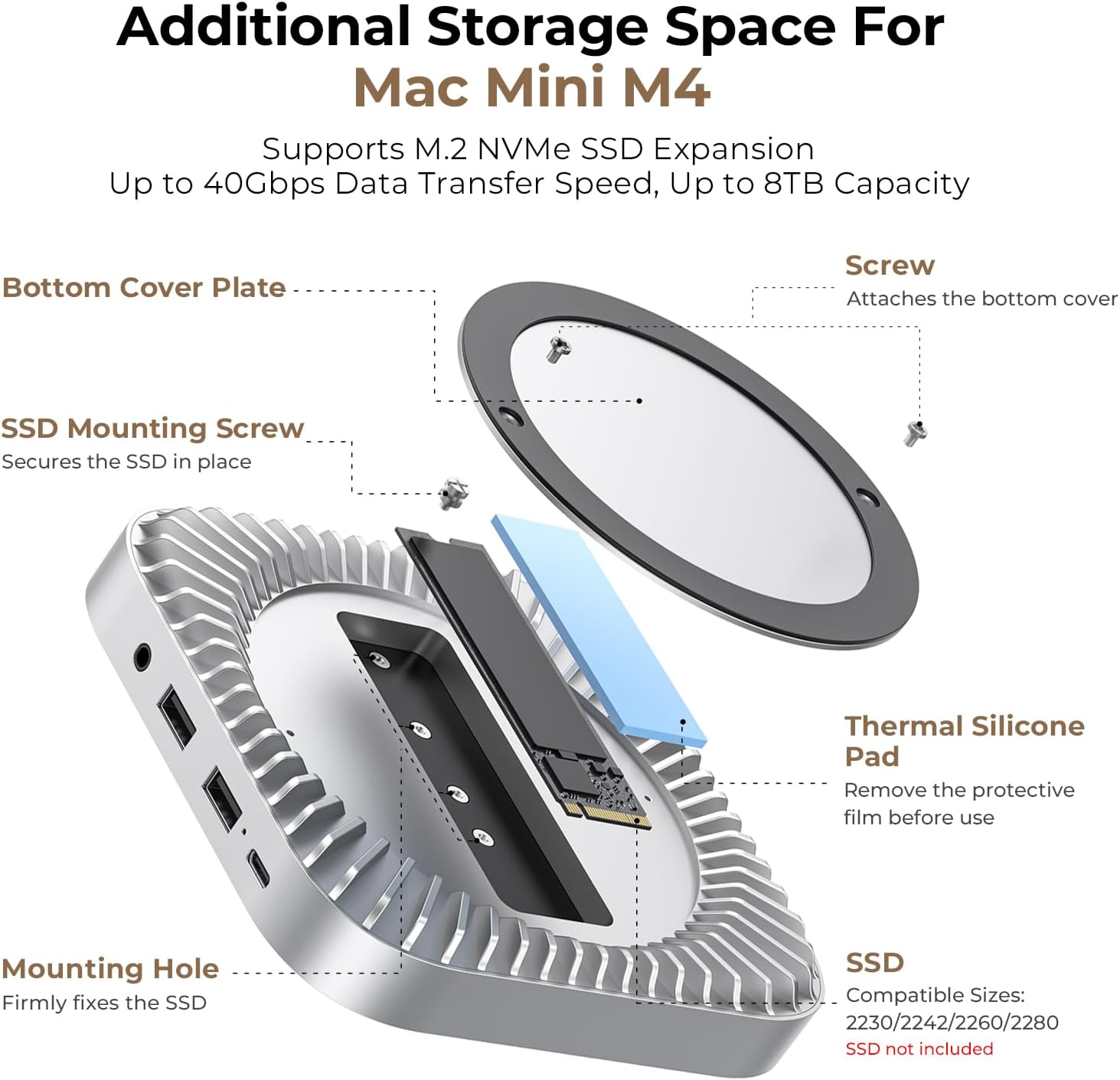
(There’s also 3rd party chips and instructions, how to replace the SSD in the mini yourself… just in case.)
For large libraries (i.e. large indexes, etc.) I would assume, that more RAM will actually help with browsing, searching, etc.. - But I cannot say, what a “reasonable size” in relation to the library size is.
In short: I’m pretty sure, the Studio with the M4 Max would be overkill and most of the chip would idle around all the time… it’s for massive music arrangements, extensive video editing, 3D graphics, and the like.
The M4 Pro might help (faster SSD, faster RAM, more CPU, …) but I’m not sure, by how much.
It’d go for at least 24 GByte (also in case, Apple get the “AI” working at some point), but not sure, how much you’d need.
You could configure the mini with M4 and M4 Pro (you can use the smaller Pro variant) with the RAM+SSD you need, and look at the price difference. (With 2 TB SSD and 24 GB RAM, the mini isn’t as “price effective” any more, like it’s base model.)
Good luck! We switched to a modest Mac mini and was thinking the same. Imported 15,000 photos to Photos no problem at all.
Made a temporary external backup before going ahead for safety.
Martin
If you do decide to use an external drive to hold the library then i would suggest avoiding the base 256gb model even though it’s not being used to host the photos. The base model has a single ssd with write speeds of around 1.5 gb/s, the 512 and above achieve 4 - 7 gb/s due to their multi chip design.
My understanding is that Performance will depend on how much you make use the ‘smart’ functions such as ‘people’ and smart albums for cataloging. There will however be a hit when it comes to Photos own management functions such as rebuilds, updates and icloud backup.
Yes, this is where things tend to get stuck - when I’m moving, rebuilding, repairing stuff in the single library. So I’m not sure if the choke point is the hardware spec or the software itself.
In terms of spec on the Mini, I’d probably be looking at an M4 10 core CPU, GPU 16GB RAM 1TB SSD. Library in iCloud, copies / thumbnails on the device as it is today. Base Studio is M4 Max chip, 16 core CPU, 32 core GPU, 32 GB RAM, 512 SSD.
Right now I have the library on a 2TB external SSD, so I can technically duplicate it and work with it. The MBA is 500GB so not big enough to host locally - hence the external drive and iCloud.
I think the speed differential between the 256 and 512 models has been eliminated in the M4 model - that one uses multi chip for all SSD configurations
I think your post may push me in the direction of the M4 Pro; not cheap but cheaper than a Studio with a better form factor. And I agree, the Studio will sit idle mostly once all the Photos work is done and synced with iCloud.
What I really like with the Mini is the adapter bases with additional ports, ventilation, and the ability to slap more memory into. Just not sure you can run a primary Photos library off an ‘external’ drive though
The system photo library from memory has to be on the startup drive. Yes you could have other libraries on an external drive but they wouldn’t then work with iCloud Photos or shared features.
If you use an external as the startup drive then you can have the system photo library there.
I’ve used external SSDs as startup drives for years with Intel and Apple Silicon Minis - initially to boost performance of older Intel Minis with slow hard drives but currently with an M1 Mini as Apple are rather expensive when it comes to larger internal hard drive options.
Of course you then lose the speed benefits of the fixed internal SSDs but for most of what I do I don’t think it’s an issue and the external capacity suits me better (2TB Samsung T7 - getting long in the tooth now probably).
Intending to upgrade quite a few Apple devices in the next few months and the biggest thing holding my M1 Mini back is the paltry 8GB RAM - glad the minimum has gone to 16GB on the M4s but I think that’s what I’d like to max out when I get a new Mini variant.
Don’t know if it’s changed but I wanted to try ‘Apple Intelligence’ on the M1 Mini but it only worked when using the internal as a startup for some reason - possibly down to processing stuff locally in a more secure manner?
This would suggest the system library can be on an external drive.
The external drive needs to be mounted all the time however as the background daemons need to be able to find it when the user is signed on even if Photos is not running.
Thanks for that, good to know an external can hold the system photo library. I looked at a different kb article earlier which didn’t specify that detail.
It may have changed or maybe when I was using the internal SSD as startup I wanted to keep the system library there not on an external if only one system library per installation. A bit odd in some ways as you can easily swap libraries and if you have several Macs you’ll have multiple system libraries just by virtue of that. Maybe the idea is that you can swap system library location when needed to keep different things syncing with iCloud, but in some ways I prefer different libraries for different things or when backing up family devices to their own separate libraries.
You can switch the “active” library at any startup of Photos, when e.g. clicking on the icon while pressing the “alt” key.
In the Settings of Photos, you see which library is currently active - and can make it the system library.
For a stationary Mac, having it in a dock or permanently connected SSD should be fine from “nearly always available”.
I guess, you can just copy a complete library to another device, re-point Photos to the new location, and continue using it. (Haven’t tested/verified this myself.)