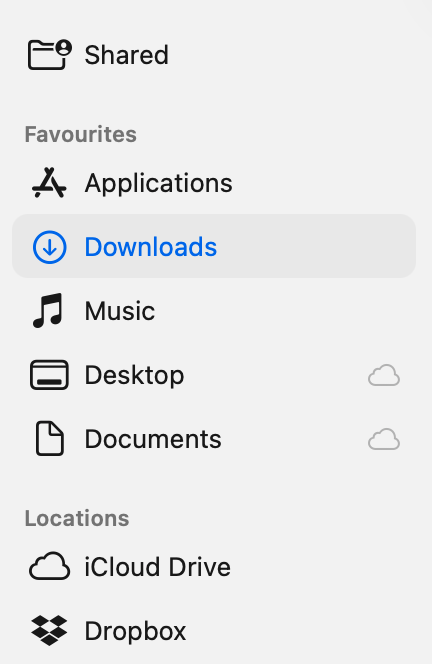
Congratulations, Apple. As usual you have managed to f*ck up things.
I let my MacMini and iPad Pro update to this last night just as with the predecessor OS I’ll have to spend time disabling some of its ‘features’ and figuring out how to do simple things.
For instance, iCloud no longer appears on the primary Finder screen, and to see it you have to click on “Shared’’. Why, oh why did they change something that worked well. I keep Numbers and Pages files in iCloud, and when I update them I copy them to a folders in the main Documents folder.
As regards the Naim App, I am currently trying out Spotify Lossless as it’s free at them moment (memo to self, must remember to cancel it). Today I started out listening via Asset upnp, then stopped partway through an album to show Spotify to my “other half”. When I went back to Asset part of the app, it wouldn’t play - and I finished up switching off the NSS 333 and force quit the app. Switched back on again and luckily my playlist (Quadrophenia) was still there, so I could recommence.
Incidentally, changing batteries in the NSS remote is a pig … I had to resort to using a pair of thin nosed pliers to remove 2 of the batteries.
IMO Apple have made zero progress product wise since the passing of SJ, Tim Apple is a shallow, boring “boss” that sends me to sleep when he starts talking
I tried that. iCloud is on in settings, but I still have to go to shared. I’ll have to rewire my brain to do it the way the computer seems to want to do it. I use ICloud for the files I want to access using other devices. To be honest the only reason I do updates is for future security fixes. I’ll probably have to take my wife’s iPhone out of her hands and switch off the AI features again … sigh
I checked on the usual Apple users site, and followed the instructions to the letter. Still didn’t appear. At least I now know how to access it using Shared. Thanks for the help, though. I would have replied sooner, but I’ve been trying out Spotify Lostless (I’m using the free for 6 months). I’ve decided that I’m not keeping it and will probably cancel it very soon.
I’m off to replay horizon forbidden west on my PS5 now … took me 6 weeks to complete it the first time!
I must update my profile. I gave the NDS to my younger son-in-law, who does use it with Spotify lossless. I now have NSS 333/555PS. To use with Spotify Lossless : in Naim app select Spotify. This opens the Spotify app on my iPad Pro, press the little widget in that app’s bottom left corner, select NSS etc, and Bob’s your uncle. Son-in-law does the same using his iPhone and NDS.
As I’ve already said, I will cancel the Spotify contract before the free period runs out.
Do you enable iCloud Drive in the System Settings? If iCloud Drive itself is off, Finder will not show it.
Go to Apple menu → System Settings → [your name] → iCloud.
Check if iCloud+ is turned on; click Manage and verify the apps or “Desktop & Documents Folders” you expect are enabled, I also turn on Access iCloud Data on the Web.
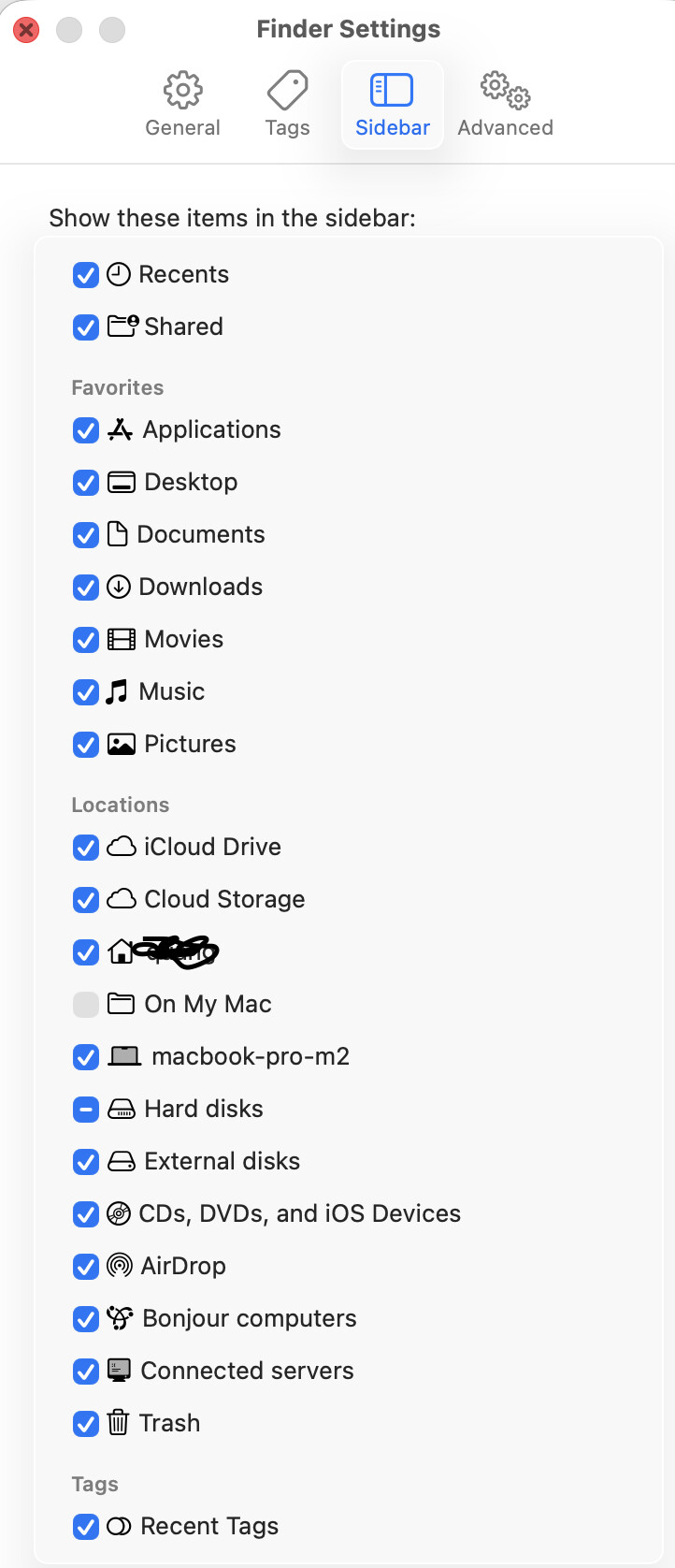
On My Mac is controlled from Finder’s sidebar settings; if the checkbox is missing or grayed out, it usually means you’re looking at the wrong tab.
I would check iFinder, choose View → Show Sidebar, then check if your local drives and home folder appear under Locations and Favorites
If sidebar behavior is glitchy, quit Finder with Option–right-click Finder in Dock → Relaunch, then re-open Finder Settings → Sidebar and re-check your items.
My initial $6000 investment in AAPL paid for my Dynaudio Confidence C2s, my NAP300DR, half of my Boulder phono-stage, my Moots Titanium bicycle, a Mu-so2, and some other fun stuff. And I still have $25k worth of AAPL.