Quite a difference! And indeed a bit on the small side. If I had to have a room that size I would still first try my existing speakers and see if I could make them work in there. Failing that I’ve been considering something like PMC factor 12, otherwise not sure what smaller speakers with decent subs
I don’t want to turn this into a referendum on modern technology, but the Apple Measure app on the iPhone is rubbish. Or I’m a complete idiot. Most likely the latter!
I’m going to get an olde-fashioned tape measure and settle this once and for all.
But I’m w you - going to try my Neat Iotas this weekend and see how they work.
I found the measure tool completely unreliable. Maybe it works for some things, but not what i tried on, and a wrong measurement is worse than no measurement. I always use a tape measure. (You can get “laser” measures whixh I think may be ultrasonic though not sure), used commonly by estate agents, which used correctly aren’t bad but still not as good as a tape measure, and can give unreliable measurements if not used correctly.
I always presumed Naim voiced their kit to sound “near field” despite any positioning regardless.
That close up over there somewhere has long been a Naim trope.
Although modern sophisticated tuning may have others disagreeing.
1 Like
Laser Tape measure from Bosch (not their entry model) and a Milwaukee precision tape measure. Lasers depend on emissivity of the reflective/return surface. Which can vary. But most household surfaces will easily net you 1/8" accuracy on the worst day IME.
Hi M_F,
You don’t need any of those qualifications, you just need to use your ears!
Just a click away on the AMROC webform tool.
Simply enter the data of the physical dimensions of your room - i.e. the entry fields highlighted by ‘flesh orange’ colour circular marker in the top left of screenshot (shown below).
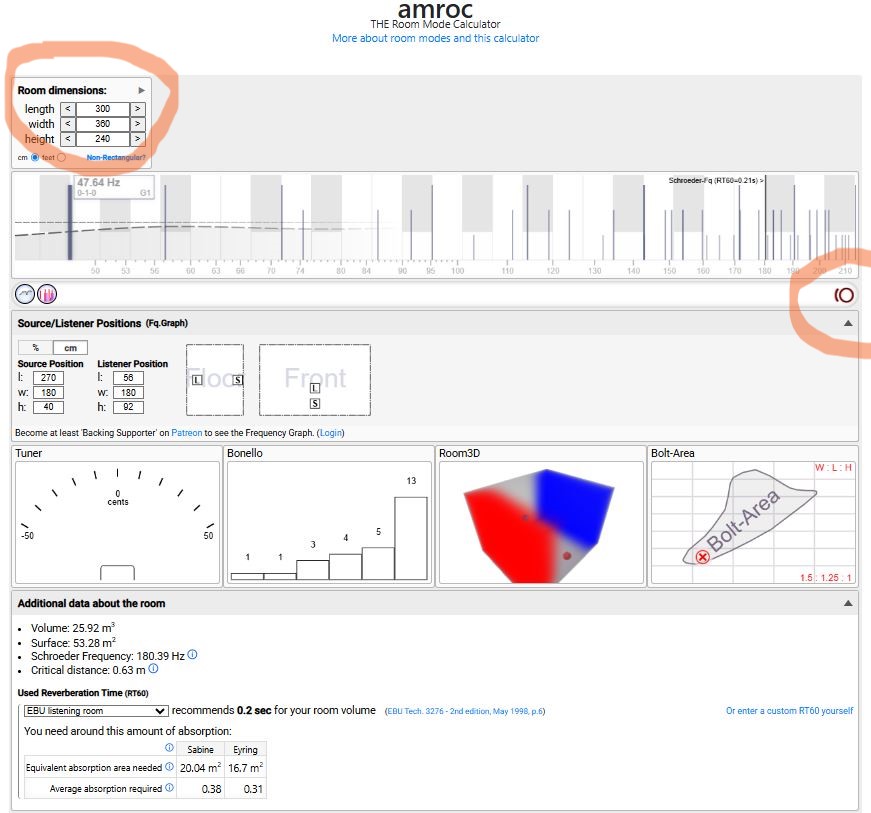
Copyright AMcoustics.
The other ‘flesh orange’ colour part circular highlight to the right of the image identifies an interesting toggle function button. Press the button once (to turn the feature ‘On’) and as you slide the cursor over the frequency chart (just below the room dimension data entry area) which has piano keyboard faintly shown in the image, you hear the notes corresponding to the selected room mode. If you do this whilst actually in your room you may also hear which room modes might be problematic.
PS: What some of these charts show (e.g. Bolt Area) is the room shape (for the dimensions I have entered) is actually quite good. IMO, there is lots of helpful explanation available embedded in this tool if anybody can be bothered to take time out from testing different ethernet cables (not that you were).
1 Like
“Nearfield listening”.
Is that just not quite listening with headphones?
No. It’s a small room, or possibly close to the speakers in a larger room. Headphones are a quite different listening experience for me.
See this thread:
@Richard.Dane maybe worth merging?
2 Likes
Yes, now merged.
2 Likes