I have a Mu-so 1st generation since many years and am very happy with it – when it‘s working. Unfortunately, it mostly doesn’t work straight away but requires multiple reboots (long press on the power button) whenever I try to either play music from the internet radio or stream some music to it.
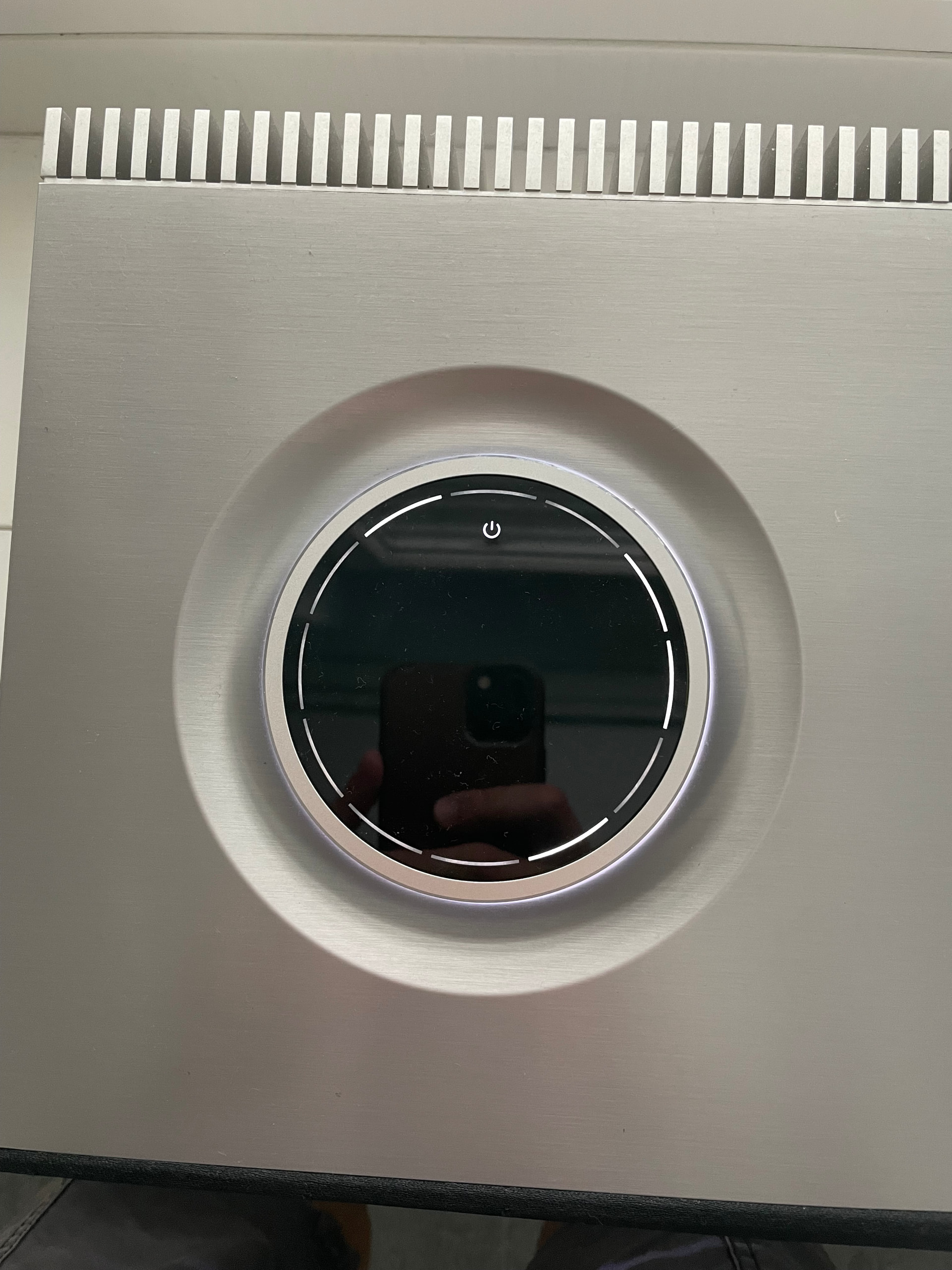
The device then shows the following „error code“, but I can‘t find any information about it:
While this code is showing, the power button, front light and red LED on the side all blink simultaneously. Does anyone know the meaning of this error?
The Mu-so is connected via Ethernet to a wireless access point.
Strange, the only thing I aware of is a persistent flashing red LED indicates a system fault, requiring contact with Naim support.
Although I think likely un related to this, from a performance perspective if using a wifi connection to the unit as opposed to Ethernet, you should ideally do it directly to the device so the device network stack parameters are appropriately set up for optimum connectivity and throughput. I know the first gen streamers did this. I suspect others products might as well.
Thank you for your prompt reply! And very interesting, that this isn’t a „known thing“…
When buying the Mu-so a long time ago, the guy at the store told me to not use Wi-Fi, as this wouldn’t work properly. I found this very surprising on a device with this price tag, but decided to just use an access point instead. Nevertheless, I had those issues I mentioned forever and put them to my „suboptimal network connectivity“. And in the end used the Mu-so less and less frequently as rebooting it all the time was so annoying…
Seems that I should have acted ways sooner!
Does the Naim support still react on questions regarding the first generation Mu-so?
Hmm.. I have a first gen Qb and that works fine on wifi, albeit it uses an older wireless protocol.
But contact Naim, they have good after sales support. They can provide the definitive response.. I’m sure they will be able to advise on all their products.
I agree with Simon. I also have a first generation Qb that has always worked perfectly on WiFi.
The obvious thing to try is moving the Qb to a different place temporarily and trying WiFi or an Ethernet cable to the router or a switch that is itself connected by Ethernet cable to the router and see whether either of those approaches work better for you.
That way you may discover whether the problem is with your Qb or your home network.
Ethernet, perhaps yes, but I doubt WiFi signal strength is the issue here. Naim put an obsolete WiFi version on the 1st gen QB, as they did with many 1st gen streamers, which certainly proved problematic for me at the time, but I never found that poor signal strength was the cause, and moving the streamer closer to the WAP was never a solution.
Maybe you are right. But the OP is running the Qb at the moment by Ethernet cable plugged into a WAP. So it would be interesting to know whether it works normally with WiFi from the router itself or of course Ethernet back to the router, as I said.
Chris the first gen Qb supported old but not obsolete protocols for wifi. Namely it supported the following standards
802.11b/g/n
802.11n is still quite effective and introduced MIMO - and if you force 2.4Ghz on a wifi 5 (802.11ac) capable wifi access point that is what you will be likely using. The Qb also supports WPA2.
The Qb second gen added wifi5 (802.11ac) which is a 5GHz only protocol, hence why if you turn off 5GHz you will be forcing a downgrade on the Wifi access point to an earlier protocol such 802.11n which supports both 2.4GHz and 5GHz.
802.11a (wifi2) is now generally considered obsolete, dating back to 1999 - and the none of the Qbs ever supported it as far as I am aware. Again 802.11a only worked on 5GHz.
But are you right to raise a caution, because downgraded protocols affect the performance of all devices connected to that SSID, and why on wifi 5 you should never switch off 5GHz
2015 - Naim introduce the Muso QB with 802.11g WiFi.
I’m pretty sure a lot of 1st gen wireless connectivity problems could have been avoided if Naim had used a later WiFi version, although I believe it was an integral part of the streaming board in some cases so perhaps their hands were tied.
Yes, the various versions are generally backwards compatible, but that’s not without certain limitations. That requires a steep learning curve for some unsuspecting users, and I’m sure an increased workload for Naim support.
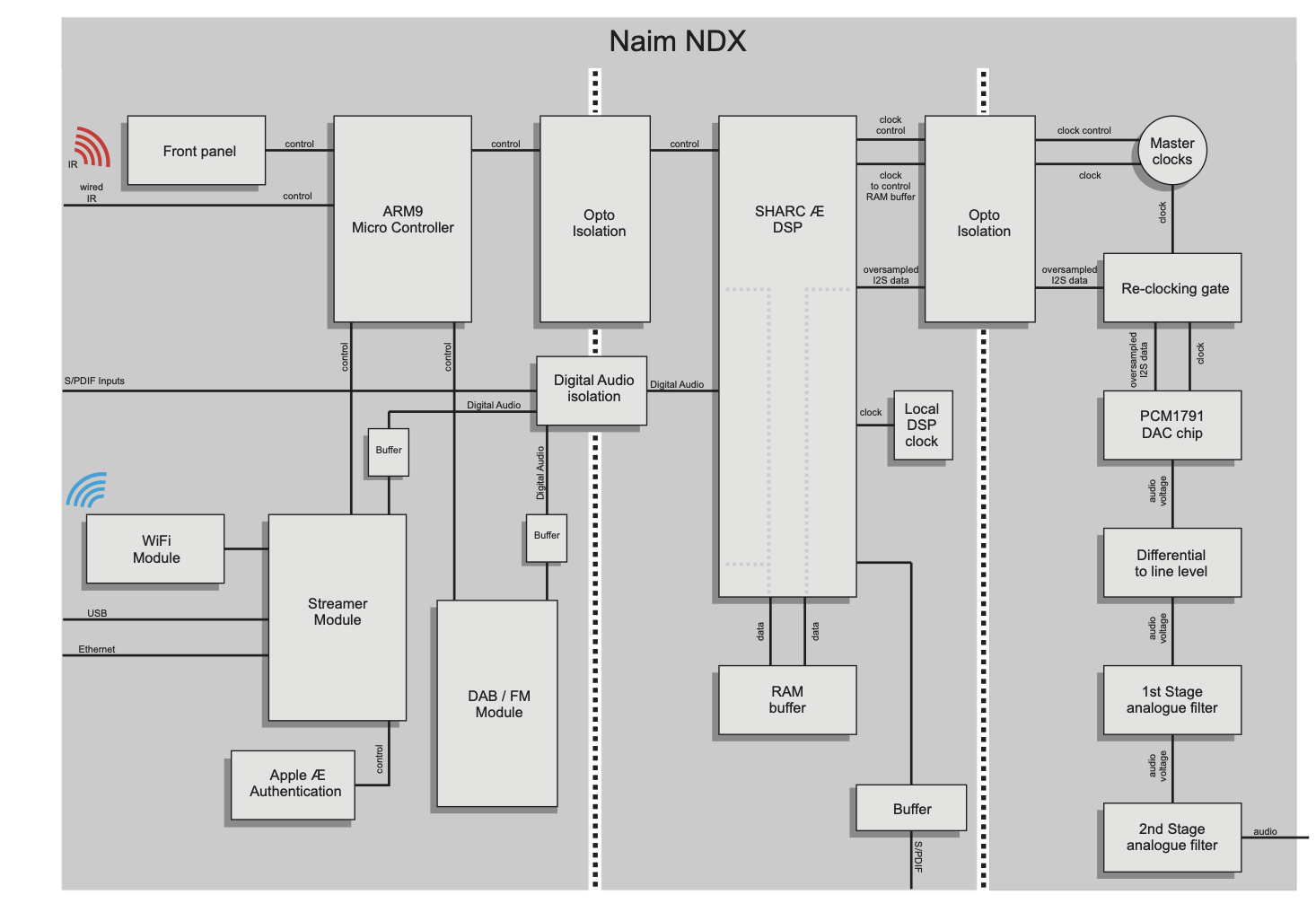
Indeed - this is part of the streaming transport module, which I believe was a BridgeCo module in the first gen products… but the white paper does refer to a separate wifi module - and I dont know if that was also provided by BridgeCo
I did try to connect the Mu-So via Wi-Fi once in the beginning, but as this didn’t work out, I just discarded this to be indeed “just not working”… but I’ll try again (unplugging the repeater I currently use as access point, so that it directly connects to the router), as well as connecting it via ethernet directly to the router.
Unfortunately, this has to wait until Monday, as I’m not currently at home. But I’ll post again as soon as I have an update!
I finally tested connecting the Mu-so directly via Ethernet to the router and via Wi-Fi (disconnecting the Wi-Fi repeater, where the Mu-so is usually connected to). I saw it connecting via 2.4 GHz and again it sometimes worked, sometimes not.
I did a reset (short press via pinhole during power-on) and a deep reset (following the procedure here: Hoping Naim mu so isn't dead - #15 by Tucker ), but all without success. The same error keeps reappearing. I assume the only possibility left is a HW issue.
Stupid of me not to question this earlier, as I had this issue since the beginning but put it to be a connection issue…
I’ll contact the Naim support, but as I don’t live in the UK, I don’t have high hopes to get a solution. If you have any other possible ideas, I’m happy to hear them! I’ll post an update as soon as I get some news by the Naim support.
I got a reply from Naim support, the error code on my Mu-so points to a potential fault of the power supply unit (PSU). Unfortunately, they don’t have spare parts anymore due to parts becoming obsolete…
I don‘t blame them, I’ve had enough time to report this. Nevertheless it‘s a pity. Quite an expensive mistake to think this would be a connection issue…
At least Naim provided an answer. Like you I have a Gen 1 MuSo and have had it for a long time. It gave me a lot of pleasure and introduced me to Naim and to the delights and frustrations of streaming - originally via a Mac. Divide the initial cost by the number of years service and the cost comes into perspective. You have my sympathy, but I think we have also had our money’s worth.