New iPad which is working fine and dandy.
Naim app also was working well with my hard wired NDX"
However last night the iPad display showed a small ish image of the track being played with no "elapsed time bar and the volume control + & - very small and almost impossible to use.
Any ideas how I can get back to normal again.
Tried everything I can think of.
Yes I have turned everything off and on again !!
Can you make a screenshot. I also bought a new iPad recently and use a legacy streamer. All fine so far. Sometimes the app looses control. With restart of app all is fine again. But you have to quit the app by screen swipe
Have you tried leaving the system unpowered for an hour or so? It might be all that is needed to resolve this.
No doubt frustrating - so to assist, details useful.
Model of iPad, firmware version number, ditto NDX version number.
Pleeeze…the ‘latest’ is not a version number.
Three different gens of iPad here, all working fine with OC, NC and Uniti streamers + a Muso somewhere!
1 Like
Problem is the same on HDX2 hard wired and Muso WiFi
New ipad mini software version18.6
Everything was working fine but it suddenly changed the ipad screen layout of the track being played to a small “window”. this is when streaming from Tidal, internet radio or local NAS
Yes I did this last night. All powered down and restarted this morning. No improvement
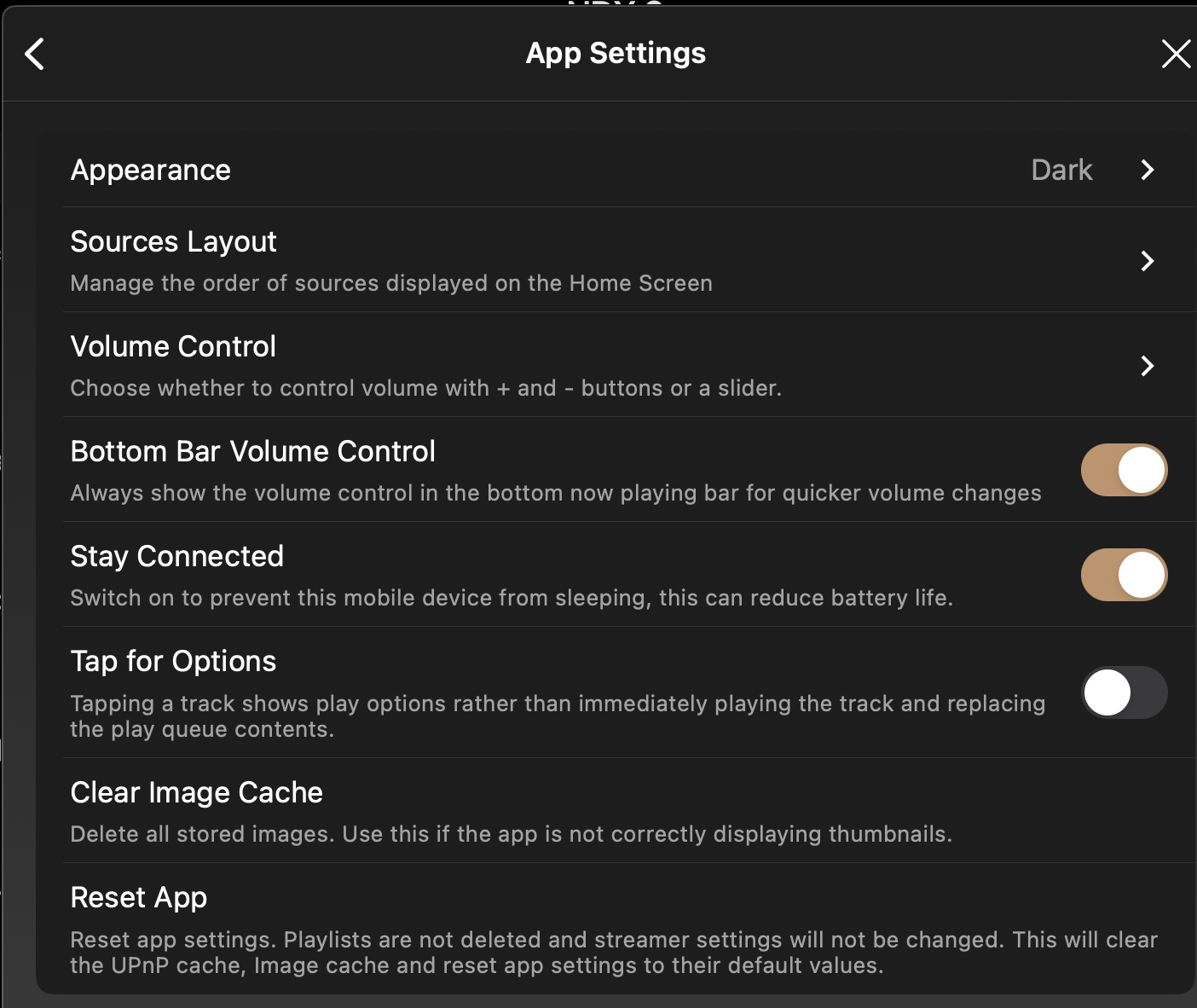
Do you have a Reset App option. If so try that
Then try Clear Image Cache if still broken
Finally, try and reinstall the app
Yes I have that reset app option but it does not restore the view I am getting with the very small track being played
Could this be something to do with multitasking?
Don’t think so
Only got a few apps loaded on ipad and only using the Naim app at any one time
and what about these
Cleared image cache. No better
Going on holiday soon - back mid September
I am giving up till then.
Totally pissed off with modern technology
All I want to do is listen to music !!!
If you’ve previously done the reset app thing with no success there’s no point in clearing the cache as that’s already been done in the reset. I would suggest that you talk to Naim support.
This topic was automatically closed 60 days after the last reply. New replies are no longer allowed.