Hi,
I’m using Tidal as my main streaming source for my NSS333. I’m running into a number of issues. Looking for suggestions how to address these:
A) I bought the streamer as I didn’t want to rely on using apps/screens, we spend enough time behind them. However the streamer doesn’t sync particularly well with my favourites in Tidal. After a factory reset the initial album list seems rather up to date, but the moment I start adding favourites in Tidal, the lists starts missing albums.
B) In a similar fashion, when I add an album as a preset, half the time it doesn’t “stick”
C) I cannot seem to remove Spotify from the menu, I can hide it from the app, but not the device itself. More importantly I cannot seem to add Tidal to the menu of the device, am I missing a neat trick?
All in it seems I’m pushed back to my phone despite the naim having such a nice remote but also that is not without issues:
D) The Tidal app keeps disconnecting when my phone screen locks, so I end up using the Naim app, but it lacks certain features compared to the native Tidal app. Does someone know how to prevent the Tidal app from disconnecting?
E) In Tidal I can sort a playlist by date, so I can play new additions first, is this also possible in the Naim app?
I don’t want to sound negative, as these are really small luxury problems, and I’m really happy with the most important: how the streamer sounds. I think it sounds superb, and I find myself hardly falling back to vinyl to which the gap is rather narrow now, and the convenience factor despite the small issues above is of course unparalleled…
I can answer C. You cannot remove Spotify from the menu on the player, nor can you add Tidal. This doesn’t really matter, as everything is driven by the App and you couldn’t select an album on Tidal even if the icon appeared on the menu.
Naim streamers don’t communicate with streaming servers until you hit the play button, which is why you have to use your phone to browse and select music. That’s just the way they work, and why the inputs aren’t listed on the streamer display screen.
On the whole you are likely to get a better experience using the Tidal app (Tidal Connect) than you will with the Naim app. It’s up to Tidal to release functionality for third party apps like Naim’s so there’s not much Naim can do to improve this.
I’m a long time Tidal user, currently via a 222 and Muso, I recognise the issues you describe.
A. I find it can take a minute or two for the favourites to update in the Naim App after making changes in The Tidal app. One way to force it is to reorder the albums in reverse date added order and then immediately reorder again in std date added order (use the A-Z icon near the top right screen of the App.)
B. Never really tried presetting albums - but I just tried it now and seems to work immediately.
C. As HH says above.
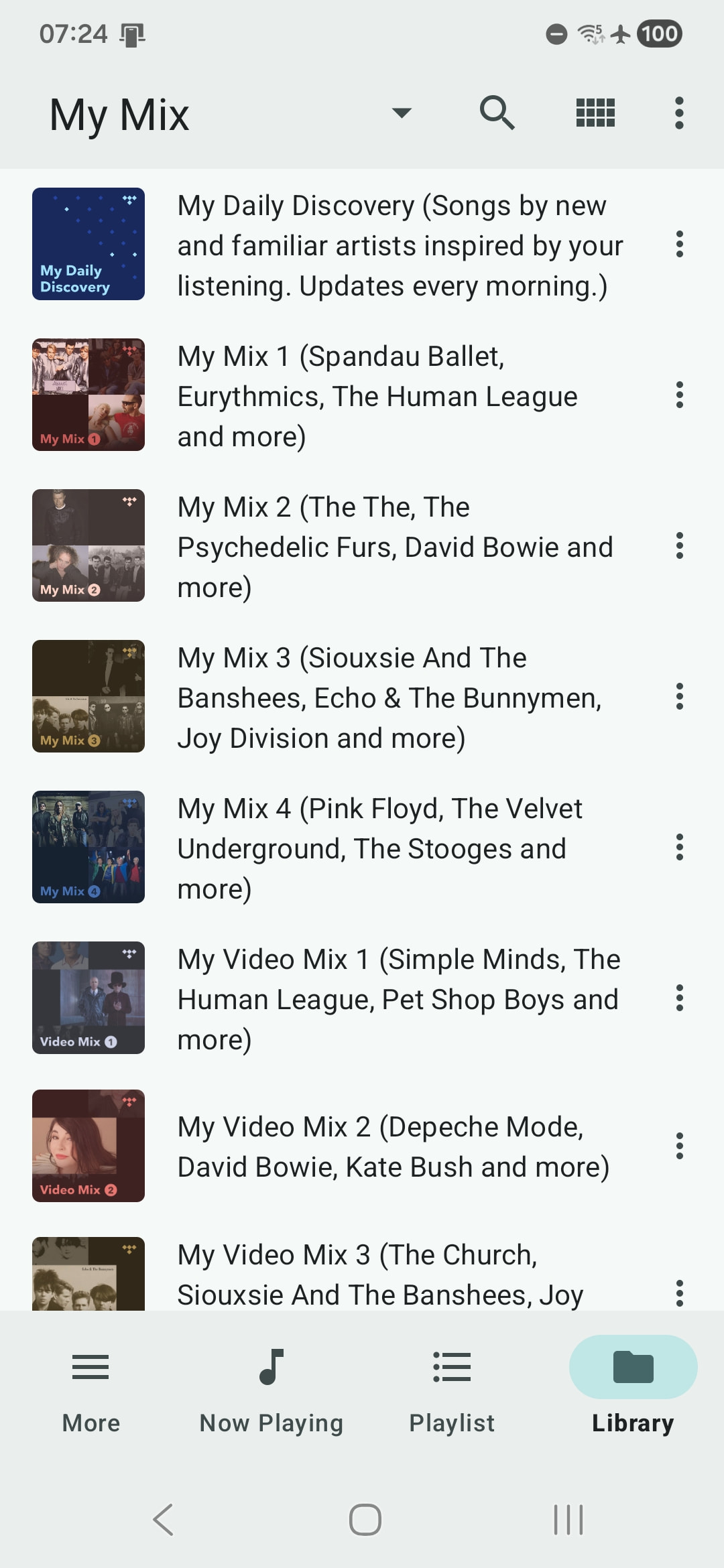
D. I’ve given up using Tidal Connect as I find it too unreliable as you describe. Which is a shame as some of the nice features in native Tidal eg “My Mixes”, My Daily Discovery, My New Arrivals etc are not available in the Naim App. I had a Linn Selekt for a while and I felt their Tidal implementation was much better (had all the features of the Tidal app).
E. No I don’t believe there’s a way to do this in the Naim app unfortunately.
I generally use Tidal app for searching and music discovery via their recommendations, then add new stuff to the Naim app. A bit clunky but hey ho.
Do you use an Android device to control the streamer? If you do, check out the Bubblesoft UPnP for DLNA/Chromecast app as that will probably address some of your frustrations. It also has access to your mixes, daily discovery and so on. I hardly ever use the Naim app because Bubblesoft is so good.
 but also that is not without issues: