I have a simple system of a Supemait 2 and an NDX5 XS which was working perfectly until I dissassembled it in November ahead of building work on my house. In December, I picked up a second hand N-DAC after reading reviews on the forum about the difference it made when paired with the ND5 XS.
As the building work and decorating is now complete, I today unboxed everything and set about connecting it all. After reading numerous posts on the forum and reading the N-DAC manual, I have connected everything up but I cannot get any sound from my speakers. I’ve also tried a USB stick contaning WAV files into the ND5 and DAC and whilst I can see the file playing on the NAIM app via the ND5, I get no sound.
I’m assuming one of two things, firstly a connection issue as I’ve never used a DAC before, or secondly, the DAC is faulty. I’ve also connected the DAC outpout to the CD and Tuner input on the Supernait and again no sound. Finally, the sync and HDD lights on the DAC flash alternately on power up then go out and do not comne back on. Should they?
I’ve removed all three items from my rack and stacked them on top of each other in order to take a photograph showing the various connections I have made. DIN is also set on the DAC.
Can anybody advise me if I’ve connected it up incorrectly, missed a step or have a purchsed a dud DAC?
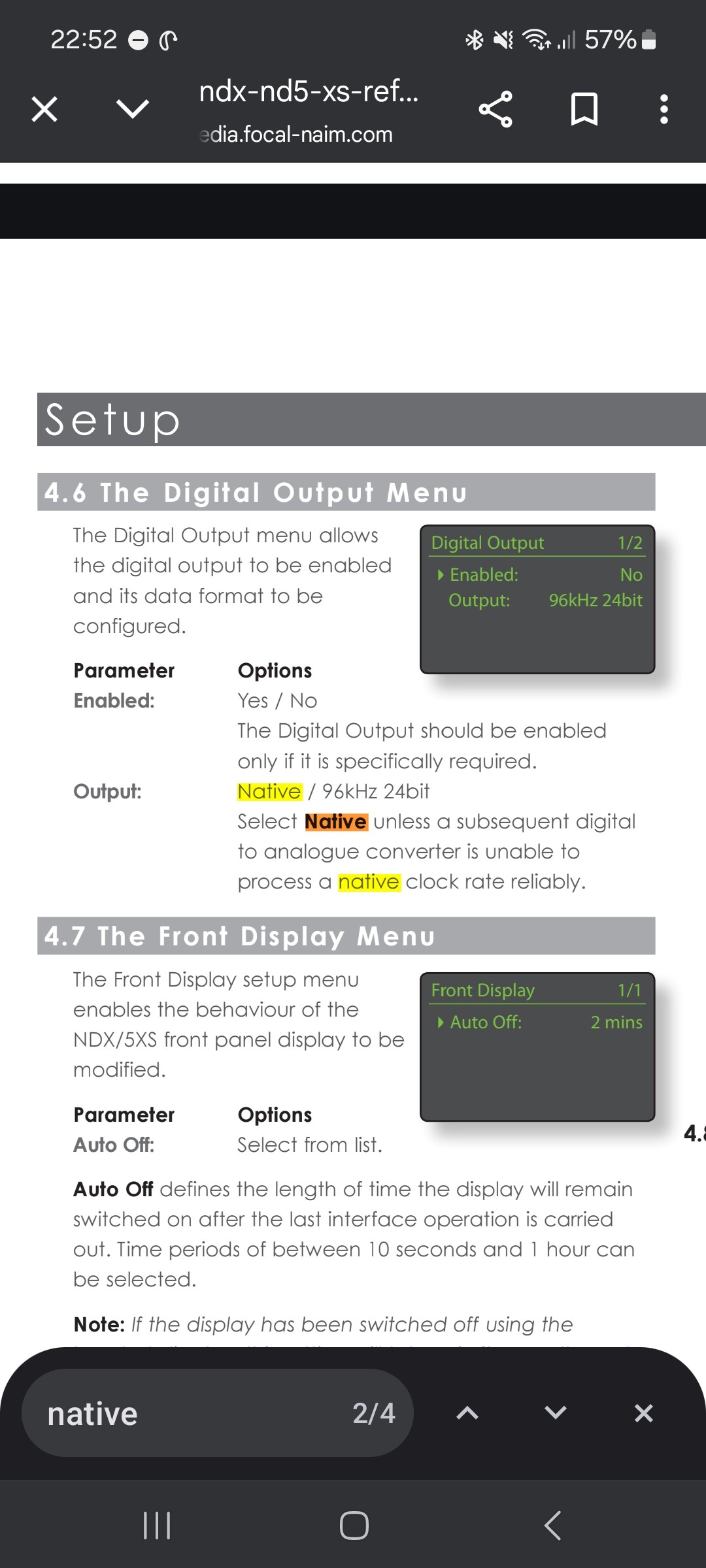
I’ve checked the settings and it is set to ‘Native’ which I’m assuming is the appropriate one. I stream my music from a NAS with 90% of being WAV files and the remainder FLAC.
The 24/96 limit was offered as an option because back when the 1st gen. streamers were designed there were some older DACs around that couldn’t cope with higher rates, so you could limit the output to something they could handle.
I assume that Naim saw this as no longer necessary with the 2nd gen streamers, so they would output native, although still limited by the 24/192 maximum that SPDIF can handle.
Mine is the ND5XS2/nDAC combination and within the app settings it gives me the option of selecting native. Are you saying the I shouldn’t choose this setting for outputting to the n-DAC?
Hi, native is fine for the ND5XS2/NDAC.
What I think you are looking at is the output settings menu in the Naim app, which gives you the option of native or PCM. This is not quite the same as the 1st gen streamers giving you the choice of native or 24/96.