Hi,
Based on the diagnoses work done earlier on this thread, this really does indicate that a DNS server used by some ISP’s has failed.
On newer products (linux based ones) they will automatically switch between DNS1 and DNS2. On Bridgeco (the older products) they typically only like to use DNS1 only.
I suggest go to the webpage of the product (eg. if it’s on your network on ip address 192.168.0.11 then type in a web browser type: http://192.168.0.11)
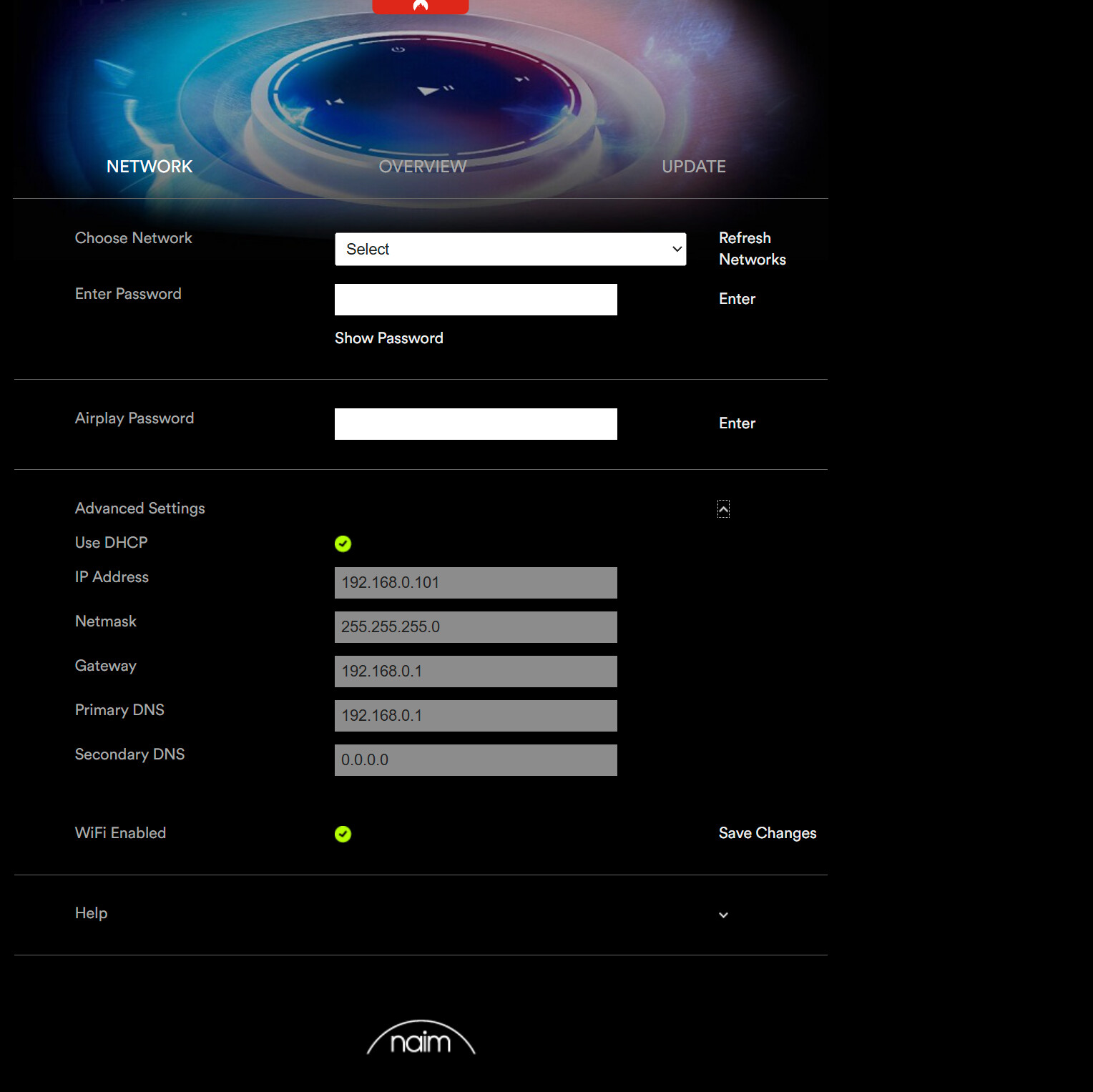
In the Network tab. Uncheck “Use DHCP”. Primary DNS enter Google DNS 8.8.8.8 or Yandex 77.88.8.1 and click “Save Changes”.
I think once it reboots it will work… but that is not really the fix as the real fix is that the DHCP delivers IP addresses of DNS servers that work on DNS1 and DNS2.
Regards
Steve