Could you have set the US to downsample everything to 16/44? That would explain why any hi-res material you have us playing as 16/44 instead of its native format.
I’ll have a look tomorrow and report back. Thanks for the idea.
There is a setting on the US, accessible via a desktop application.
If a file’s native format is HD, yet it plays back only at 44.1 kHZ, transcoding to a lower resolution was enabled.
I’m not at home at the moment, but it would be somewhere around:
Settings > playback… look for file formats and resolutions.
I don’t use the Windows DTC, and I’m not at home right now, so this may be slightly inaccurate as I’m doing it from memory, but here’s how to check the format and change the US output format, in case that’s your issue.
Find the US IP address, and type it into a browser.
Go to System > UPnP Settings > Compatibility.
If this is your problem, you should see that it has been set to output 44.1 WAV. If so, change it to Native, and it should then play your 24/192 files as such.
If not, back to the drawing board!
Looks like @ChrisSU and I were typing at the same time 
His memory seems to be better than mine!
That remains to be seen!!
Guys,
Worked it out…
Seem that when you goto…Tools-system settings-UPNP-Micellaneous settings-transcoding…
You have to select ‘decode’ from the options.
‘Native’ and ‘Auto’ doesn’t fix it for some reason.
Best,
Ray.
And while we are here, why can’t I delete files from the LQ folder, I.e. MP3. It says I need permission ?
Thanks.
Decode is fine, it should preserve the native bit rate. It will also transcode to WAV if that’s not the format the files are stored in.
If Native didn’t work, it’s possible that you needed to restart the US before you see it. Otherwise, if it doesn’t preserve the format of the files, the firmware isn’t working as intended.
Are you trying to delete these files by navigating to them on a computer? If so, don’t try to make any changes to the Music folder outside of a Naim interface, as it can break the database and cause problems.
ChrisSU,
I don’t think you can do it on DTC so what other options are there?
Besides, when I bought the US ex display a couple of years ago, I couldn’t delete some stuff(there were 1000’s of albums), Naim tapped into my laptop for me and did it that way?
I’ve never used the MP3 library, so I’m not sure how you would disable it. You enable it in the Music Stores menu under MP3 library, so that’s where I would look.
ChrisSU,
I’ve done that. Straight forward. A while ago I created a parralel MP3 with WAV for car use. As modern mobiles have much bigger storage and WAV doesn’t really use much, I disabled it. Just want shot if them from the US. I’ll prob just email Naim for instruction.
Hi @Ray71 Just having another look at this now that I’m back at home, and I can’t see any reason why your mp3s shouldn’t be deleted here. The Unitiserve will take quite a while to delete them all, especially if you have a large library. It will do it in the background, so perhaps it’s happening slowly and you are still seeing what hasn’t yet been removed?
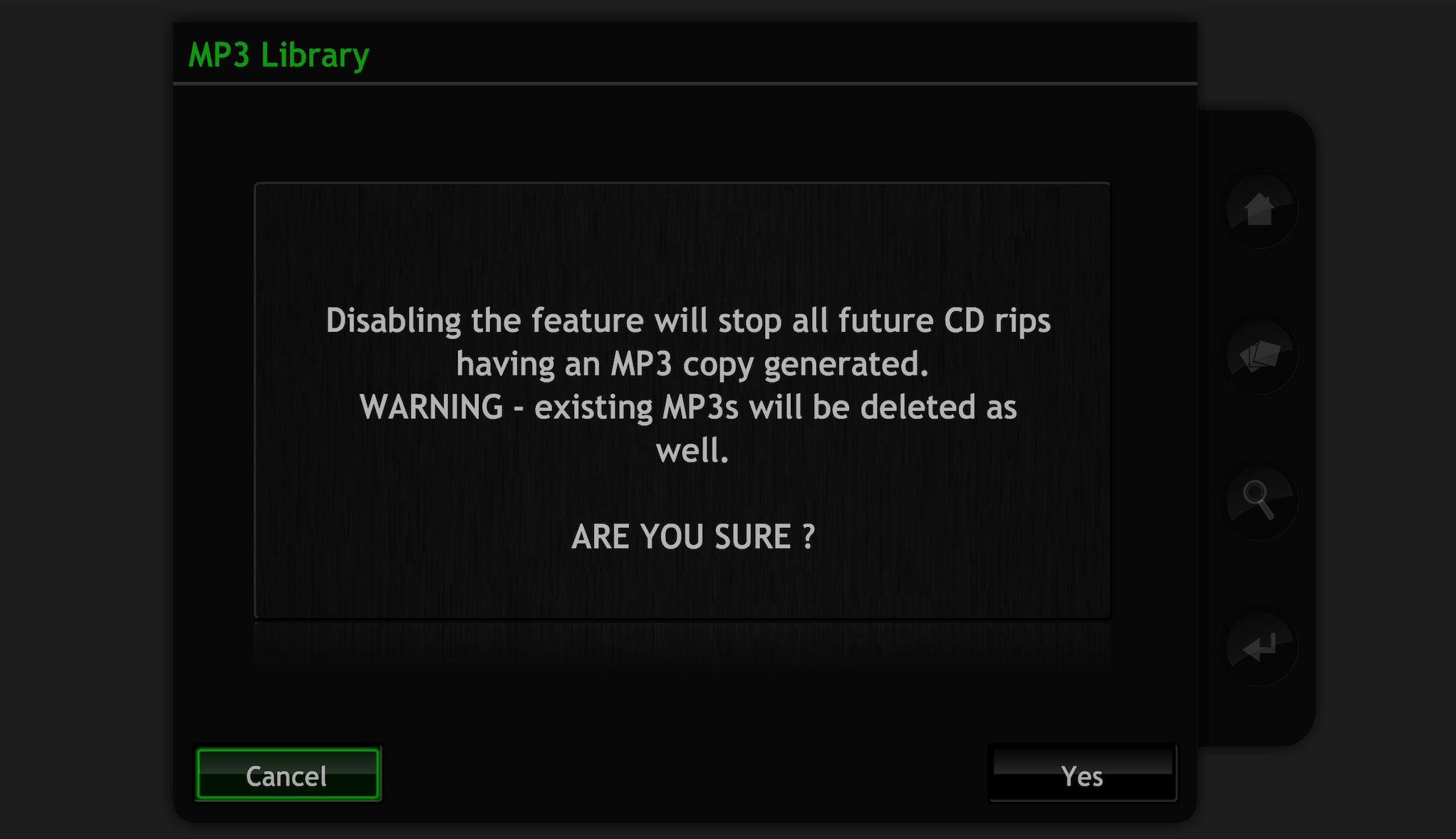
I don’t use Windows, so I’m not sure what the DTC would look like, but if you use the browser interface, you should see this message when you go to disable the mp3 library:
ChrisSU, Thanks and apologies for not responding earlier.
I’ll give that a go when I get a minute .
I think is called the interface where you see exactly the same screen as an HDX shows on its display(I used to have one).
As for the interface, I’ve lost that off my laptop somehow and I think I just need to search the IP address using my laptop, then I’m in…I think.
I’ve just had to replace my laptop, so might have a go today/tomorrow. In the meantime, I’ll be prioritising the SU update.
Best,
Ray.
Hi Ray, yes it’s the browser interface, accessed by typing the IP address into any web browser, and it’s largely the same as the HDX front panel.
The SU update process can seem a little daunting if you haven’t done it before. Open the instructions that come with the download, and follow them to the letter, and you should be OK.
1 Like
ChrisSU, finally found that option to disable MP3(and delete existing MP3 files) by playing around with the interface.
Oddly, still cant just delete them from LQ folder using a laptop. I did find that if you right click and select ‘properties’, there’s a sh*t load of options to change stuff on the US. I didn’t want to accidently ruin anything and I think it’s now busy deleting them using the interface instead. Well, it said it was anyway.
Managed to do the update on the Superuniti easily enough too without hick-up or even using the instructions !
Best,
Ray.
Good to hear you’re making progress. Remember that it’s important never to make changes to the Music folder outside of a Naim interface, as this can break the database.
This topic was automatically closed 60 days after the last reply. New replies are no longer allowed.