As David says, the update should still work with the laptop on WiFi. Naim tell you to use Ethernet because it’s less likely to fail, but having completed quite a few updates using WiFi I can confirm that it does work.
Hi - I don’t attempt to run the updater program until I have everything connected up. The com port shows up - I select it - it then attempts to communicate with the Uniti but every time fails.
You mustn’t even have the updater program open but not running. When you connect everything up and have it all switched on, the updater program should still be closed on your hard drive, not yet on the screen…
Hi - well I tried that today with the Uniti hard wired and the laptop on Wi-Fi but it still says failed to communicate 
I don’t have the program open - not open, not running until everything connected
Ok! Good.
Did you power on the Uniti after everything was connected?
Hi - the Uniti is on all the time - when I run the update program it tells me to switch the Uniti off - wait 5 seconds then switch it back on which I do - then it tries to communicate and fails every time
When I had my 272 I must have updated it about 20 times. The 272 was cabled to the router, while the Sony laptop used wifi and it worked every time.
1 Like
Have you installed the silabs virtual com port driver? You mentioned an rs232 driver, that’s not the same thing.
Use the first one with Windows;
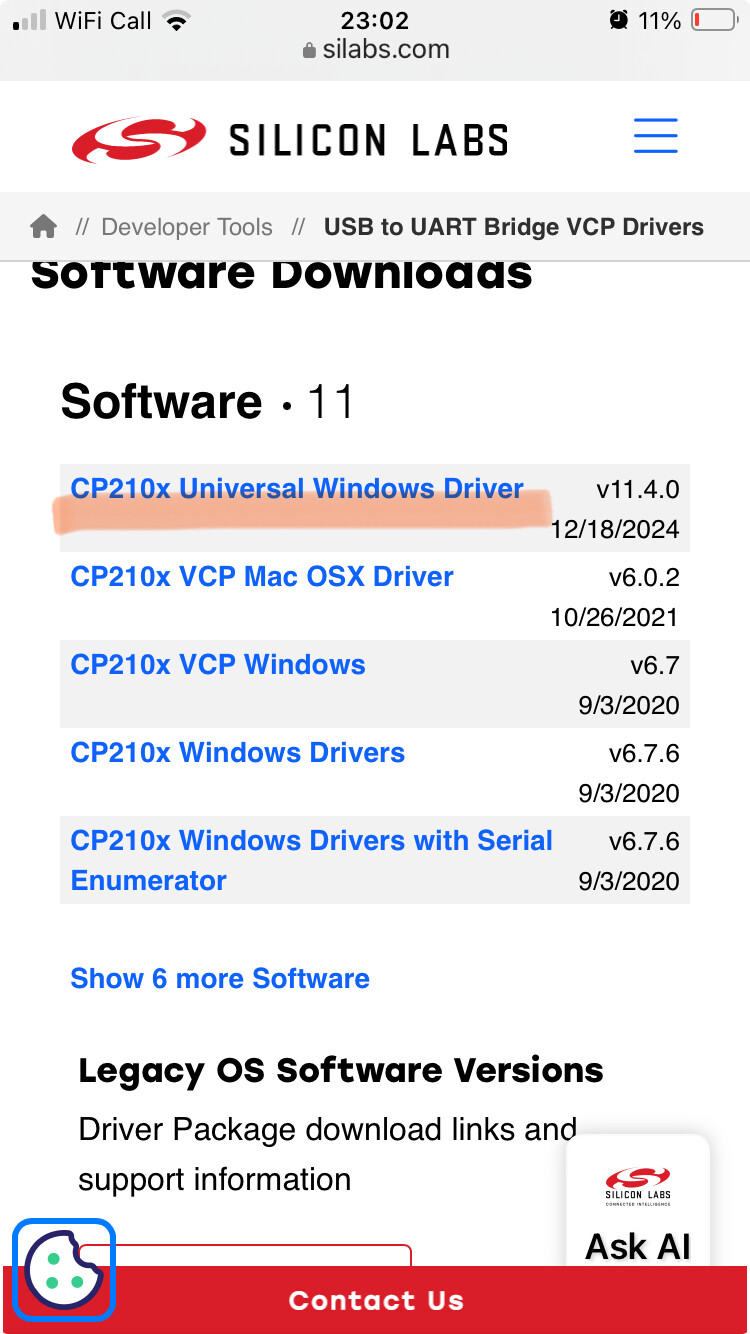
Be sure your PC and Uniti are on the same network. I had the same problem with my Unitilite. I had to delete all my settings and ip adresses before the updater could find my Unitilite. Sometimes the stored data prevents the updater to find the uniti in the network.
Apologies if this is going over old ground, but on rereading the entire thread I can’t disregard the posts of it being the cable, particularly as it has to undertake protocol conversion…..
Give this article a read and see if it throws up any gremlins;
Can’t think of anything else….
ATB, J
The op has mentioned installing a driver for the rs232cable, but not the silabs driver which is needed to be able to talk to the uniti itself.
It’s probably worth going back through the instructions provided by Naim and checking every point.
1 Like
I have checked all the instructions given by Naim several times in desperation but I didn’t see anything about the silabs driver. What is that?
The Naim updater instructions don’t mention the Silabs driver except where you are using the miniUSB to USB cable. So it’s not clear that you need it in the case of RS232 to USB cable too?
I’ve never done the update on an RS232 unit though, so don’t know myself.
I don’t think you need the driver for the Uniti 1, as it doesn’t have the Silicon Labs UART chip onboard.
One thing to watch out for on units with the RS232 port, is that the port is only open for 10/20 seconds after power up, before the unit shuts it down.
So when trying to communicate with it, you only have a short window to do so, the tool will then instruct the unit to leave the port open for the duration of the update.
Regards
Neil.
1 Like
Hi - do you mean that as soon as I attach the RS232 cable to the Uniti the port is then open but only for a short time? Should I have everything ready to install before I connect the RS232?
No, the time out on the port runs from when the power to the unit is switched on.
Connect everything up first.
Just don’t leave it too long between powering the unit up & progressing with the update procedure.
Regards
Neil.
1 Like
Thank you Neil - I will try.
Sharon
I just want to say thank you to everyone for all your contributions to my problem of updating my Uniti. I have tried everything and it still refuses to communicate so I am sending it into Naim to sort out  .
.