Thanks.
So if I understand correctly, if I send a GET using favourites it should return the long ID for each favourite?
Thanks.
So if I understand correctly, if I send a GET using favourites it should return the long ID for each favourite?
You should know the ID for preset you would like to select and send it like an identifier.
@andrewb, you can get the ID catching the html the App is sending to your Naim device.
I was using for this Traffic Capture.
Thanks again. I managed to get all of the Favourites IDs by sending a JSON GET using shortcuts.
OK, think I’ve cracked it.
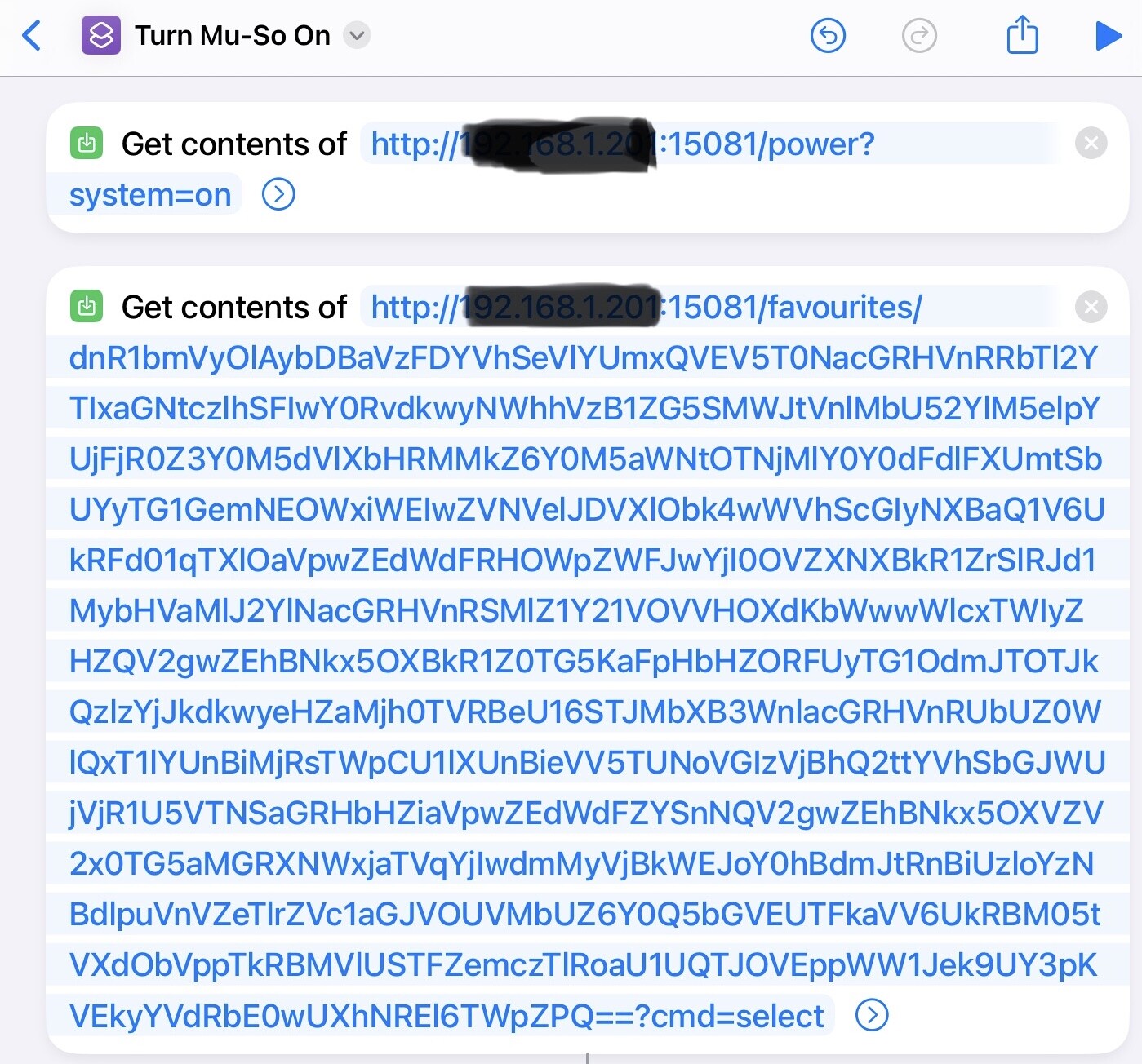
I want to be able to ask Siri to turn my Mu-So on and play a specific preset radio station using Apple shortcuts. With help from the forum (in multiple threads) and searching the internet I’ve written the following shortcut,
I had to write another shortcut that gave me the ID of the preset that i wanted to play (the long identifier in the JSON command.
I know I could just press the button on the Mu-so, but I want to add this to the end of another shortcut that I run most mornings.
I don’t see any reason why it could not be expanded to ask me which preset (or other favourite) that I want to play using JSON queries.
Looks a bit like I’m rewriting parts of the Naim app tho’ ! 
Hi Andrew. I found the long ID eventually. It was hidden in the Shortcuts output. I can’t get a similar get contents to work for my long ID. Did you use a JSON GET or PUT for the favourites command?
Have you tried a different radio station Andrew? Whatever I try doesn’t get the station to change and I get the last radio station played when I run the command using my long ID.
Could not understand the problem.
If I want to select the first preset (Radio x) just have to send:
http://ip:15081/favourites/6a0ead5dde684fa4b634ed379add4184?cmd=play
For any other preset, for example third one (Radio y) just have to send:
http://ip:15081/favourites/c4fc85c607d0405da33c7a9c2715a5e7?cmd=play
What do you mean with the long id and where do you have it from?
To get the long ID of all of your favourites I used a GET shortcut:
You can then use long id for whichever favourite you want to play in the GET (PUT method) in the form that @GF21 gave.
Sorry, got the long ID wrong. In my example it is the ID of the preset and not the favourite. You need to use the favourite id.
Thanks @GF21 and @andrewb. I finally got the solution working. I was using the wrong long ID, I was using the ID that goes over several lines when I should be using the shorter one. What I love about this use of Shortcuts is I can use voice control on my Mu-so.
This topic was automatically closed 60 days after the last reply. New replies are no longer allowed.