I have just bought a Core to replace my long-serving Unitiserve and would appreciate some advice to enable me to connect it up to my receiver. My receiver was connected by a QED toslink cable using the relevant output on my uniiserve. There is no toslink socket on the Core and I wondered whether I could plug it in to the coaxial output using an adapter and whether this would work. If so could anyone recommend an adapter of suitable quality.
I recently had my cabling tidied-up by a professional and and am trying to make the process as simple as possible.
Thanks.
There are a multitude of coaxial digital → optical adapters available from eg amazon, take your pick. Many between £10 and £12.
Does your receiver not support upnp?
No it has BluOS instead.
UPNP - protocol, BlueOS operating system, not the same…… I’d guess BlueOS supports UPNP though, so depends on whether the receiver has a BNC or coax Digital In?
ATB, J
According to the BLUOS website they do not support UPNP. It looks as though I’m going to buy a new cable and accept the additional cost and hassle.
Interestingly I came across a site which showed a Core with the additional output. Maybe they were modified after they were first introduced.
1 Like
Hi @davidhendon
I know that you have a Core. Just wondered you might be able to answer my questions. Thanks Paul.
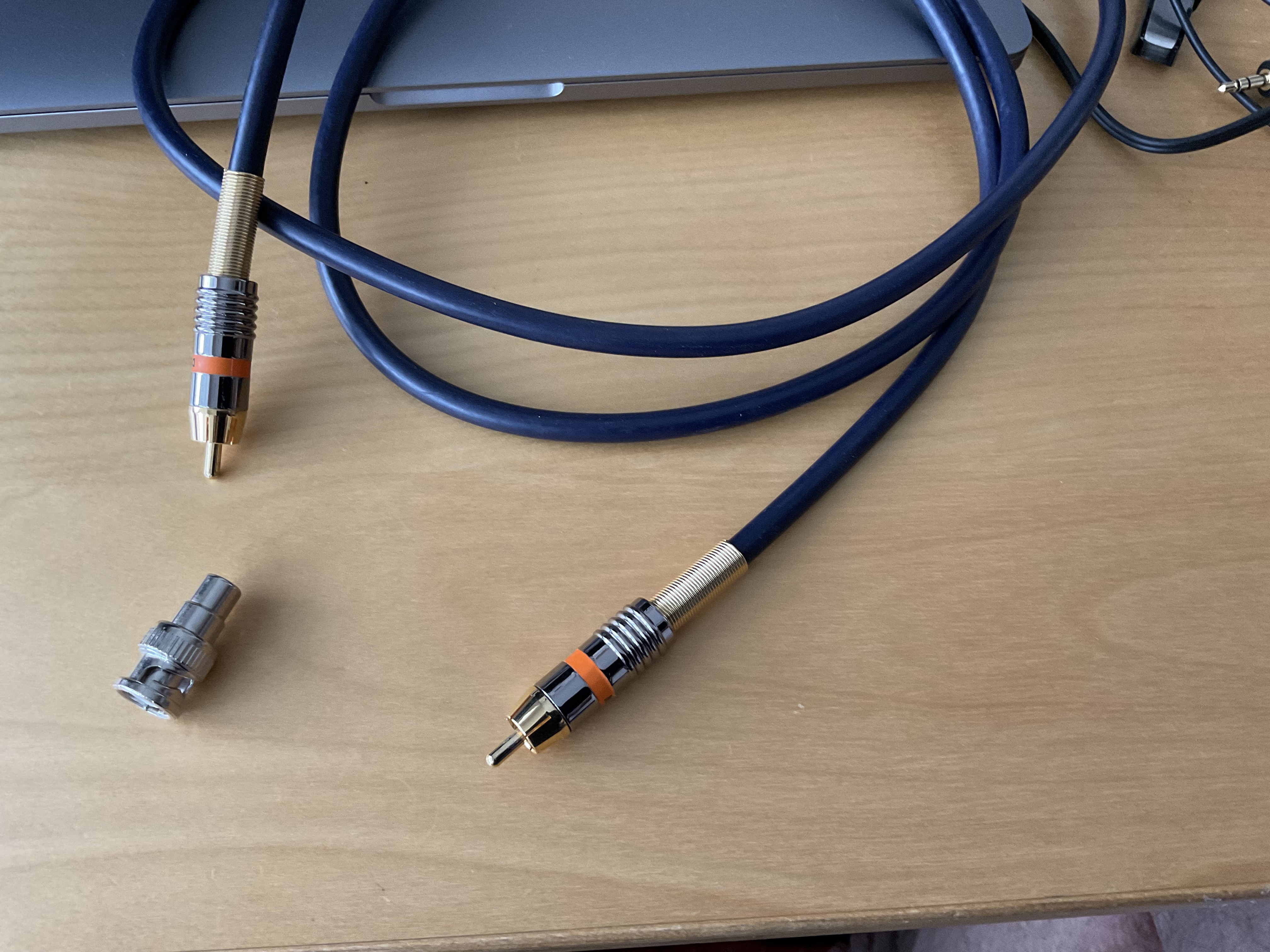
The Core has a digital coaxial output which is on a BNC socket, so you need a BNC plug to RCA plug digital lead, assuming your BluOS has an RCA digital input. It will probably be easier to find a BNC to RCA adapter and then use an RCA to RCA digital lead, like in my photo.
1 Like
Bluesound can access network stored files using file sharing. Can it see the Core internal drive (assuming that’s what you are using for your Core) by searching for it as a network share?
Alternatively, the simplest option would likely be to put the music on a USB drive and connect that to your Bluesound device.
1 Like
Thanks for your help David.
Thanks Chris I’ll check that out.
And were your files ripped in wav or flac on the UnitiServe?
They are all ripped to wav.
Just curious then, do you see the album covers appear now on the Core? If so, great!
The Core should see the covers because it’s compatible with Unitiserve WAV rips.
But the “load them on a USB stick and plug into your BlueOS streamer” approach won’t show the covers or existing metadata edits, so is a last resort I think, especially as he has already bought his Core.
Do you still have the Unitiserve? If so, using it to convert the WAVs to FLAC could save you a lot of hassle if you are contemplating moving to other (non-Naim) hardware which will not be able to access metadata on Naim WAV rips.
Unfortunately my serve had failed before I replaced it with a Core. Specifically which metadata are you referring to?
The metadata with Flac files is held within the files themselves. But with Wav, Naim has its own way of doing things and the metadata is held in a separate proprietary Naim file in the folder for each album.
If you take Flac files from a Unitiserve the metadata works with most other players. But if you take Wav files, there will be no metadata at all in most cases. So unless you still have your Unitiserve to do the conversion, you are stuck with using a Core (which works fine with Unitiserve rips) or ripping all your CDs again or converting the old Unitiserve Wavs to flac using special software. The most often used software is Song Kong for Melco which does the conversion so that the files can be used in Melco (or most other) servers.
That’s a brief answer!
1 Like
Thanks David.
This topic was automatically closed 60 days after the last reply. New replies are no longer allowed.