I have a UnitiServe-SSD that is connected to a Synology DS214SE NAS Drive. Yesterday I performed a firmware upgrade on the NAS drive that resulted in the UnitiServe no longer recognising the “Network Store”.
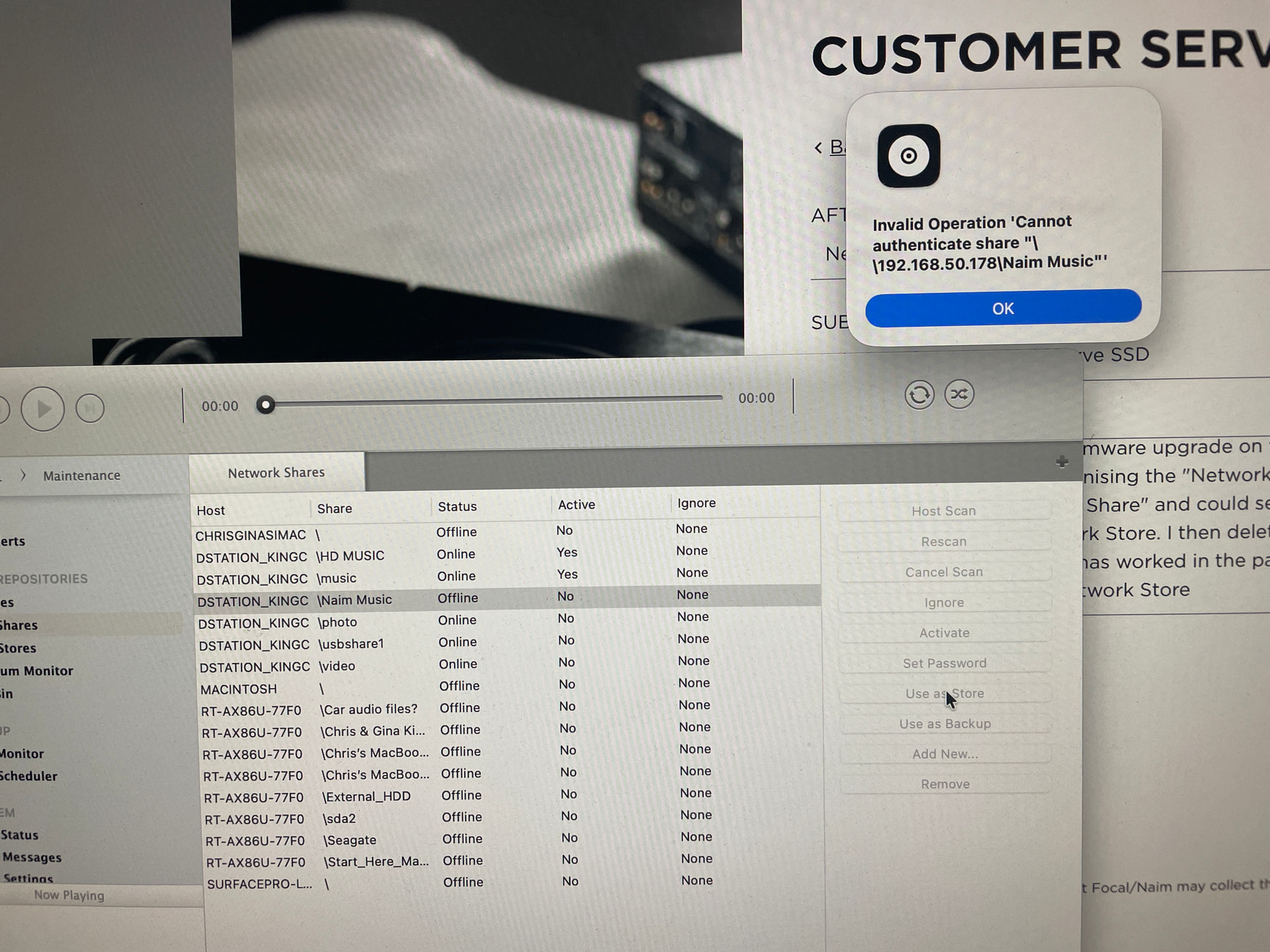
Using the N-Serve app I converted the problematic “Network Store” to a “Network Share” and could see all the albums so it is working fine as a Share, but I cannot convert it back to a Network Store. Whenever I try I get the message "Invalid Operation ‘Cannot authenticate share “\192.168.50.178\Naim Music”’ (the IP address is correct).
In the past when I had this issue I manually removed the offending share/store and manually added them back, which did the trick so I deleted the relevant share and added it back manually, although even then I get a message that it is not possible to add the share on host and i have to “Force Add” it. This adds it back as a share, but I still can’t elevate it to a Network Store and get the same error message as above. See attached image for screen grab.
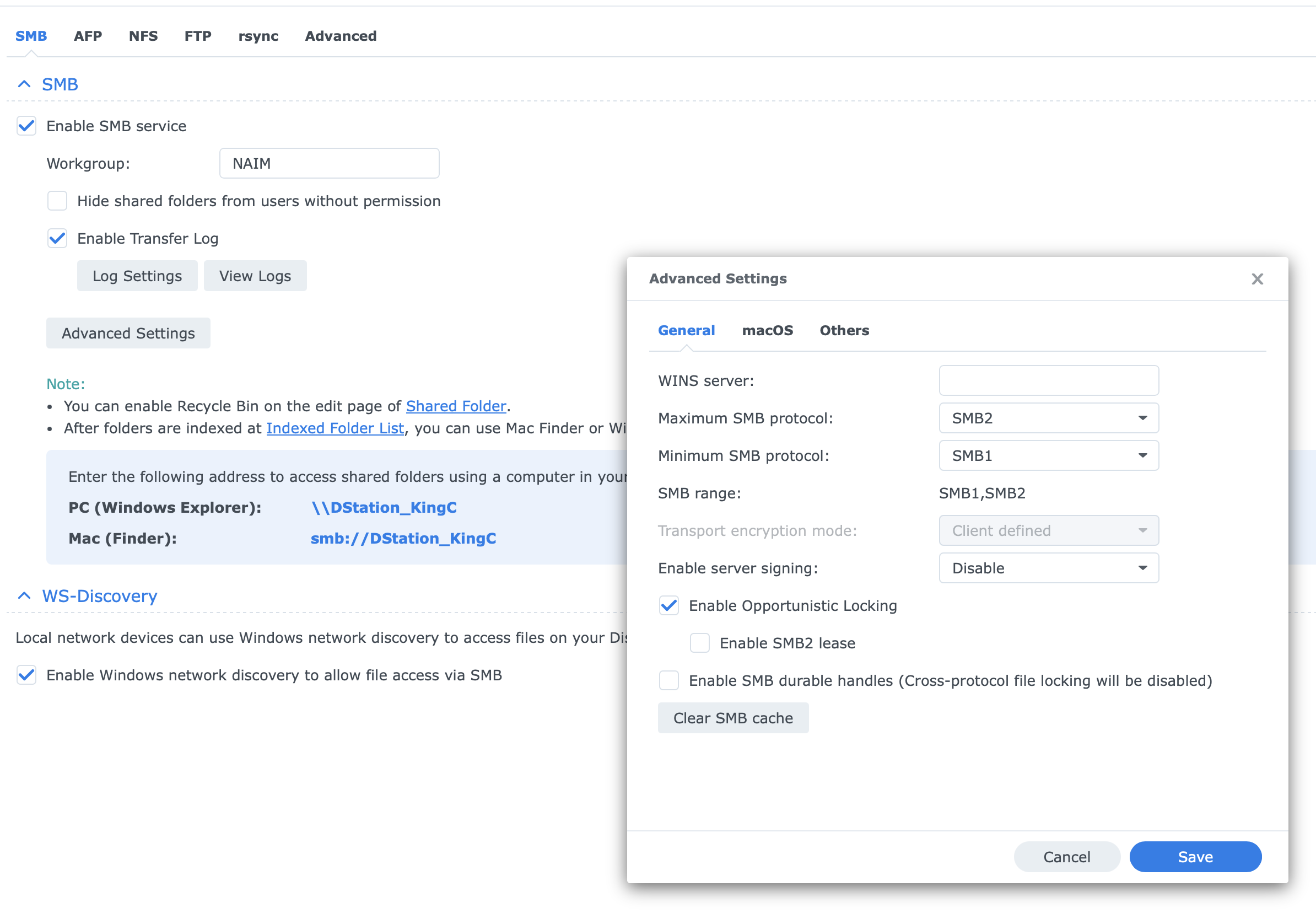
This is likely because your NAS no longer allows the use of SMB1, which is widely deprecated for security reasons, but which the UnitiServe requires. The UnitiServe can’t work with later versions of SMB (ie SMB2 or 3).
So you should go into your NAS settings and re-enable SMB1. Chat GPT or similar will no doubt help you to do that if you can’t work out how to do it yourself.
Thank you, David. I did look at this. As far as I can tell, SMB1 is still enabled. Should I restrict it to just SMP1? i.e. change the maximum SMB protocol to SMB1?
No need to do that. The Unitiserve will always use SMB1, so your current settings should work. Are you using N-Serve on a Mac? If so then you might need to look at the Mac security settings too. But I’m no expert on that. Maybe someone else will have ideas eg @ChrisSU?
I had nothing to lose, so I changed it to SMB1-only, but it made no difference. I have again removed the Naim Music share and added it again. It is currently updating so will see if that makes a difference once done.
Not sure if using a Mac could be the issue. In the past, I have also used the browser dashboard, which was very good and probably how I did this last time, but can’t use that anymore due to the deprecation of Flash.
I’ve lodged a support request with Naim, but I haven’t received a response yet.
Naim did tell us of a workaround to deal with the deprecation of Flash for Unitiserve, but I have a feeling that may not still work. You can probably find it in the forum if you look for a post from @Stevesky of a couple of years ago or more.
Hi David, yes I found the info on the workaround but it doesn’t appear to be available anymore.
Anyway, persistence paid off, as removing the share and re-adding it worked, and I have successfully elevated the Naim Music share to a music store. I left out the \\ in the address the first time I added it back in, and while it would see it as a share, it wouldn’t convert it to a store. Whether that was the issue or not, I have no idea. The Serve is currently scanning the store, so I will check it when I get home from work, but all seems okay so far.