I’m not at home at the moment, but I’ve been meaning to try this for some time. I’ll try and do it next week when I’m back.
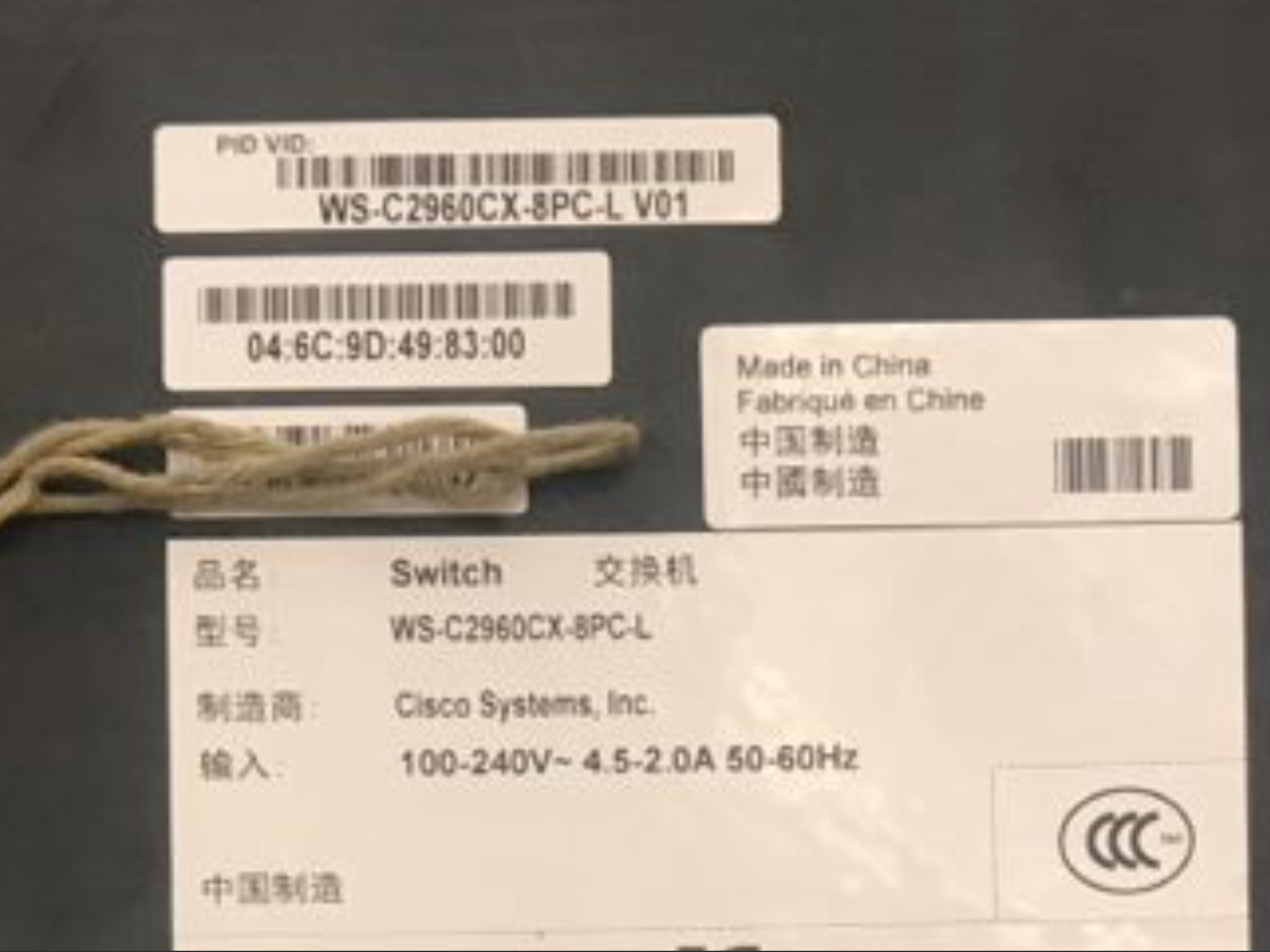
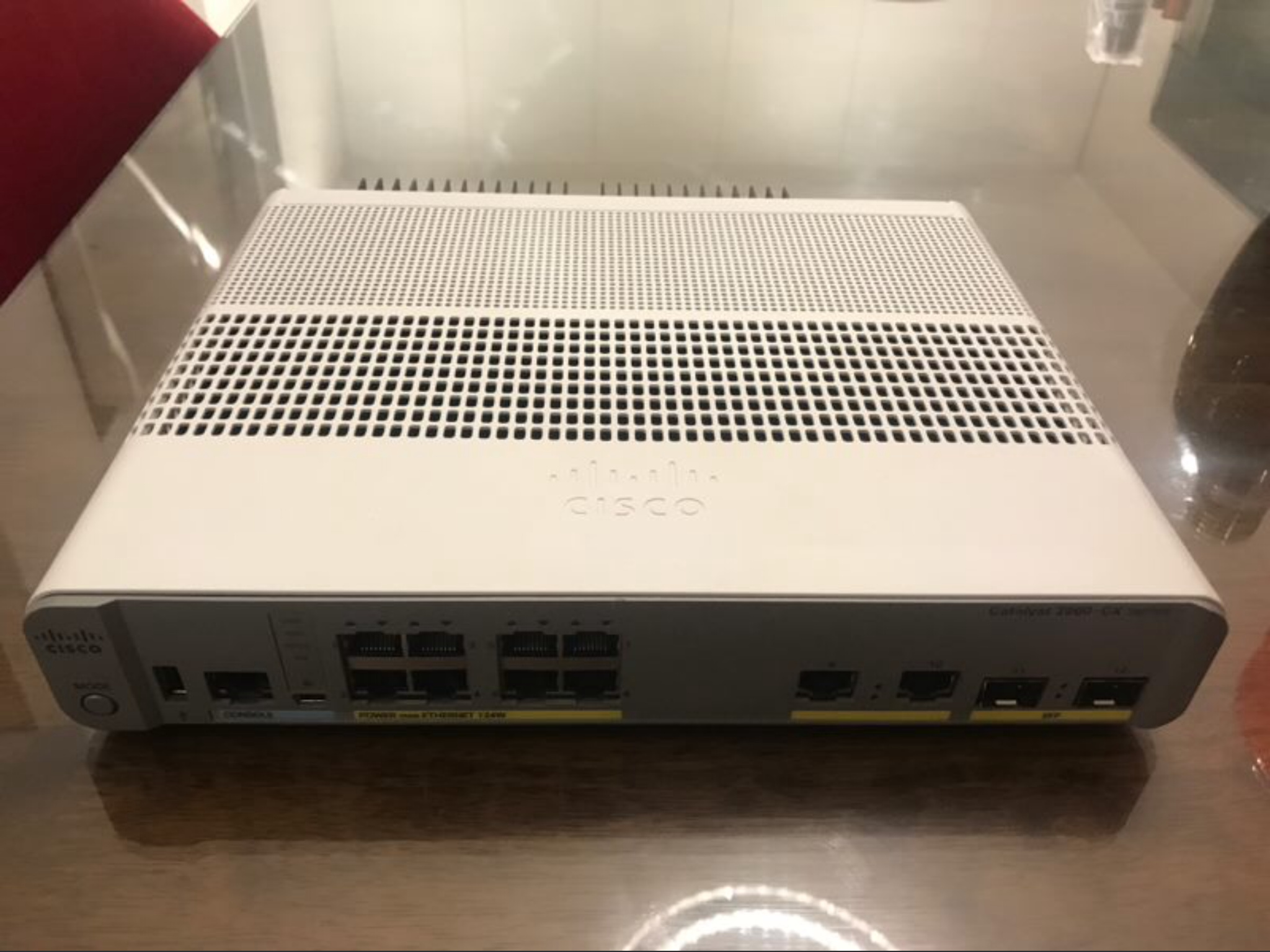
Hi there, the switch below has come up on a local auction site, is this the correct model to use?
Thanks
That will work nicely. Ask for it to be factory reset if possible.
1 Like
Awesome, thanks
Does it have an IEC power socket in the back? Not all POE models do.
Hi Chris,
I’m guessing the IEC is a socket to take a mains lead to power the Cisco from the mains socket in the wall??
There is one model that is PoE powered, and it isn’t that one.
This device provides PoE+ with its own power budget… that is something different… ie it is a PoE source and as such is mains powered.
This would be a good model to plug your streamer and other closely related Ethernet equipment such as AppleTV, SmartTV etc iand say a PoE powered Wifi access point for your listening room. That way you could get good Wifi performance for your control apps, and reduce SMPS power-supply clutter. Ultimately a good thing to reduce noise on the mains … good in the limit for SQ
But unless brand new, do ensure it’s config is cleared by the previous user.
The problems were with Naim discovery and similar things… that might not be appropriate for your TV, or you may have no issue. Devices tend to better behaved now that when I first mentioned the 2960 a few years ago.
The key thing about the 2960 (and similar) is that you DONT need a separate switch for best SQ and usability performance with things like UPnP. That was one of the whole points of it, especially when Wifi access points were connected to it.
It does seem bizarre some people are using a 2960 in a way that I recommended it was to replace but each to their own. As I say I think some people are confusing Ethernet wiring placement, and common mode noise related SQ matters with switch performance… and if so clearly not getting the best performance.
Hi, yes, as Simon explains above, it looks like yours is mains powered, so no problem. Without a view of the back of the switch, I wasn’t sure which version it was.
Thanks for all info Chris and Simon. I missed out on the auction, however, I am wiser now for when the next one that come along. 
BTW there are several 8 port 2960 switch available on the bay right now (.co.uk) … all would be perfect and reasonable ‘buy it now’ prices.
2 Likes
So I took the jump and picked one of these up on the Bay. However, I think I erred and should have purchased a different model. Do to necessity, this switch will be in a cabinet both with my Naim gear and with my AV gear, meaning my Apple TV and other video streaming sources will be on this switch. The switch I bought is fast internet (10/100 MBS) and not gigabit. My internet plan is currently a 250 MBS plan and I’ll probably bump that up. I would assume if I want all of the bandwidth necessary to stream 4k HDR I would need the gigabit version?
I use the 100Mb 2960 purely for hifi roon core and the NDX2 and a gigabit switch for other devices as my file transfers, backups and my virgin internet access etc between those gigabit devices are not restricted to 100Mb by the 2960, plus one 8 port switch isn’t enough. The location of the 2960 is in a different room. To me there is also a slight difference in sound with other devices connected to the 2960, though that may well be the environment the switch was located in when other devices were connected to it, it is now 8m from the NDX 2 and the Ethernet cables are not close to power etc and the SQ has improved. So there are reasons to only connect the hifi devices to the switch, to me the main one is siting of the 2960 and routing the cables cleanly to those devices.
According to Netflix, their 4k TV streams use 15 to 20MB, so depending on your overall internet usage, you are probably fine with a 100MB connection I would think. Use the dual purpose ‘uplink’ port on the right to connect to your router, as this is normally a GB switch on the 10/100 models.
Perfect… as it appears you are doing that for practical reasons and not on the fallacy that some how Catalyst switches when only switching TCP streams containing PCM data packets are some how going to make the samples in those PCM packets sound better.
You should be fine… I use a Fast Ethernet switch (10/100mbps) feeding my audio, 4K Netflix, 4K Amazon Prime, AppleTV, and it doesn’t even break into a sweat.
You cant often compare internet broadband ‘speeds’ with duplex LAN Ethernet speeds… the latter is effectively more efficient…
However if you had only a single switch connecting to your broadband router then I would use a 1Gbps link to connect to the router. Some of the Fast Ethernet 2960 switches use Gigabit ports on their uplinks… those are the one or two links to the side of the main switch ports. One would normally connect these to an upstream switch or router. (That is what I do with my 2960).
One of the nice things is that you connect a browser to the Catalyst switch loopback address (depending on model and how it is set up) and see how busy the ports are… you might be surprised how busy they aren’t…
Anyone using a core notice sending albums to the Downloads folder severely cripples the upload to around 2MB/s. This is using a 2960g-8 using the default auto negotiation. If I hard ode the speed on the switch to speed 100 it increases to around 10-12 MB/s. Hardcoding to speed 1000 still reduces the upload to the core to 2MB/s. This is really odd.
FYI. Plug the core into a Netgear FS116 and I’m back at 20MB/s plus.
Have you factory reset your switch… perhaps you have some config in there still or you have a faulty device, or your autonegotiation in your setup might even be half duplex… or, or, or
No such issues here or elsewhere with Catalyst devices…
But of course you can log onto your switch and see what is happening on the link, after all that is the whole point of these devices!!!
BTW do you mean MB, or Mb
Around 10MB is flat out on a Fast Ethernet link. You will be be able to reach 20MB on GigE, and remember GigE is full duplex and must have 4 pair cable.
Anyway as I say I recommend logging on to see what connection parameters are set at, if you are leaving all to autonegotiation, as you have a non standard situation.
It was factory reset and upgraded to the latest IOS from Cisco’s site. The config of the port where the core is plugged in is only an access port. The switch sees that port as Auto 1000 which is expected.
What’s even weirder is I can copy an album from the Core Downloads folder to my desktop and I do get 23.4 MB/s which is expected given it’s a gig link. When I upload to the core an album I get anywhere from 1-3 MB/s. I have attached screenshots.
I did look at Wireshark and see a ton of out of sequence and re-transmissions during the file copy.
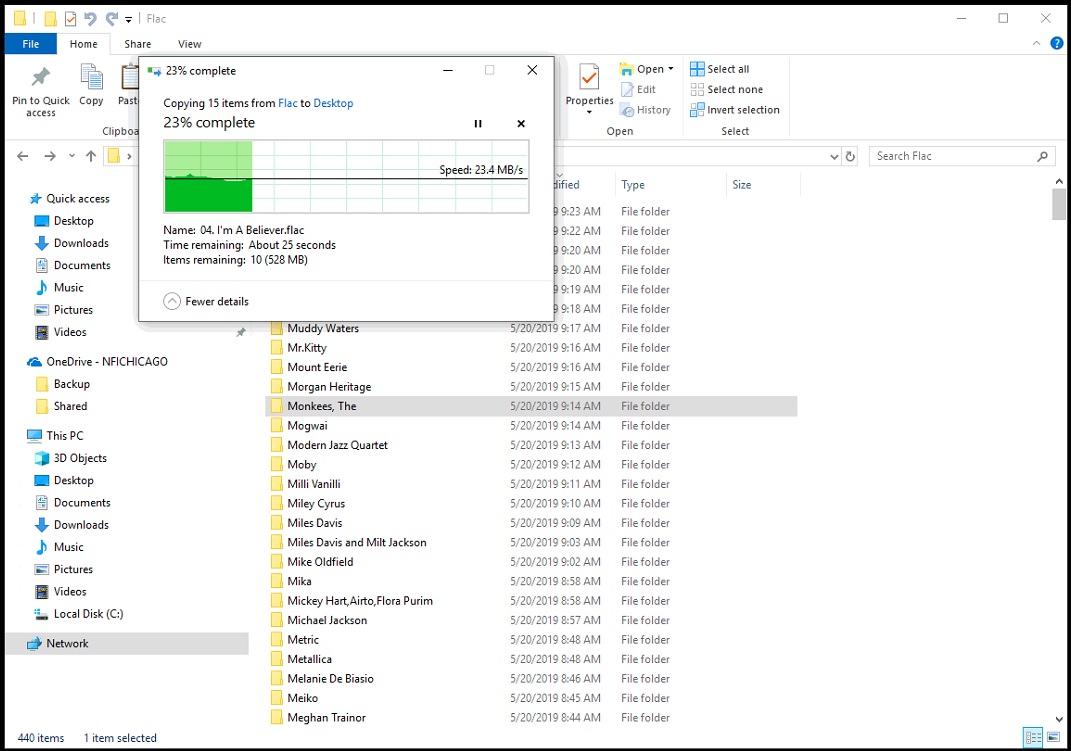
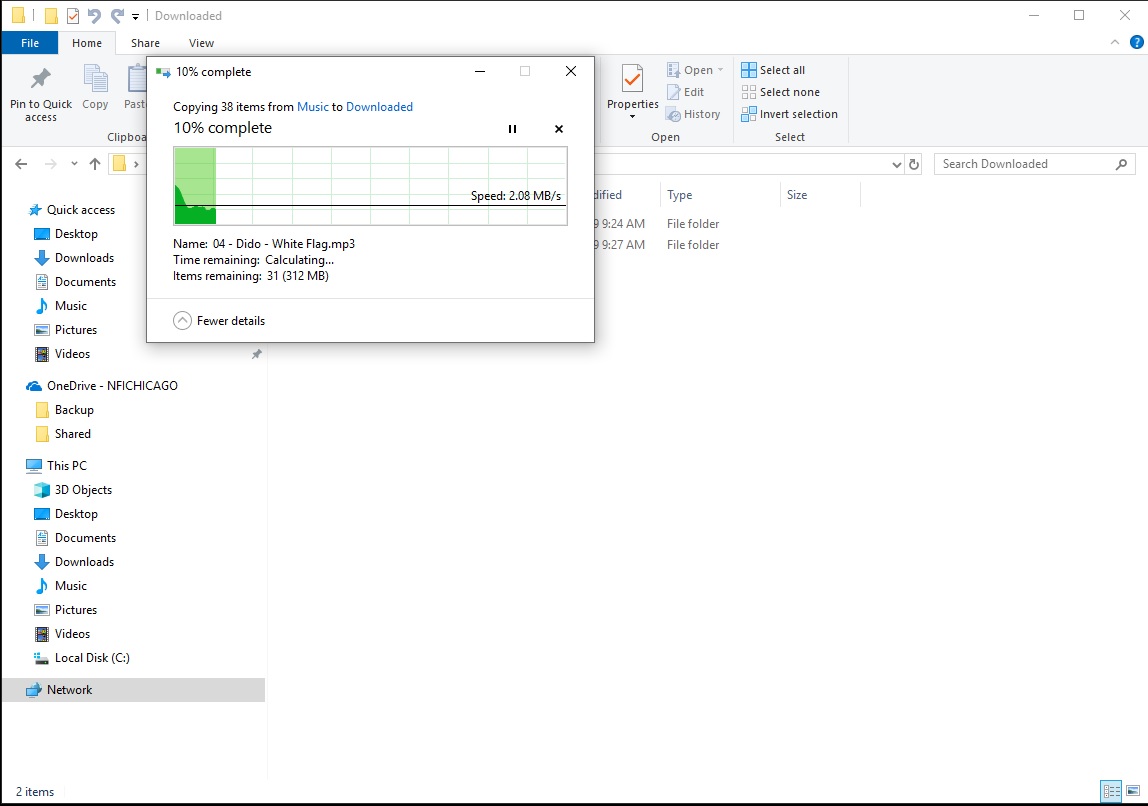
Well out of sequence packets can’t be anything to do with a layer2 switch… points to the connected hosts… if your WireShark trace is reliable.
Out of interest how are you wiresharking… use a SPAN port of the switch? That really is the reliable way of using WireShark to sniff data.
Look at the window sizes… you might be seeing buffer over run on the hosts, specifically the Core … possible especially if using GigE.