Good evening,
I have been given a new router by my ISP. And of course the moment I set it up my Muso (Gen 1) and Atom HE cannot be found.
All ideas welcome. Currently just put the old router back in.
Yours,
Paul
Good evening,
I have been given a new router by my ISP. And of course the moment I set it up my Muso (Gen 1) and Atom HE cannot be found.
All ideas welcome. Currently just put the old router back in.
Yours,
Paul
If you change your router, then unless the WiFi name (SSID) and password is the same, your WiFi devices won’t see the network.
So you have two possibilities. One is to rename the SSID to the old name and use the old password. The other way is to reset the Naim units and set them up from scratch again.
As said, plus check the 2.4/5 ghz is set the same on all devices.
Thanks for the advice both,
I am thinking I will rename the SSID to the old name and use the old password.
The path of least resistance.
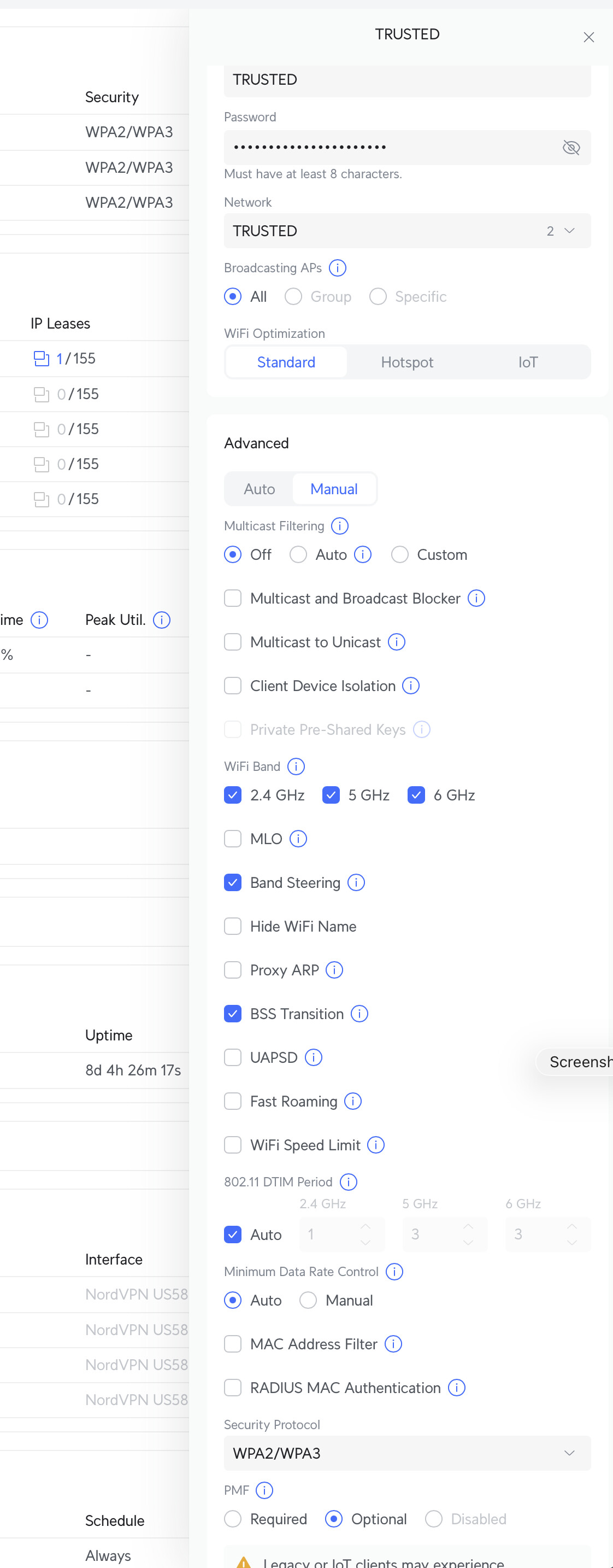
Check if the wireless SSID is using WPA3 security, in which case that’s the likely reason.
As said, you need to ensure your WiFi access port in your router is set to work with older protocols such as WiFi 5 (5Ghz only) and WiFi 4 (5Ghz and 2.4 Hz) which is what Naim use. WiFi 6E also uses 6Ghz which is not compatible with Naim.. but that should not be an issue if your older protocol compatability.
Also as said you need to ensure if your wifi uses WPA3 security, which is part of wifi 6, it is set to ‘compatability mode’ or ‘transition mode’ to allow the older WPA2 encryption method that Naim use to work.
wifi 6 (802.11ax) is a major step up in WiFi functionality, speed and security vulnerabilities over earlier versions.
The SSID name is likely to have little bearing…. But if your Naim can’t see the SSID beacon from your WiFi then that suggests the WiFi setup is not set to be appropriately backwards compatible in terms of underlying network protocol and radio connectivity. If you can see the SSID but can’t connect, then check the WPA3 security is set to transition mode or compatibility mode or hard wired to wpa2… (and obviously password exactly and precisely match)
Apparently you haven’t actually used WiFi to connect to an Atom or Muso Simon!
The point is that Naim doesn’t provide a way to enter a password for a new SSID on these devices. The only way to do it is to reset the Naim device and then set it up again for the new WiFi network. That is why changing the SSID and password to be what the Naim units expect to find is the easiest way to go.
When I get a new Router I always go into the admin mode and change the WiFi name and password to the old router.
Admin password usually on the back of router.
That way I don’t have to reconnect all my WiFi devices to the new WiFi every time.
Exactly, I thought this was fairly common practice? After 12 years, I can now almost remember my own password.
Indeed as @Simon-in-Suffolk says it’s probably set to WPA3 only.
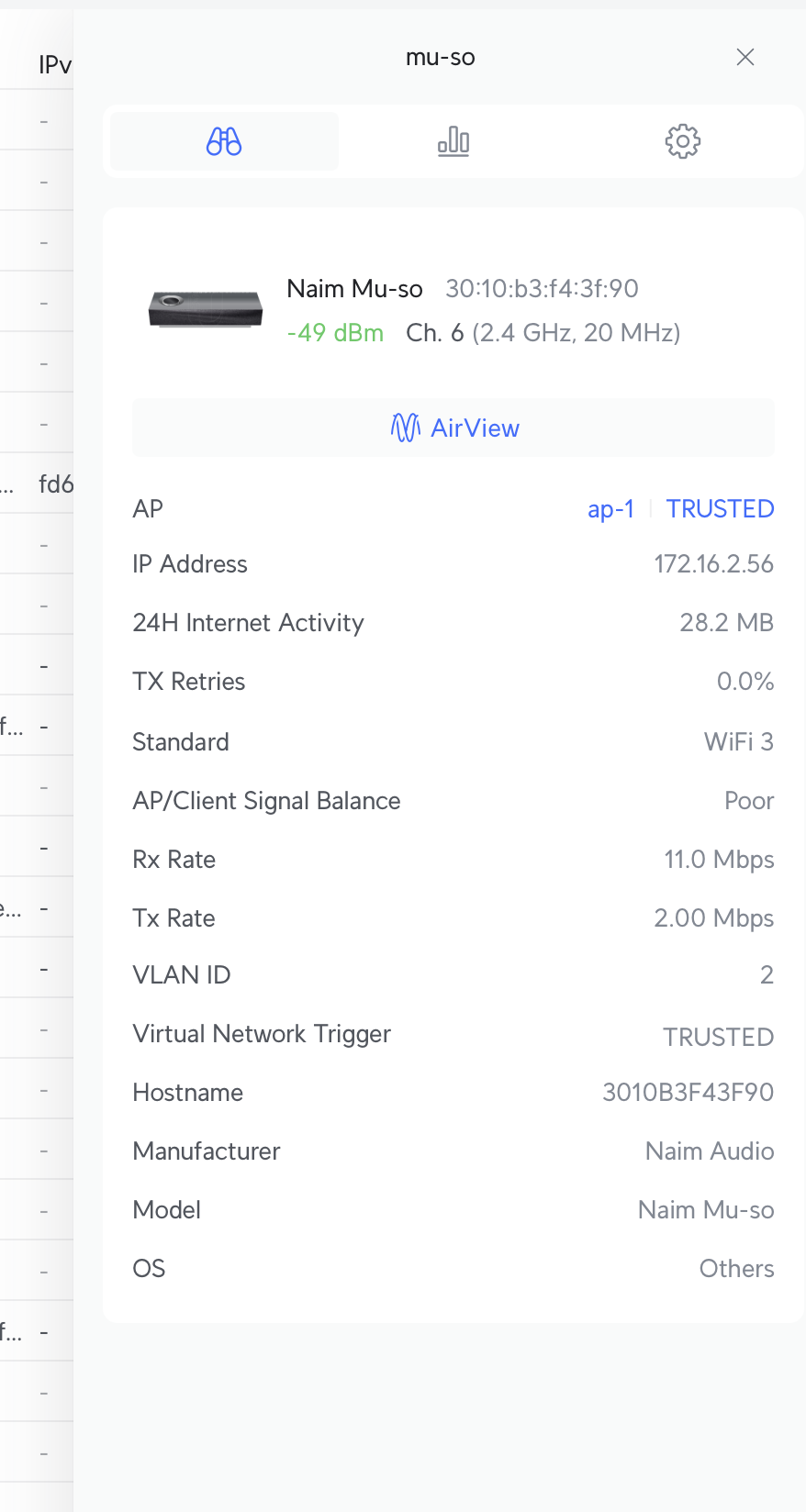
See if you can set it to WPA2/WPA3, my Mu-So Gen 1 works just fine on a multiple band SSID with WPA2/WPA3 enabled.
On Unitis with screen and physical remote, you can actually select a (new) SSID and enter the password via Settings on the on-screen menu.
(But won’t help for the other devices, agreed.)
PS: it’s limited fun, of course, if the password is long/complex and you use the remote to enter it. But it works.
On the Atom, can you not just use the app, go in to Settings and then Rooms and add a new device? Following that set up establishes the new WiFi credentials. It’s ages back since I used wifi, but I seem to recall that’s what I did when I changed router.
indeed ‘WPA2/WPA3’, ‘WPA3 Transition Mode’, ‘WPA3 Compatibility’ mode should all be suitable options for older devices. ‘WPA3’ or ‘WPA3 Personal’ on its own is not and will NOT work with Naim.
The secure wifi association session establishment is quite different from the older WPA2 and the new WPA3.
Seemingly you miss the point David….
This was about wifi 6 which the OP advised he was using originally I believe.
A Wifi 6 registered AP device can default to WPA3 for performance and security. Old wifi protocols used WPA2.
So put the same SSID and password in with a WPA2 device such as a Naim product, it will not work with a WPA3 only wifi access point - even though its using the same SSID and password.
Yes I use wifi with my Qb gen 1 but I use older protocols for backwards compatibility specifically for its network…works well.
If the OP is using an older Wifi 5 or older access point on their router etc - then this WPA consideration is irrelevant and you need to follow the methods you describe for entering the SSID and password for the legacy wifi (ie use the pinhole reset and Naim app) . I notice wifi6 is not now visible on the OP’s post unless some of us imagined it….
Thanks. You did not imagine it, WiFi 6 is in the title but not the body. And it is Wi Fi 6 not 6E.
So, digesting all the advice here, I am going to set my SSID and password on the new router to be the same as the old.
And set WPA3 security to transition mode.
I think I will start this earlier in the day tomorrow. I will report back.
Thans for all the advice good people. Hopefully I will not need any more.
That should hopefully work - yes Wifi 6 uses the WPA 3 - Wifi 6E adds the 6GHz band. where as Wifi 6 doesn’t
So putting session establishment encryption to WPA3 transition hopefully should allow things to progress… let us know how you get on
Reporting in. Muso set up with no issue.
Atom is following the rule that the higher the SQ, the harder it is to set up.
I have not gone the route of using the same SSID/password for other reasons.
Advice suggests I should be able to set up the wireless connection, via the app with the Atom connected to the router via an Ethernet cable, but I doubt this.
The remote is not connecting to the Atom and refusing to pair.
What next - factory reset? But I might need the remote to set up.
Excellent
Hi Simon. I think you may have missed the lower part of the post - the Atom is proving more challenging.
Update: third reboot of the Atom and all comes good. Muso and Muso are now working nicely.
Thanks for all the advice.