Did you get a ticket number? You should receive that back immediately, if not check the junk/spam folder.
I received an email from our local distributor in NZ saying the firmware update might be the issue, and they would reach out to Naim to see what the next steps are. That was over a week ago.
1 Like
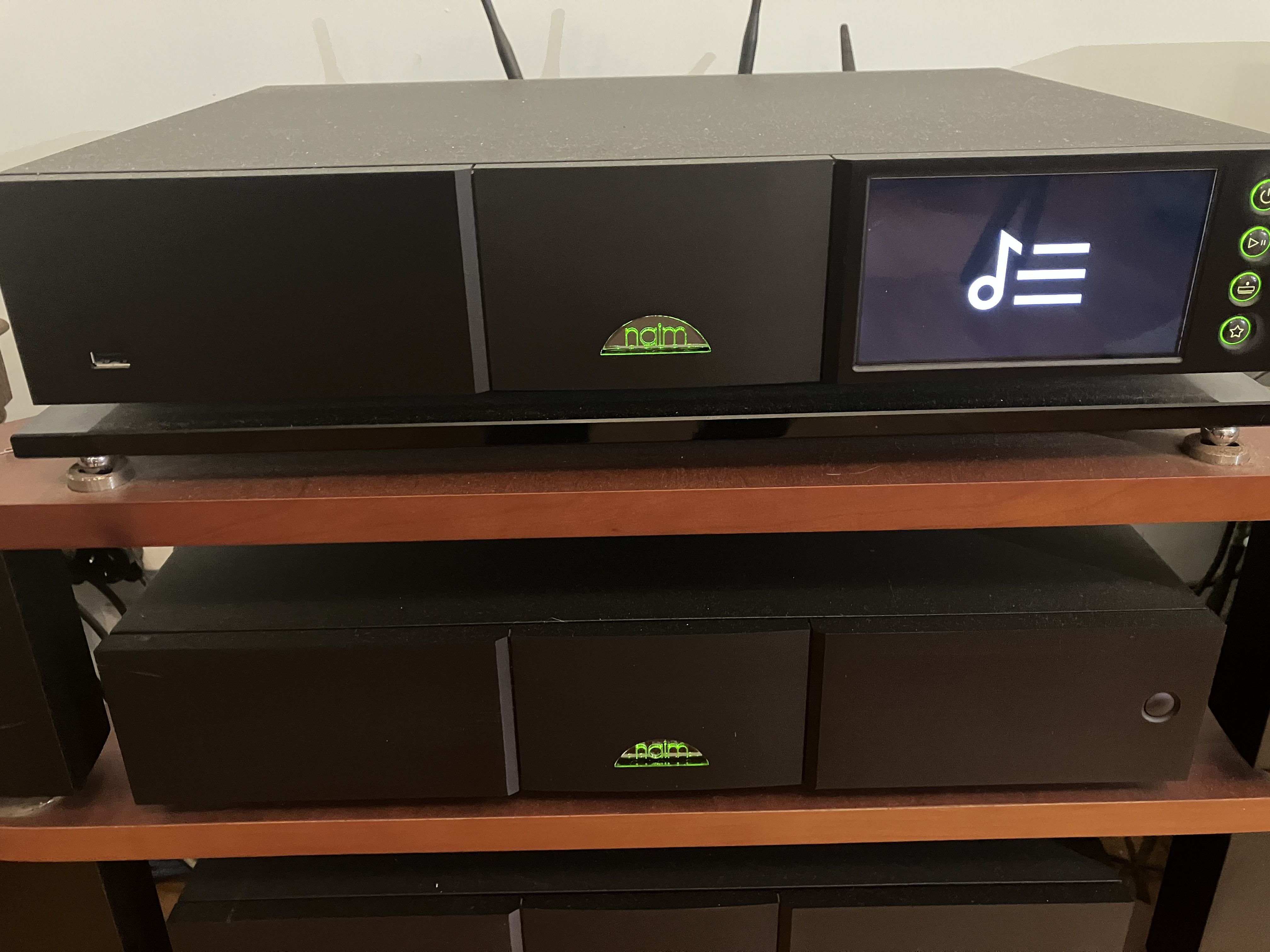
The artwork appeared on the display before I updated the firmware. It still appears when streaming radio and Tidal, but not when streaming from the NAS. I’m reporting this to Naim support.
2 Likes
I received a reply from Naim support. “We have had no reports, to my knowledge, of this issue.” Also that they could not replicate the problem.
Did they use a Unitiserve with WAVs when they tried to replicate it?
Quote from support: “I have tested this on my NAS drive with my NDX 2 on version 3.12, with the app on 8.1.1 (Android), and have no issues with album art being displayed. I also tested this on an iPad (version 8.1) and the album art for the track playing from my NAS drive also displayed. on the NDX 2.”
So probably not a Unitiserve, then?
It’s inaccurate of them to say they have had no reports of this issue. I know of two from New Zealand alone, one of which is mine.
Sounds like they don’t have the Uniti-Serve in the chain. If I play directly from my NAS it also displays the artwork on the NDX2. The moment I use the Uniti-Serve to serve the file, the artwork disappears.
2 Likes
I have a Uniti Serve SSD, and using the Desk Top view have on occasion done the Rebuild Data Base option. I don’t know if you’ve ever tried this? In my case it did take quite a while to complete, and your NDX2 should probably be restarted afterwards as well. Not sure if this would help in solving the issue.
This is the response I received when I followed up on my support request
I am unfortunately still waiting for a reply from NAIM on this issue, there [sic] response time is about 3 weeks on an email.
Who knew it still took news and information three weeks to travel to New Zealand?
Based on the lack of response or acknowledgement from Naim and what appears to be a lack of understanding of the issue, they don’t seem to be taking it seriously.
Thanks for the suggestion. I have not tried this, but I have rescanned the drives. When I click the button I get a warning message saying “Do you really want to continue”.
I’ve also considered purging the images. Gemini AI suggests it “clears the server’s internal image cache used to display album cover art. It does not delete the actual image files stored in your music library”, while Naim’s own warning says “This function will remove covers images from the server and should not be used lightly.” I took great care to source the correct cover images at quality levels within spec. I certainly wouldn’t want to lose all of them. Likewise with thr Metadata. I never relied on the datea pulled from grace note/AMG etc. and always manually edited it.
1 Like
Probably a good idea to proceed with caution. If it were me I might reinstate to the question to Naim.
1 Like
I have messaged someone on Naim’s software development team who has been able to reproduce the issue and it is now on their list of things that need fixing.
3 Likes
Hi Chris, that is a welcome development and good to hear. Thanks for the update.
I confirm also having no issue playing music and displaying album picture from a Synology NAS (for both NDX2 and Atom).
But as soon as the music is coming from the Unitiserve, no picture anymore on both devices.
Naim came back to me asking for my network evaluation (from naim app => button « ? » => scanning network)
I shared with them the results and waiting for their feedback. I will keep you posted.
1 Like
If i were you i would transcode all your albums in AIFF. You will have the Wav sound and also your covers.
Would be a good idea, but I’m not sure the Unitiserve is compatible with AIFF.
The US will play aiff but I’m not sure what is being suggested here. If the streamer gets WAV it shows no artwork, more than likely just a temporary issue until Naim can fix it.
I ripped all my albums in wav and set my Uniti-Serve to play files in their native format, which was recommended by Naim as best practice. I shouldn’t have to change that now because the latest firmware has introduced an issue that previously didn’t exist. The onus is on Naim to resolve the issue.
I would suggest storing in FLAC and transcoding on the fly to WAV. Your streamer still gets WAV (although the real benefit of this was on the 1st gen. streamers), you save a load of storage space, and you have metadata that is useable on other equipment when your Unitiserve dies. It won’t make any difference to the current artwork display problem, though.