As the title when I start the Naim app for ND5XS2 I have a view which does not have any qobuz favourites, saved albums artists etc. I have worked out that if I logout of qobuz (it states it’s logged in on startup) and log back in again it returns to my normal view favourites albums artists etc. Does anyone have any idea why this is happening? it’s a recent thing last few weeks.
1 Like
No Qobuz issues here with Nova and NSC222.
Without more detail, like control point and the exact version of the Naim app, ‘latest’ is not unfortunately a version, diifficult to offer suggestions. On your control point do you also use the Qobuz app? If so, do you have any difficulty staying connected to Qobuz. If you are logged into Qobuz anywhere else, worth logging out on all of these, then use the Qobuz app first, set up a few new albums, tracks or playlists and then open Naim app and login in to Qobuz.
Naim App version is7.5 (1156500). I have both the Naim app and Qobuz app(Ver 9.2.0.1) on my phone but I only use the Qobuz app to find music to add to my qobuz library which then shows on my naim app. I dont cast from qobuz app and I have never needed to re login to qobuz app and my library has (so far) remained.
Strange. I have never had that problem with my ND5XS2. You could also use Qobuz Connect to start playing, which is very convenient. Or do you also have issues with Qobuz Connect? Try logging out explicitly under Services & Accounts and than login again.
If you have tried the suggestion of logging out and back in on both apps, then perhaps try deleting and reinstalling each app.
so I’ve logged out of both Qobuz app on phone and qobuz on Naim app. re logged in both and my library on naim app appears as it should. But this is what the problem was, when I opened my Naim app the library (Presets, Tracks, Albums, Artists, Radio, Playlists) wasn’t appearing, even though In Settings - Services and accounts - Qobuz shows as logged in and to rectify the “library” view I needed to logout of qobuz on the naim app and then log back in. The standalone Qobuz was typically not open. as for reinstalling apps the moby is new and both apps were recently reinstalled which could possibly be the cause of this behaviour. however recently added albums to the qobuz library are dutifully showing up on Naim app once I have gone through the process of logout/in.
I typically only use qobuz to listen to music on the streamer, the app on phone and pc are just used to find new music and add to library, in essence I’m not using the “connect” part
That sound like the ‘Favorites’ option in the top-menu of the Naim app. What happens if you select the ‘Qobuz’ option?
Hi, I am having similar issue but not everytime I start the naim app. Since Qobuz connect was released, I am intermittently having to logout and back into Qobuz in the naim app, as the option to choose albums disappears from the app (album set as presets remain and playlists) This also happens when I play via Qobuz connect through the naim (Uniti Nova and Mu-So 2nd generation). Anyone else experienced this?
Appreciate the frustration when functionality negaatively changes.
However without detailed info on the app, control point et al, @whatu1tme2b and other peps, can only offer general thoughts.
@Icedragon05 as asked earlier, no info on what mobile model, hunch is that likely a settings issue on the phone.
@KDDC84 worth reading the questions already asked.
Unable to offer more thoughts without the detail, so good luck!
Mobile model Samsung S23, new.

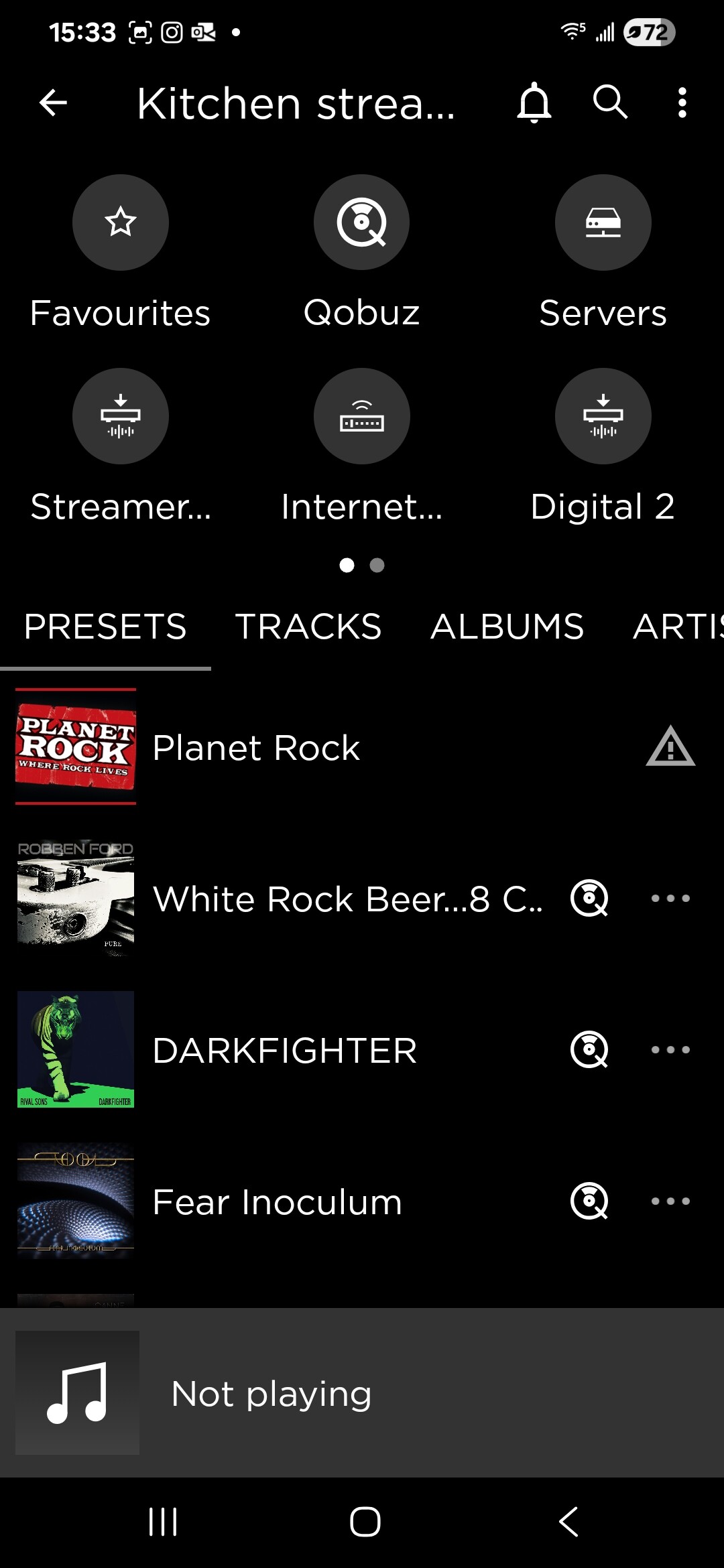
Added screenshots of Naim app on first opening, and when I logout/in qobuz.
This problem did start recently and it may be coincidental with Qobuz Connect launch, ? it could by asking for login from the Naim app, even tho Naim app states it is logged in to that service. If I close the Naim app at any point it returns to the Presets - Radio view.
I am lost…The screenshots are different from what I see on Android when I select Qobuz. This is basically the screen I get when I first start the Android app. When I select Qobuz, the top-navigation disappears and ‘New Releases’ is shown at the top.
Maybe you need to contact Naim and ask them if they know what is going on.
That is the startup view, when I select Qobuz I get this
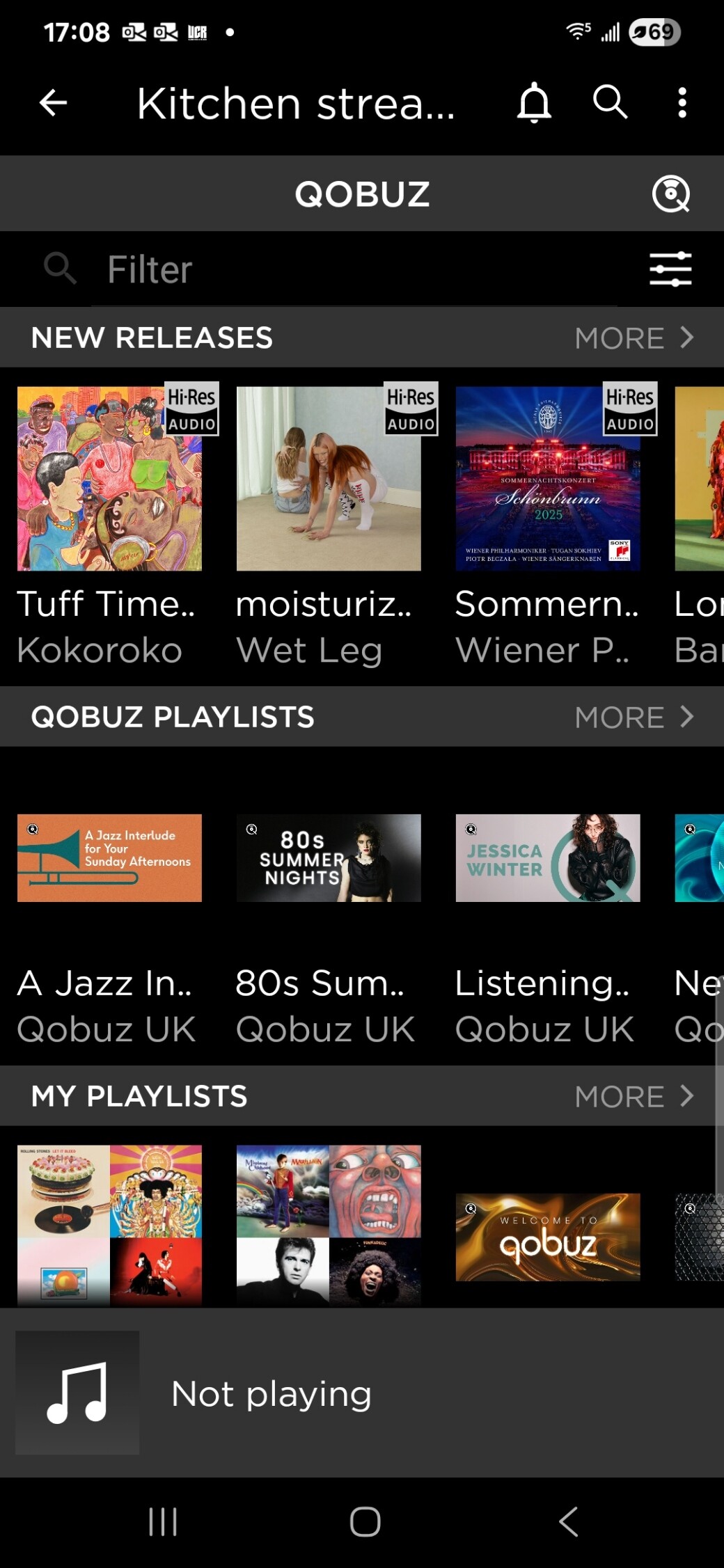
Interestingly with the Naim app running I powered down the streamer, and when I powered it on again the app returned to the logged in view (2nd screenshot)
10/12 posts before it is revealed that the issue is with the Android phone / app!!!
A thread title “Qobuz login issue with Android phone” would target those peps using the specific app…maybe that’s too simples!
Not sure it’s a login issue tbf, Naim app states Qobuz is logged in. The issue only appears to arise when the Naim app is started or restarted.
I had alot of provlems with my nd5xs2 it kept disconnecting and the app would just not work, naim blamed everything but their unit but both myself and my hifi dealer did checks and found it was the unit, I had it hard wired 2ith cat 7 ethernet but it just kept breaking down, my hifi dealer loud and clear Glasgow did a swap plus a discount on a new sim audio moon 280d and Ive never had one problem, 2hen the naim app worked it was brilliant and sounded really good but the moon is much much better, sorry I know its a naim forum but only telling the truth
If you start the Naim app and than immediately select Qobuz. Is it logged in and does it display the Qobuz content (as shown in the 2nd screenshot)?
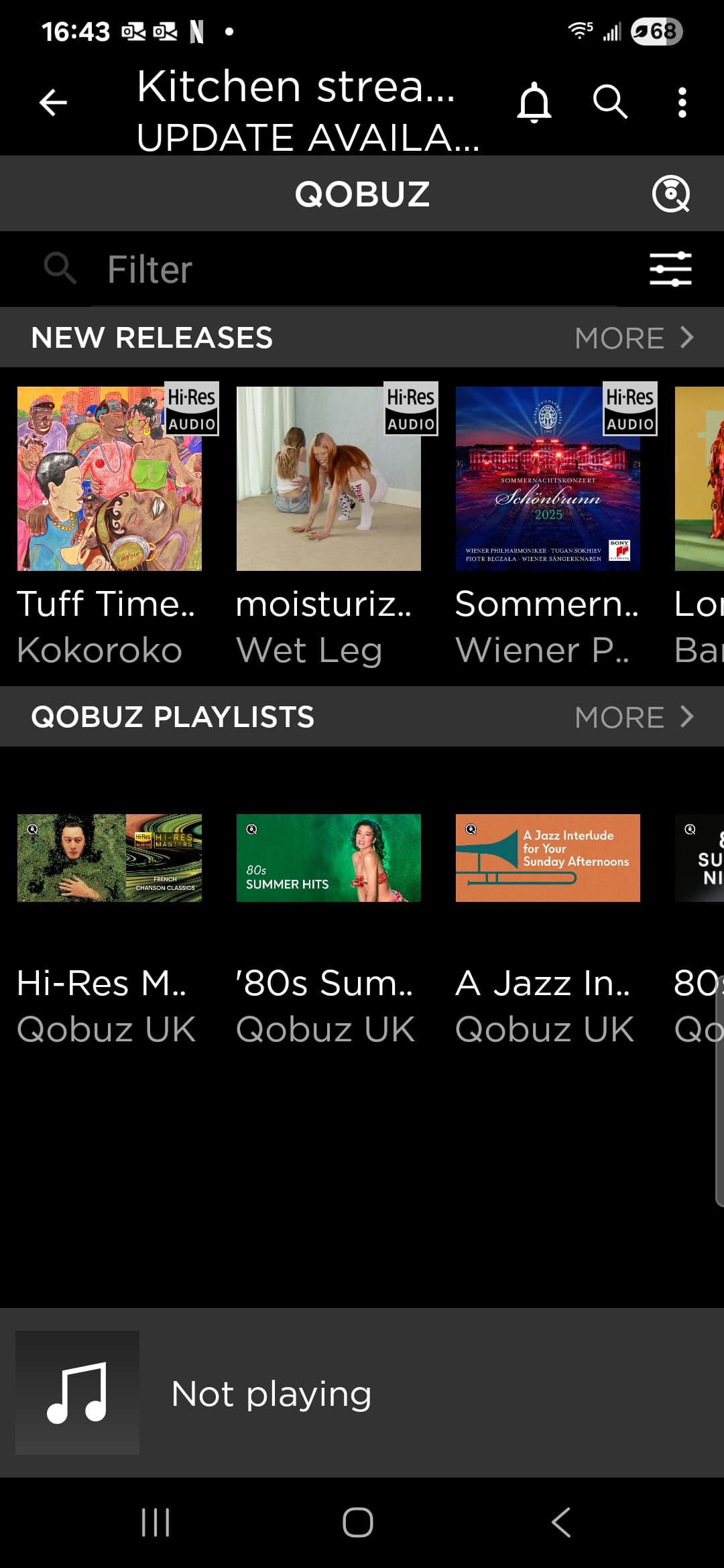
I think you need to get advice from Naim about this issue. I do n’t understand what is going on. You definitely seem to be logged out initially.
Sorry @sound-hound, should have mentioned Im using Samsung S23+ (android V15) and Naim app version 7.5 (1156500).
Screenshots @Icedragon05 provided here is the same experience I am having, and it started happening after the Qobuz Connect release.