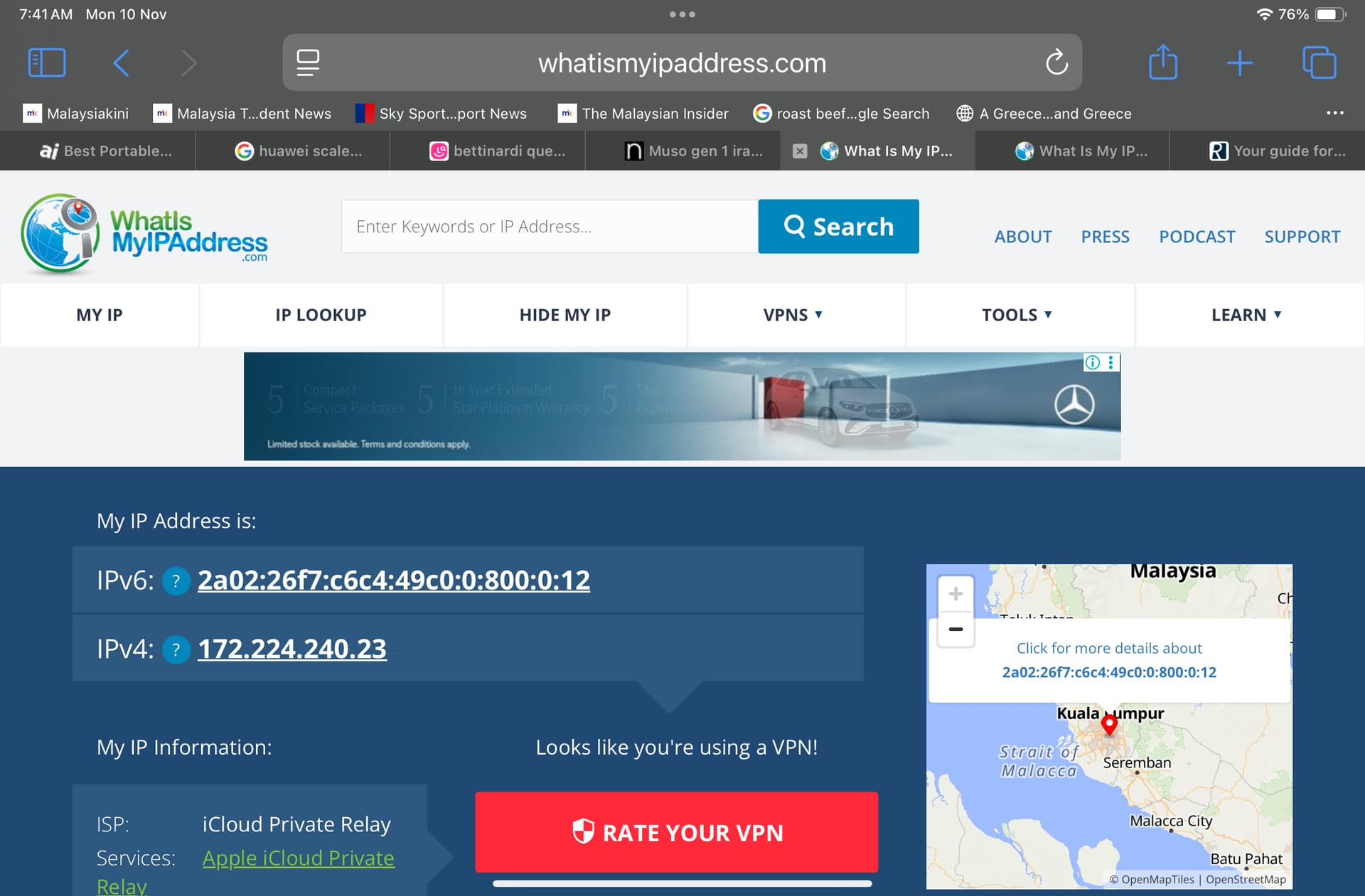
Is the above correct Steve?
Hi @GL61
i assume you did the above with your phone, That shows you are using the Apple iCloud VPN so we can’t tell your ip address.
Can you use a different computer or use a different internet browser on your phone.
If you contact our helpdesk they have all the tools that will generate reports that will avoid the vpn.
Regards
Steve
Ok Steve,
I use a normal computer laptop and it shows IPv4 address as
210.187.216.58
and the ISP is my local Telco company
regards
Gerry
Hi Gerry,
That looks good. I’ll get the admins to monitor traffic from that ip to see if anything bad is going on from our side.
Best
Steve
Hi @GL61
We reviewed the logs today from your ip address.
Overall looks ok and 4days ago you listened to a station in the uk.
can you confirm if you are currently experiencing problems?
We’re currently capturing full api logs for your ip with 1 month history.
Best
Steve
Dear Steve,
Yes indeed. Last couple of days, I have been able to connect to iradio quite easily. Previously (a week or so ago), one day ok, one day not ok.
However, this few days was alright. Don’t know what has changed as I did not mess around at my end. Do monitor over this week and I will connect more frequently to see if it continues to perform well. Thanks !
Dear Steve,
Did you manage to make any conclusions? For a couple of weeks, it was working relatively ok. Perhaps a successful connection rate of 60%. The last week, it has been terrible. Mostly unable to connect at all.
Hi @GL61
We’ve had server side logging running all the time, so i’ll ask the admin team to extract them and we’ll see if it gives any indication on what’s going on.
Will report back shortly,
Best
Steve
Hi @GL61
we’ve checked the logs.
The last we heard from your unit was:
2025-11-17 10:27:01|172.18.0.3 (210.187.216.58,)|GET
So 17th November.
It’s feasible the wan side address has changed again, as assigned by your iSP. Check if this is the case using the process described earlier in this thread.
It indicates either:
- your unit is loosing contact with the internet, Do any other streaming services work while in this state? Eg, spotify or tidal
- The ISP has an issue on routing traffic.
Best
Steve
Hi Steve,
When I check IP address using same laptop, it shows a completely different IPv4 address.
The iradio service has been spotty again - approx 50% connection rate only. I do not have issues with Apple Music or Spotify. They run every time.
What could be the issue and is there any permanent fix?
Thanks and regards
Gerry
Hi @GL61
Let us know the new wan ip address and we’ll pull logs from server side.
I’m wondering if some of the isp’s wan addresses have issues (used by bots/for ddos attacks) and are on various security blacklists.
We get a reasonable amount of other traffic from Malaysia so the issue you are experiencing is not common across the country.
Regards
Steve
Thanks Steve
The current IPv4 address using my laptop is 219.92.107.155
Not sure how all these will work and how it can assist as it keeps changing. Anyway do let me know if can find a solution.
Thanks !
Hi @GL61
The admin team have checked that ip address on the servers and we’ve seen no comms.
Although this indicates your isp has issues with routing various trafficbased on wan address assigned, can you contact pur helpdesk, reference this forum thread and hopefully they can break the problem down a nit more. This forum isn’t intended for providing technical support and the staff dedicated for cusgo er support don’t monitor these channels.
Best
Steve
This topic was automatically closed 60 days after the last reply. New replies are no longer allowed.