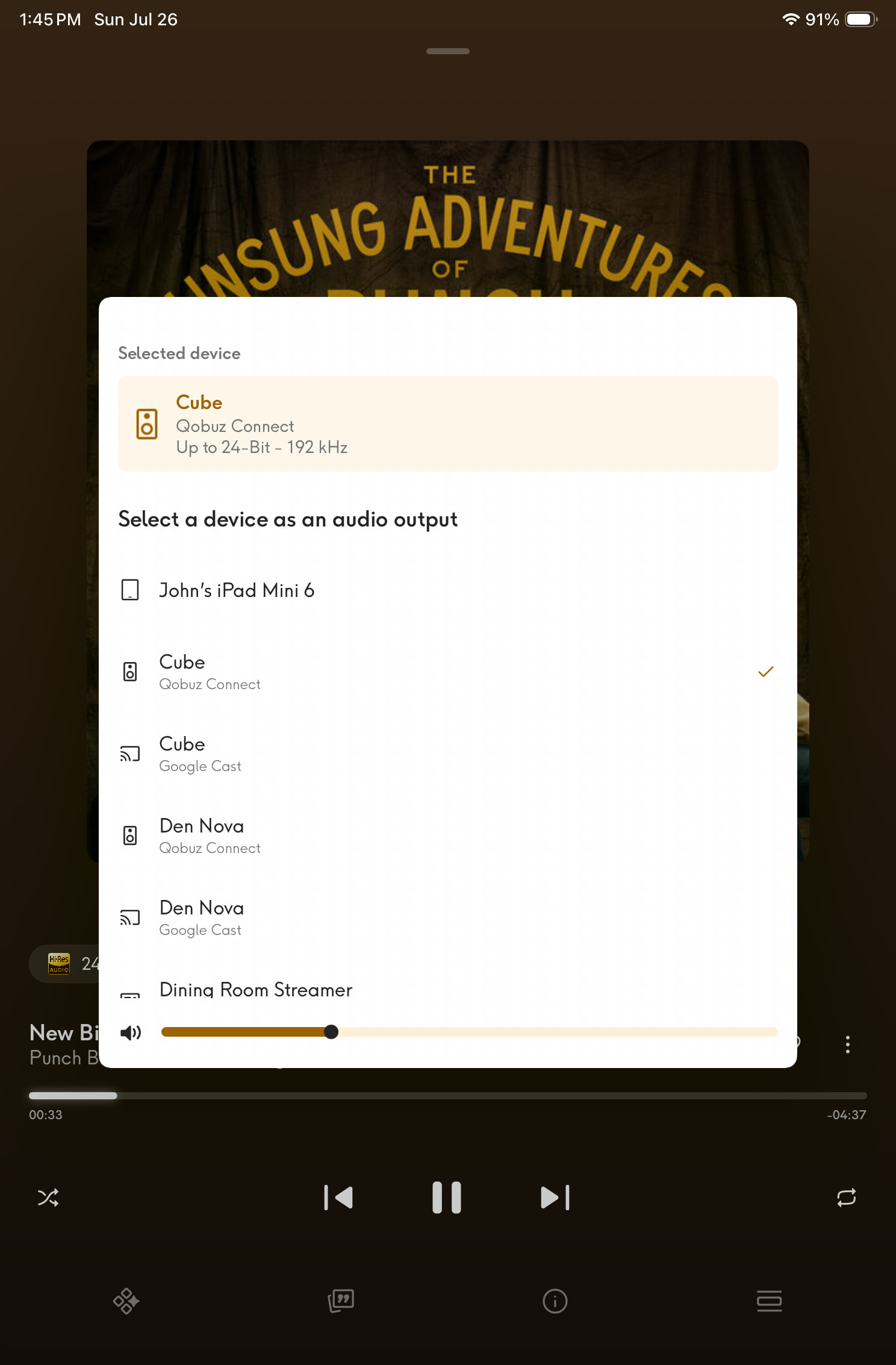
Just tried it. When playing on my iPad, I need to use the side buttons. When I switch to a Naim device, the volume control appears on the pop up menu where I select my device.
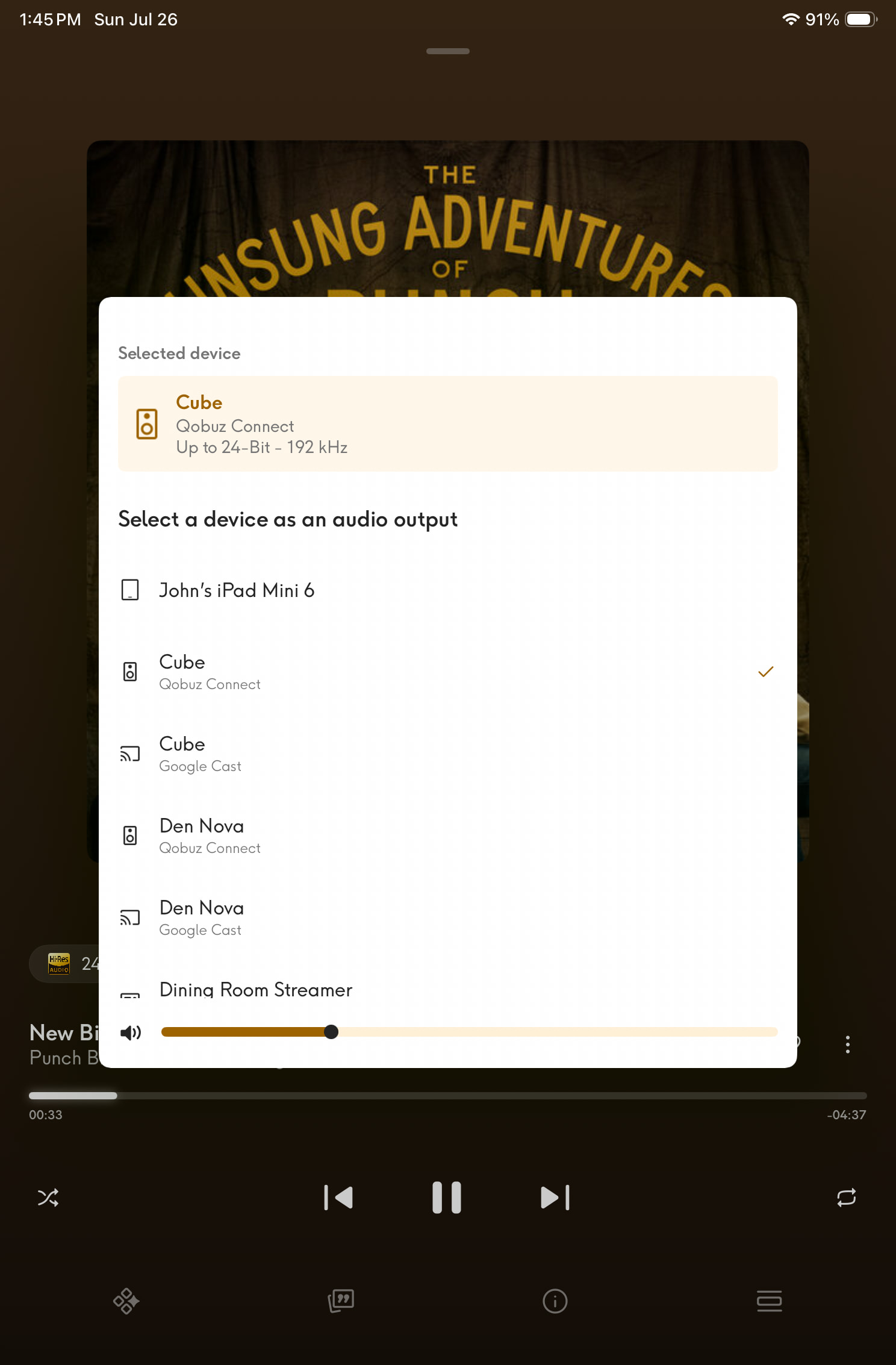
Thanks, I’ll try it later. It seems a shame that one needs to use that other screen.
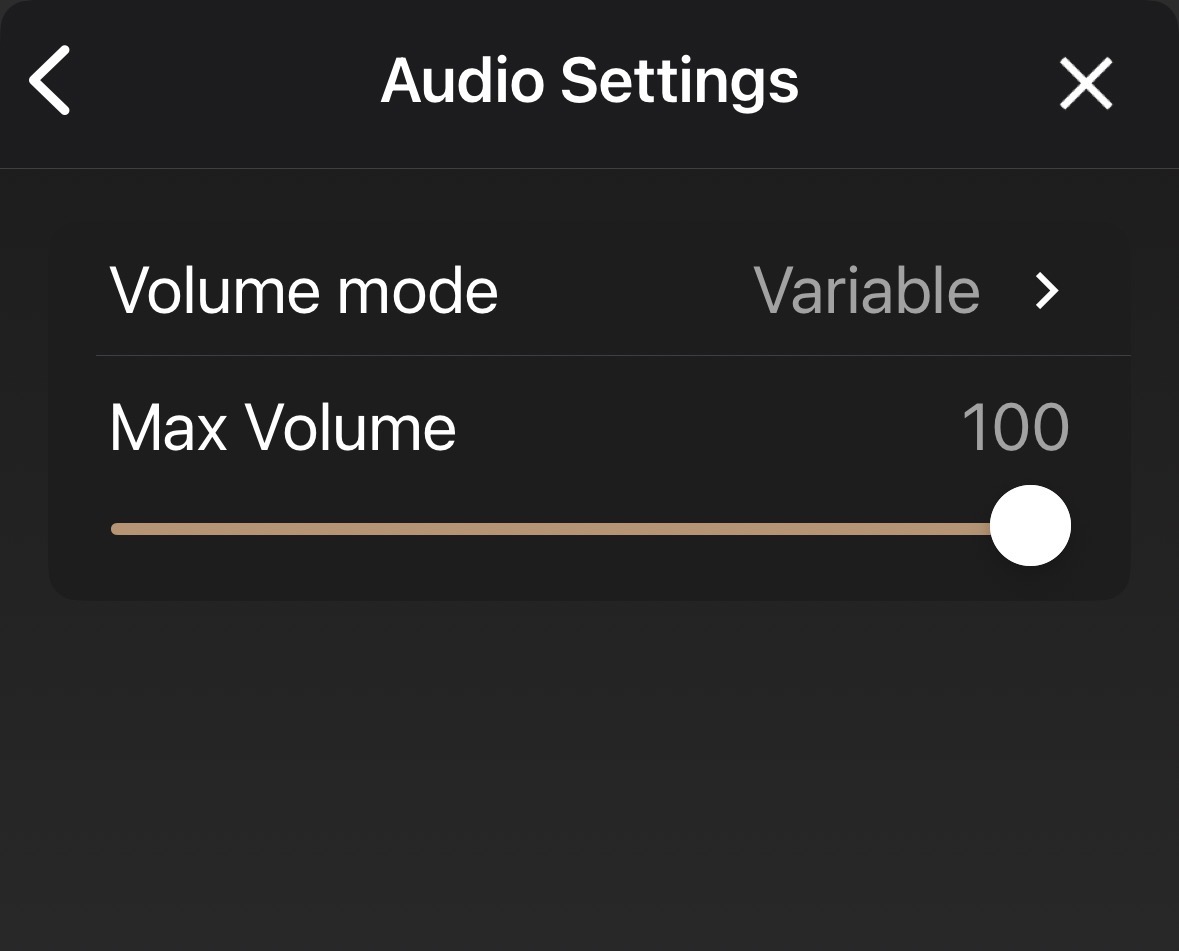
You need to have “variable” volume set on the Naim streamer to control it in the Qobuz app.

Thanks Jamie - I must admit I am struggling to find how to reset away from fixed? I’ve run the set up a couple of times. Possibly one for the am.
I think I am getting to the bottom of my problem, and wonder if anyone can confirm whether this is expected behaviour, or whether I’ve found a bug.
My system is:
-
NDX2 (latest firmware)
-
nDAC (connected via BNC digital from the NDX2)
-
NAC 252 / SuperCap DR
-
NAP 300 DR
The NDX2 is configured with:
-
System Automation: Wired
-
Preamp Type: Classic
-
Preamp Input: Preamp 5
System Automation works correctly. The Naim app can control the NAC 252 volume and input selection without issue.
I’ve recently started using Qobuz Connect from my iPhone. Playback works perfectly, but:
-
Qobuz displays a volume slider.
-
Moving the slider has no effect on the NAC 252.
-
The iPhone hardware volume buttons also have no effect.
-
There is no “Device/Fixed” volume option in the Qobuz app.
In addition, when I open Settings → Audio Settings in the Focal & Naim app, the page is completely blank. There are no Volume Mode (Fixed/Variable) options at all.
My questions are:
-
Is it correct that Qobuz Connect does not currently support Naim System Automation, so volume control of a Classic preamp is not possible?
-
Is the completely blank Audio Settings page expected when using an NDX2 purely as a digital transport into an nDAC, or should there still be settings displayed?
I’m not looking to bypass the NAC 252’s analogue volume control—I simply wanted to understand whether the Qobuz volume slider is expected to control the preamp via System Automation, or whether this is a current limitation of Qobuz Connect.
Thanks, Andrew
Qobuz Connect and other 3rd party apps cannot access the analogue volume control on a Classic preamp, even with system automation enabled.
With New Classic digital system automation, or all-in-one devices such as Musos, Unitis and streaming preamps, you can control volume within the Qobuz app.
2 Likes
I don’t get a volume control within the app for my local device (iPhone or iPad), but I get it if I send the stream to another device. As per my screenshot.
Yes, the SPDIF output bypasses the NDX2 DAC in which digital volume control is done, so the option to use either digital or hybrid control disappear when digital out is selected.
Many thanks Chris and others for your help on this, that’s good to know.
I am enjoying the Qobuz update too; and toggling to the Naim app to change the volume cannot go down as a big burden.
I never use Qobuz outside of my home systems (i.e. either Qobuz Connect or Roon). However, this weekend, we drove a road trip from St. Louis, MO to Frisco, CO (925 miles) in our new ‘26 Hyundai Palisade Hybrid. During the drive we streamed from Qobuz using Apple CarPlay and it worked quite well. Better than I expected. Not only that it sounded really pretty good, much better the hires files I play from USB sticks in the car.
1 Like
Could someone help me please.
I have the Qobuz app and for a while now this Qobuz Connect talk has been a mystery to me.
If I go into the app I can’t see a way of connecting to any of my Naim devices.
I’m being very dense here. Do I need a separate Qobuz app? What am I missing here? I can’t see a devices link or button anywhere.
This is the app on my iPhone followed by the screen I see when I open the app.
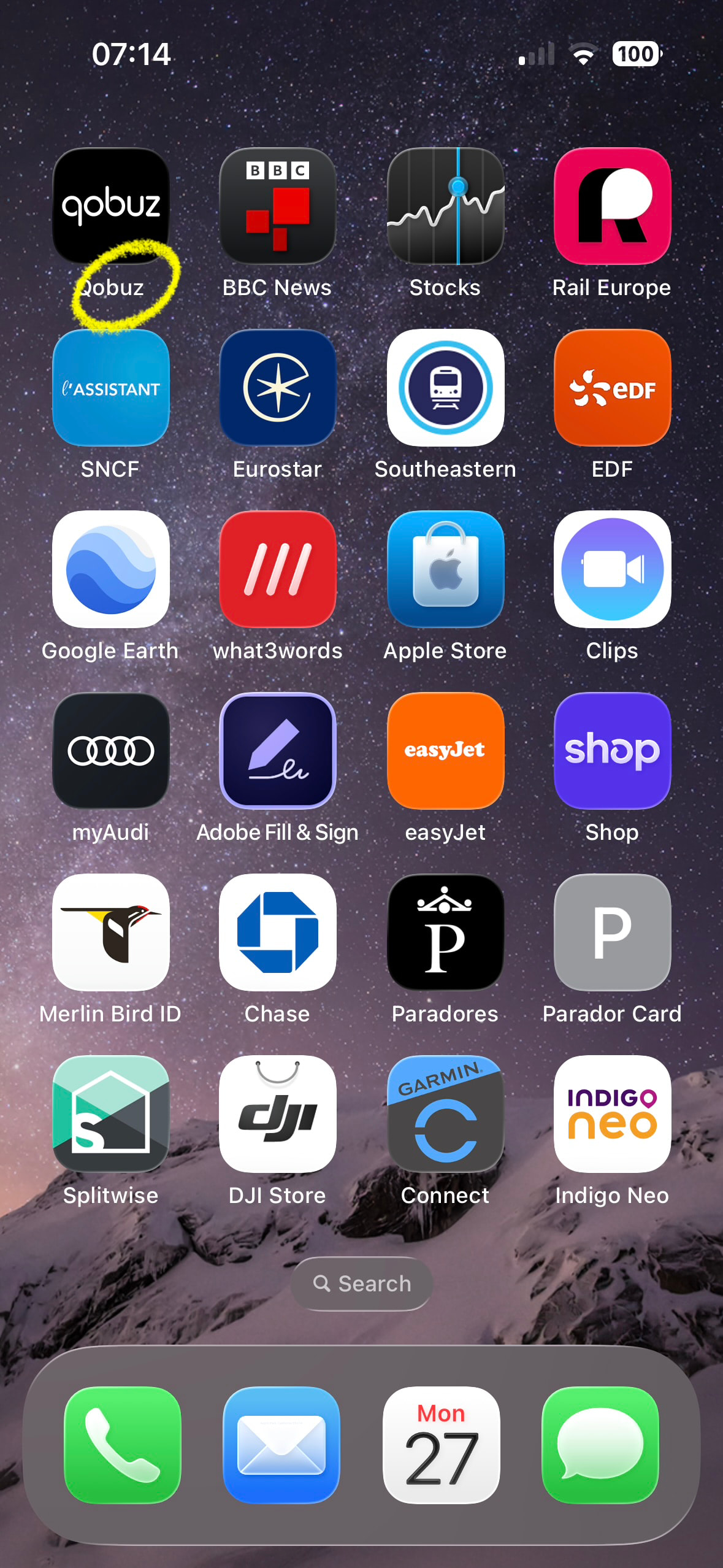
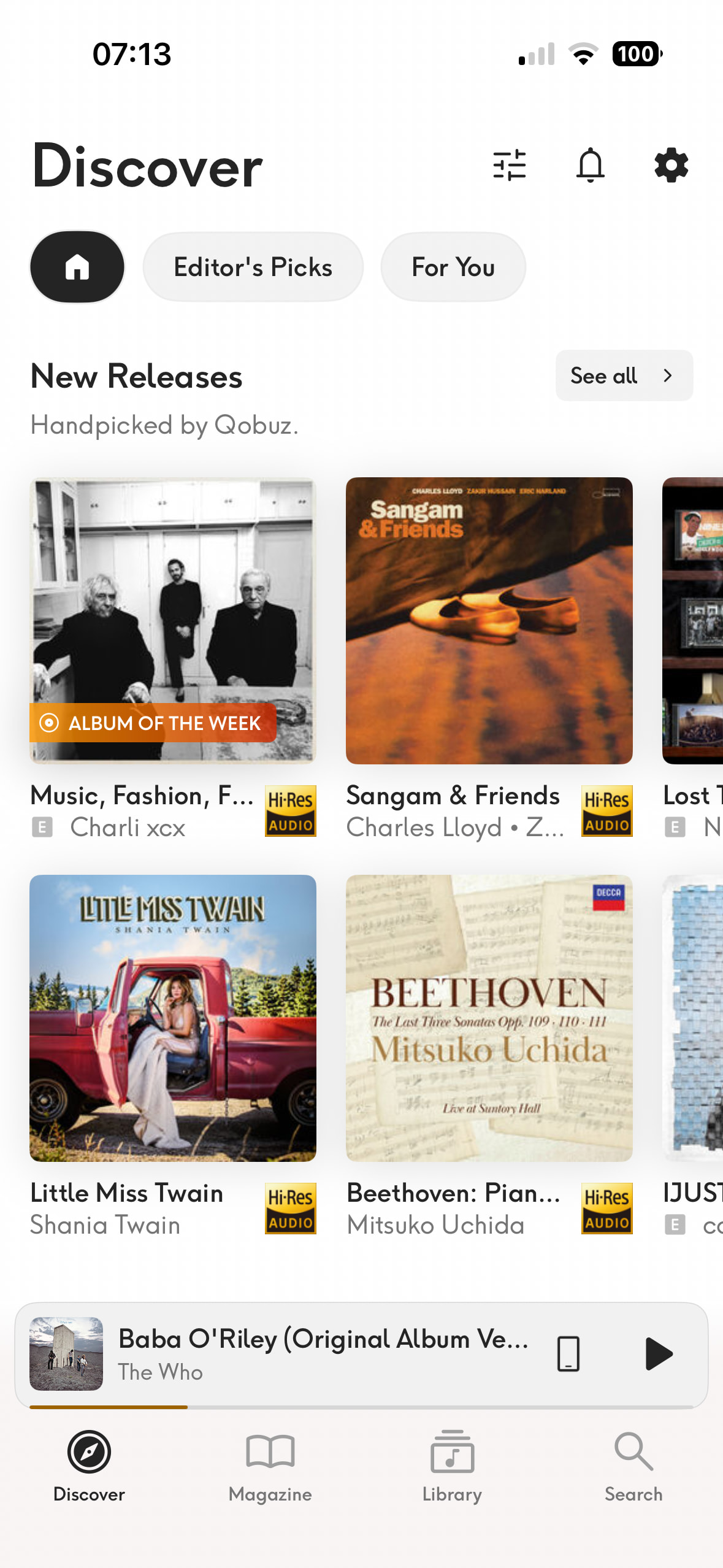
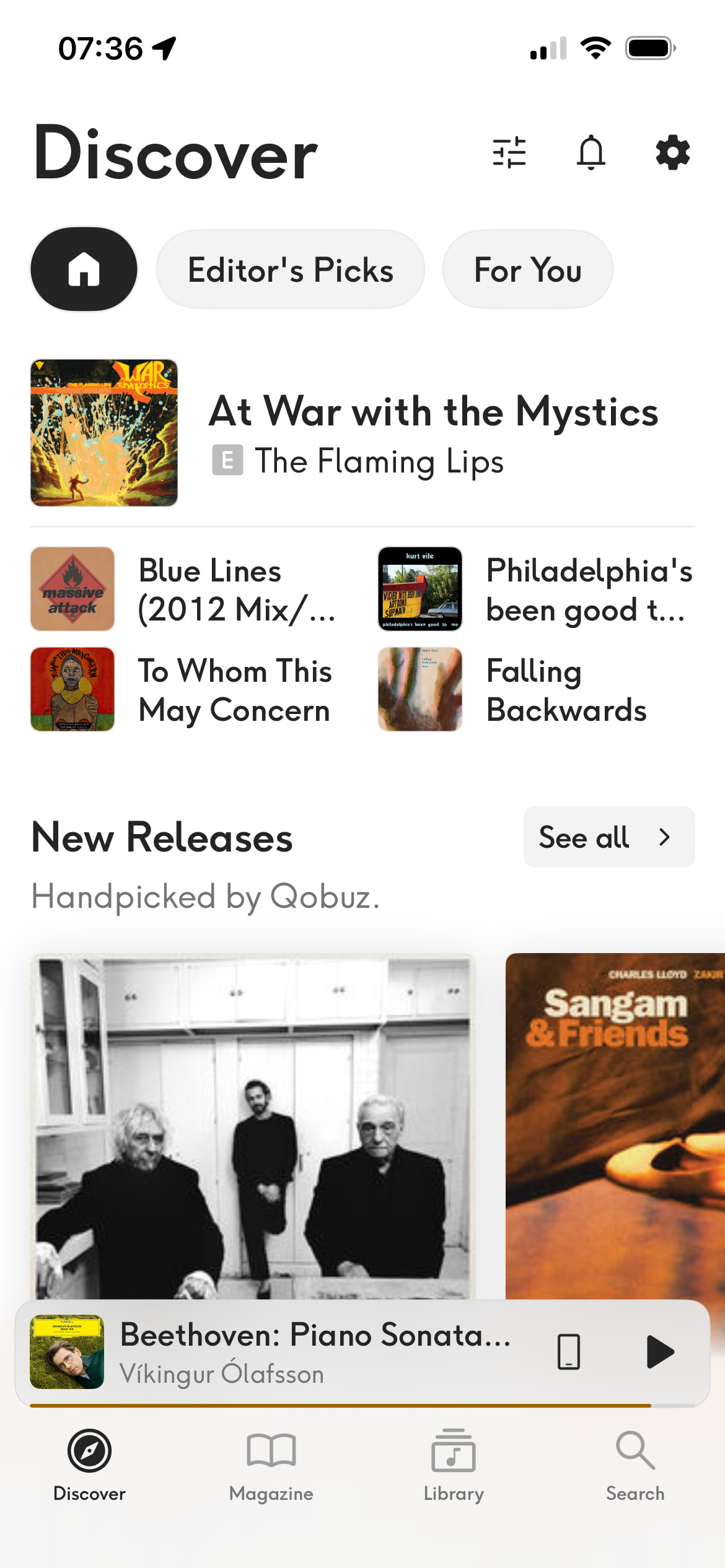
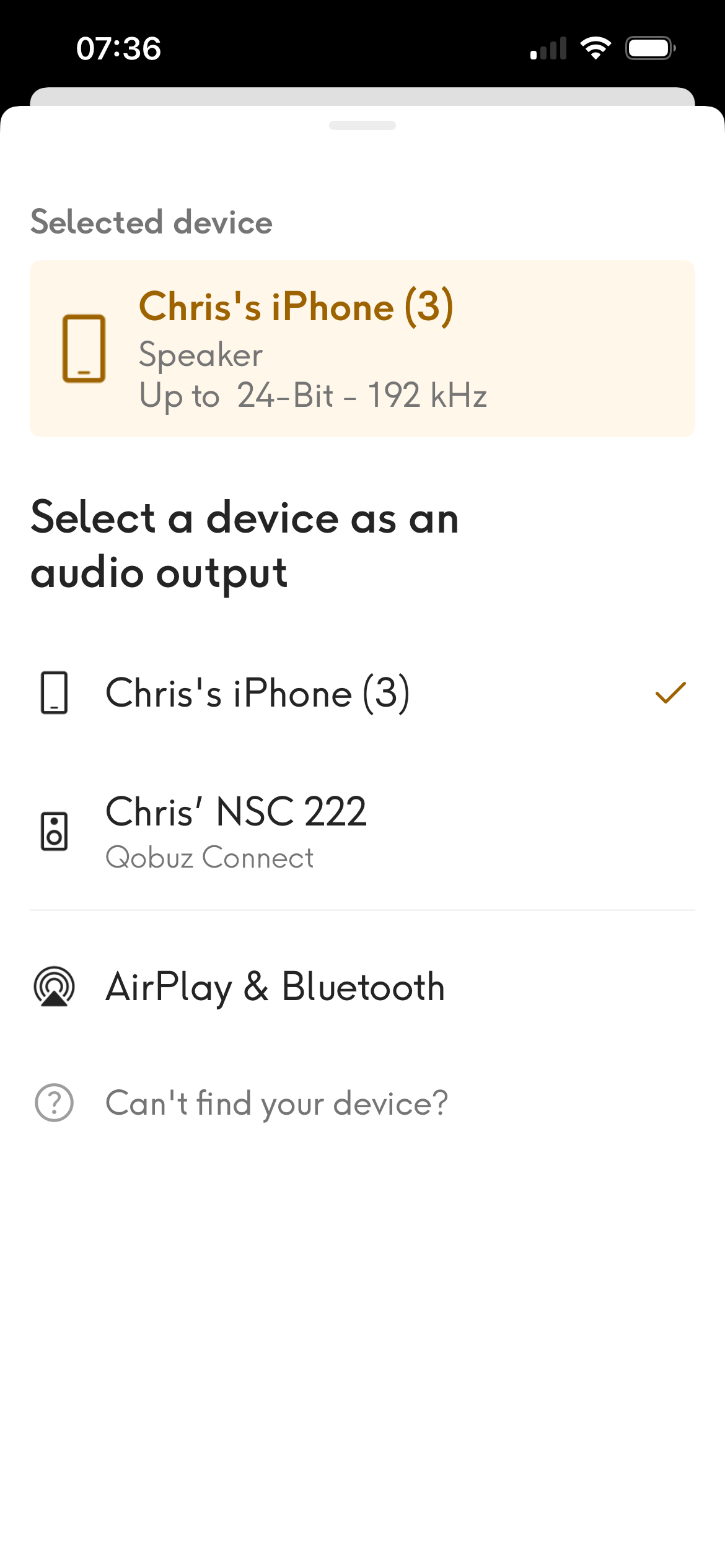
At the bar at the bottom that says ‘Beethoven: Piano Sonata’ there is a little mobile phone icon just before the ‘Play’ arrow icon. If you touch that icon the second screen appears and in my case I then touch ‘Chris’ NSC 222’ and , bingo, I’m now on Qobuz Connect
2 Likes
Ah! mystery solved thanks brilliant.
1 Like
Let us know if you think Qobuz Connect is worth all the fuss!
1 Like
He can’t because as discussed above, he’s using a Naim Classic preamp.
1 Like
Will do thanks.
1 Like
As far as I’ve been able to determine, you have to start playing something on the I-device before you can switch to your Naim streamer, where you can then restart the piece.
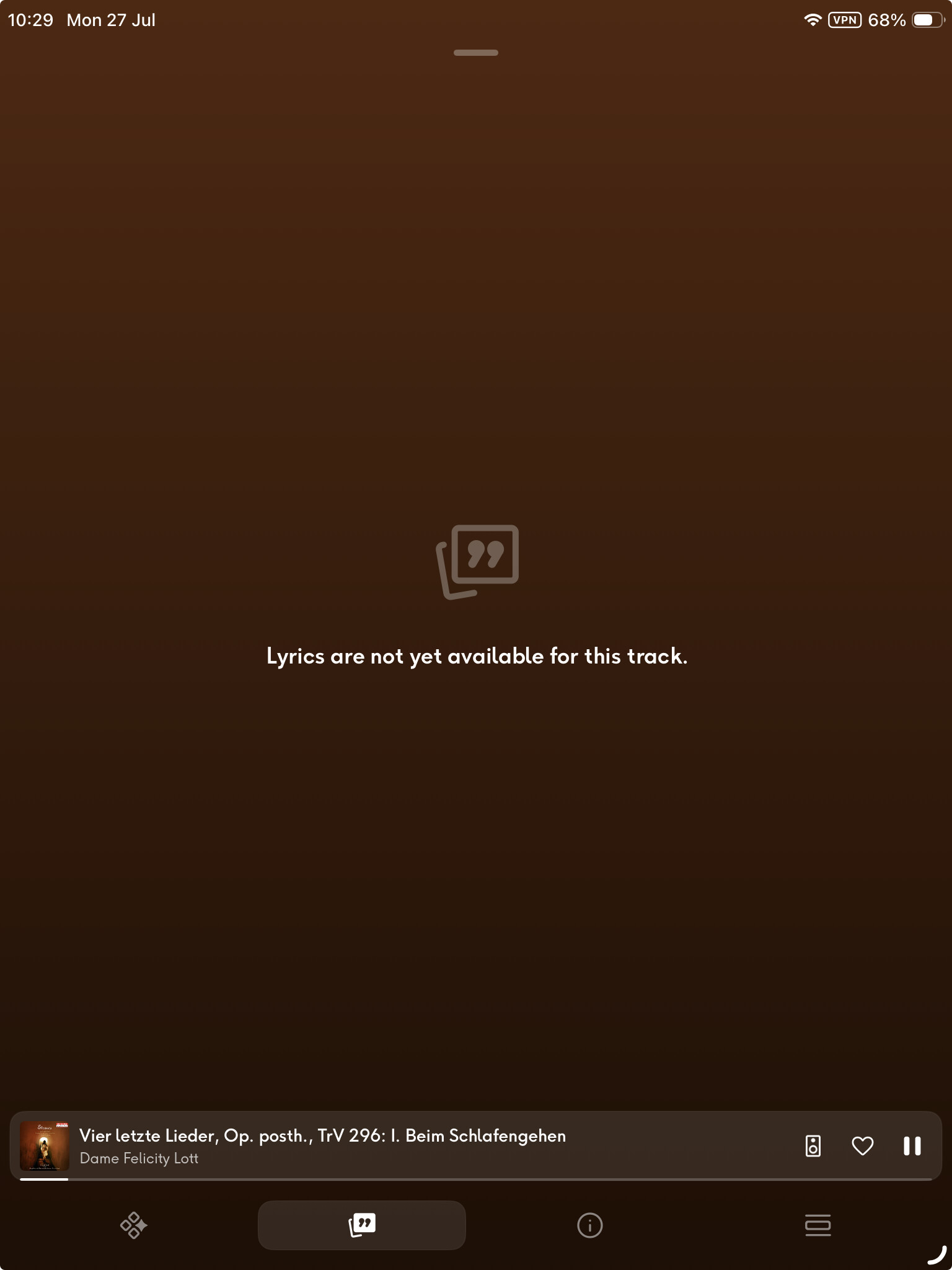
The lyrics bit is not comprehensive. I just tried Dame Felicity Lott’s recording of Beim Schlafengehen to see if I’d get the German text, but nothing. I shan’t bother trying any Wagner yet.
1 Like