I have both a Muso2 and Muso2 QB, and both are experiencing the same issue.
Usually, when using Spotify, I can select to cast to either device through Spotify Connect. It will automatically turn on the device and start playing.
Now, however, this option has disappeared. It’s been replaced with only a Google Cast option, which is far less responsive. Annoyingly, with the shift to lossless, Google Cast isn’t compatible.
If I then go into the Naim app and manually select Spotify, it automatically shifts to Spotify Connect and allows lossless casting, but it’s very convoluted.
I’ve uninstalled the Spotify app and reinstalled. I’ve reset both Naim devices and fully power cycled them. I can go through Spotify Connect lossless without issue on a WiiM mini and a Yamaha AVR without issue, so it seems to be a Naim specific issue.
Yes thanks. Saw that post before I’d posted my question and gave it a go.
It’s not an issue with lossless streaming as such, just the lack of automatic availability of Spotify Connect on the Muso devices.
The same issue persists regardless of quality setting selected in Spotify. Not sure if this is related, but if I remember correctly, there previously wasn’t an option in Spotify to select a quality setting for devices.
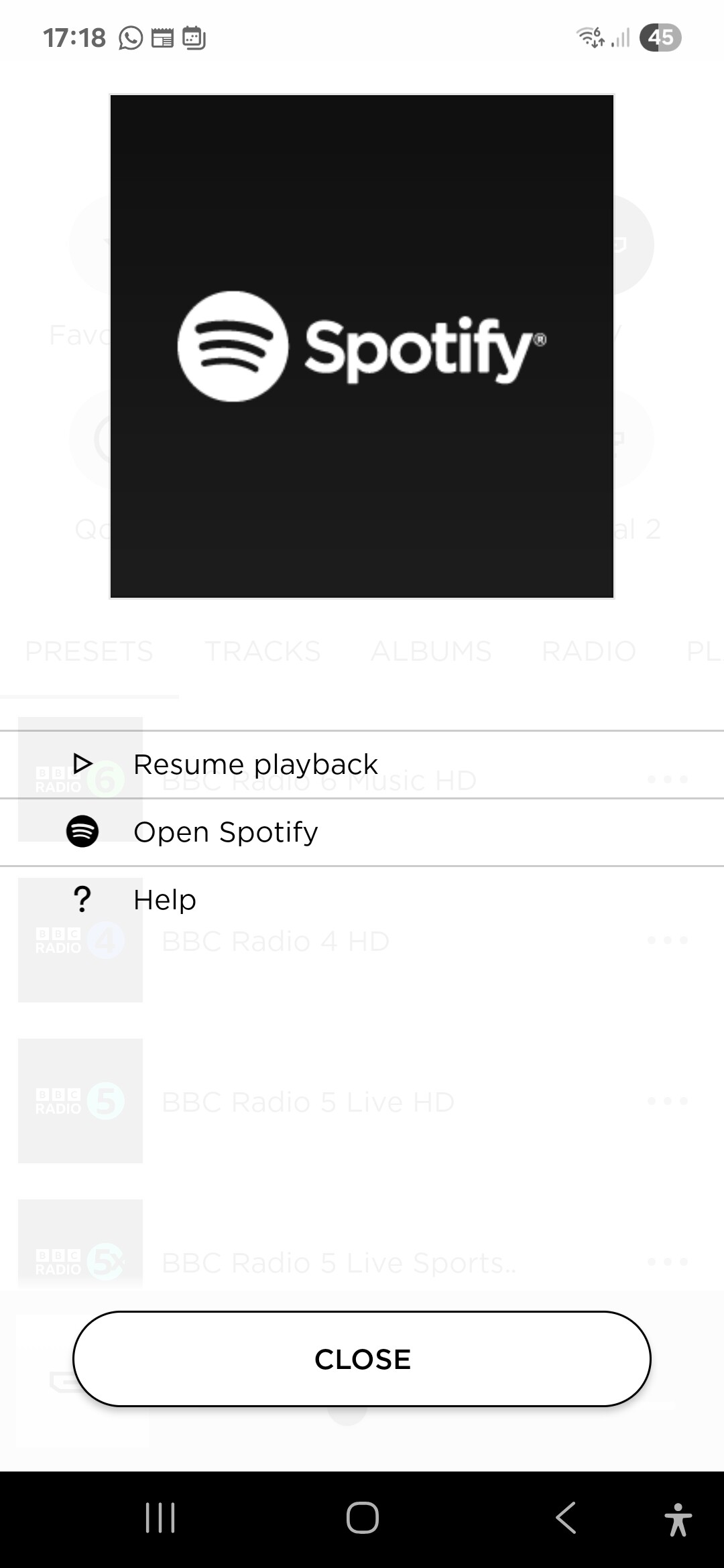
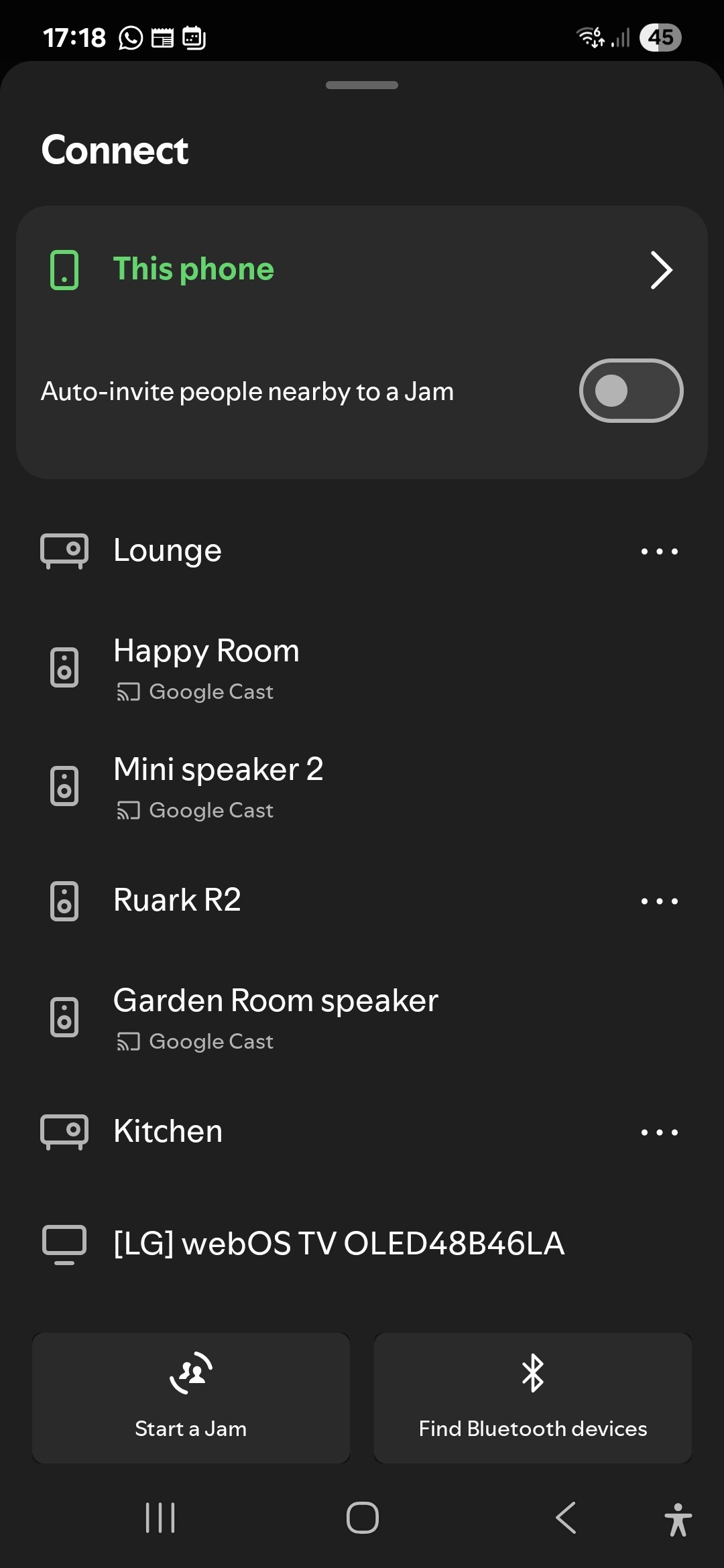
I think I have the same/similar issue with my Atom. If I select Spotify Connect through the Naim app I get the image with the white background, if I then select ‘Resume playback’ I can play lossless streaming. If I select ‘Open Spotify’ I get the black background image with the only option to Google Cast to the ‘Happy Room’ (which is my Atom). I don’t think Google Cast supports lossless but I might be wrong.
If I open Spotify directly from the Spotify app I only get the option to cast.
I’ve done power down restarts for phone (Samsung Android), Atom, broadband hub and uninstalled/reinstalled Naim and Spotify apps.
However, if I open Spotify from my laptop I can stream lossless to the Atom but no option the Google Cast???
My wife has no issue using Spotify Connect with either of the Muso boxes, through her phone. She has a Pixel 7a and I have a 9a.
There’s nothing different between the setup of the two phones, as far as I know. The only possibility is Google Home is interfering somehow, as that’s configured from my phone only. However, no settings have changed here and Spotify always defaulted to Spotify Connect in the past.
I have a pixel 9 pro. Been able to use Spotify connect without issue. When lossless was launched, I tried the above steps in the sticky to no avail. I tried a factory reset and now I can’t see Spotify connect as an option at all, just cast. I’ve tried clearing cache and data and reinstalling the Spotify app. I’ve cleared cache and data and force stopped Google play services. Still no use.
Annoyingly my wife, who has an iPhone 15 pro, can stream seamlessly and in lossless too. But as the de facto music selector of the house, and the only one who cares about lossless, I’m, well, feeling a little loss myself.
On the flip side, it did prompt me to sign up here and then dig into another long standing issue with casting from apps that aren’t Spotify, and seem to have resolved that. But I’m not switching to an iPhone just to use my speaker. That’s a bridge too far…
I just performed a hard reset of the Mu-so (haven’t tried the Qb yet but will later). Pin in the hole on the side for ten seconds until the light changes colour.
During the setup process, it specifically asked about confirming agreement with T&C’s for Google Cast. I clicked skip.
I presume this has now disabled Google Cast. Once set up, Spotify Connect is available again, with lossless mode.
Obviously this isn’t a solution for anyone who uses Google Cast on their Mu-so, but it will be fine for me (assuming it works long term!)
Same here with Uniti Star. It was working right after loseless was released but after one or two days, Spotify Connect option dissapeared:( Have anyone found solution?
Is there any update or an official Naim response to this? I now can’t get lossless at all on my muso2. 1st world problem, I know, but be nice to know it’s being worked on . My MusoQb first gen still shows as a spotify connect device in Spotify app, but the Muso2 doesn’t.
All 3 of my devices (555, Atom and QB) only show Google Cast as being available on my two Android devices. However on the Apple devices (Three) in my household, Spotify Connect is available. Has been the situation for about three weeks now. Everything is up to date etc. Have tried various fixes as described above. I assume if I did a hard reset of all devices and disabled Google cast in the initial set up the problem may be solved - but as I generally use iPads as control devices I can live with iy until there is a fix.
Thanks for this TokyoNick, I tried putting the app on my iPad and using that and all is fine with lossless working perfectly. So looks like it’s an issue with the Android app, as you say.
It might be worth having a look at the threads about disabling google cast via the API,
‘Disable google cast on ci 102’, for Muso2, ‘Disabling Google Cast’ may be the appropriate step.
Note: this disables Spotify on OC series NDX 2 with iOS app, I haven’t tried it on the Qb2.
It allows you to turn Google Cast on and off via a web browser, rather than having to hard reset.
Skipping the google cast set up post hard reset didn’t work for me. I noticed the Naim app was updated on Google Play store this week. Haven’t checked if it’s fixed the issue yet though.

 . My MusoQb first gen still shows as a spotify connect device in Spotify app, but the Muso2 doesn’t.