And another
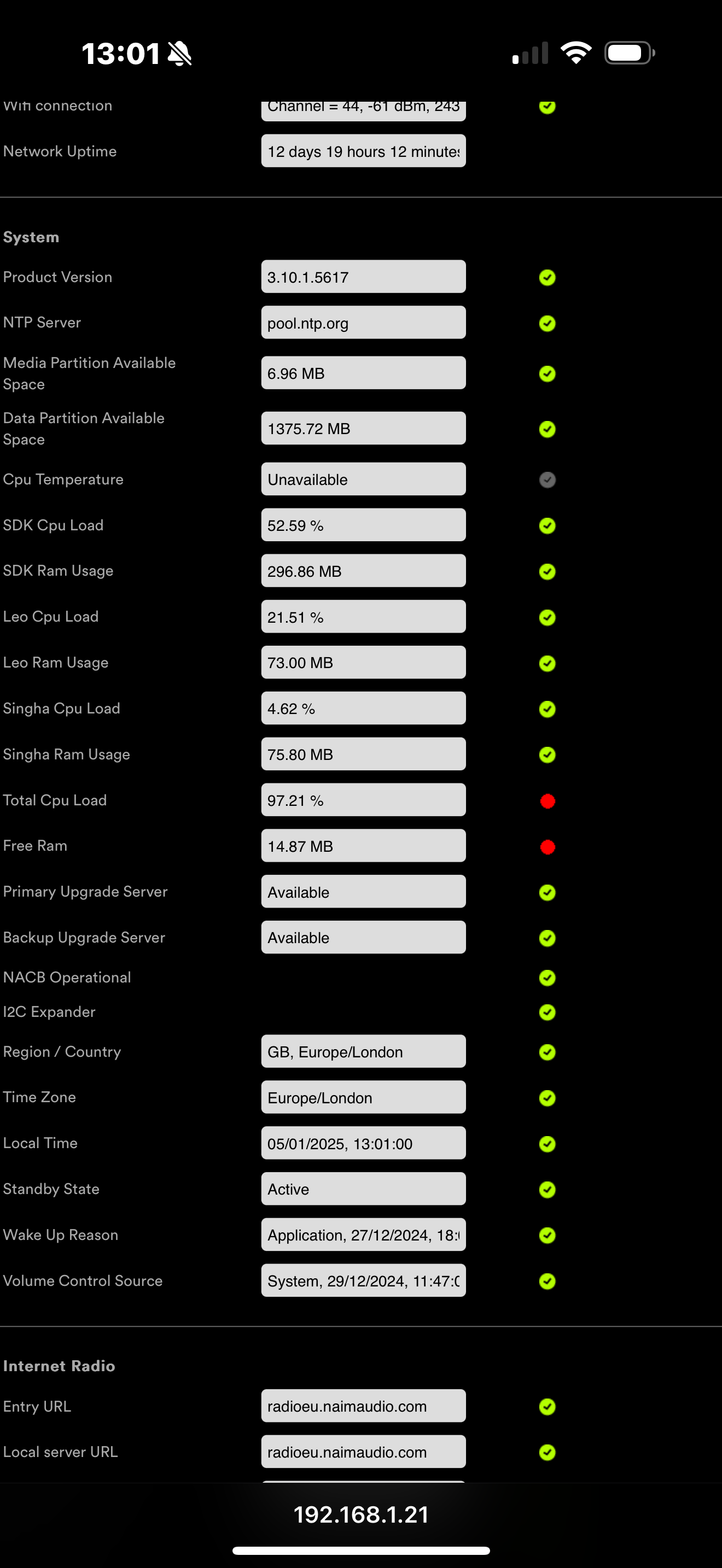
What is your preferred headphone/amp set-up for this?
My CPU load is only 100 when the track starts - is this while he was running?
Without technical knowledge I think an CPU overload must have an effect on SQ
My CPU seems to vary a few percent around 20% while playing - I’m playing demanding music just WAV Rips of CDs.
Interested if FLAC needs more CPU or not?
Now my free RAM is also RED! CPU around 20%
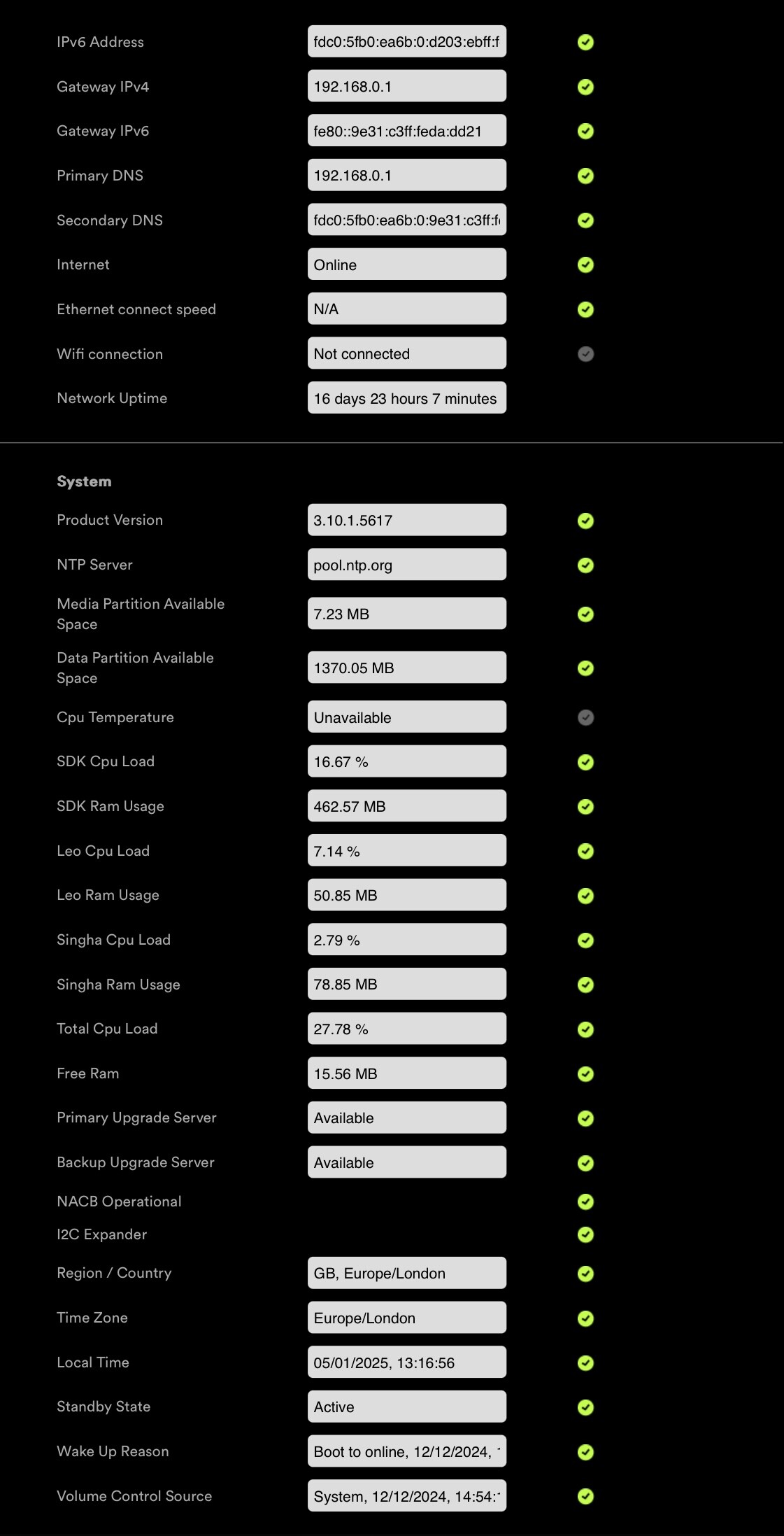
Similar - under 15MB free Ram it gets Red 
But Buffer is currently 100% - so its fine, I think.
We had this before, when the interface went public. Stevesky replied that free Ram in red range is no problem.
I have a lot of respect for your input @Simon-in-Suffolk but if this is how my 35k streamer should actually sound (3.10.x) then there are two options available to me;
- Naim revisit the sound signature of the 555 and revert back towards 3.8.x when Owners were generally very satisfied with their not insignificant investment.
- Sell on those three black boxes and move to an alternate brand who’s sound signature is not Shrill, Glassy and Digital.
The later will of course have a significant impact on the reputation of the Naim brand. Especially if there is a mass defection away from Naim’s flagship Streamer. Hopefully this will prove unnecessary.
2 Likes
This does not make sense. At last count there were I believe 13 ND555 Owners who were reporting very similar issues. I concede that the issues with 3.10.x may not adversly effect other Streamers lower down the range or newer models, but it cannot be disputed that the sound signature of Naim’s flagship streamer has been affected by the new FW. This is clearly very disappointing for many 555 Owners on this forum.
2 Likes
While playing a ripped CD:

Since swapping-out the mains block for my old one the SQ is far better - still ‘bright’ with issues but more like I hear others are experiencing.
This is with my Dealer ND555 - I have yet to try my own later.
1 Like
The slap back delay effect occurs when I turn on Spotify. Turning it off, the effect disappears. I’m not certain it is slapback, but it has that type of sound signature. I feel turning on Tidal does the same but less significant. I only have a Qobuz account; don’t use Spotify or Tidal.
I also only play ripped WAV CDs. Free Ram is fluctuating - had higher counting earlier. CPU is 26,xx at the moment
Agreed, all marketing departments will be monitoring all types of social media. If not, they’re not doing their job correctly.
DG…
2 Likes
I was thinking yesterday I should listen through my headphones. I think that is a great idea. I would have immediately done so but I have to attach them to my system.
Nothing particularly different with yours - your SDK RAM (memory) usage is quite a bit higher - but I very much doubt that is relevant.
1 Like
That’s true - especially when you consider that sound seems to be most negative effected with the matching components - 555 with 552 /500 for example.
The top range (excluding statement for a moment) should run like hell.
1 Like
Hi Jerry
Well Qobuz would be better than Spotify to show up an issue, as it it is lossless and more HF energy - so let us know in headphones.
I do think you should still notice the balance change - but the other artefacts associated with it would be interesting
1 Like
Please keep us posted on your journey.
When you are currently again on our frustration level, it could be FW related in your case as well.
Don’t know what is the better outcome - on bad component (not s1 please) can be repaired. FW?
Today my system sound worse than yesterday - fluctuations back. Don’t think so - this could be mood related. But total it is really annoying - nearly unlistenable
I also do not think that there is any hint - but worth a try - thx
interesting - nothing of note here from my perspective - so I feels like this is likely not relevant.
The Qobuz matter is interesting - I suspect that is more a Qobuz issue .. mine says not logged in.
When play upnp I see total CPU load fluctuating between about 18% and 60% depending whether its spooling a new track or not… my UPnP server is Asset.
When I play and spool UPNP from my RPi I see

Which again looks as expected.. the streamer will fast spool into its buffer as fast the UPNP server can deliver. I guess if there was a very high buffering speed that might cause a different noise profile?