Hi I am new to the forum and Naim and wondered if anyone can help please. I have put a new 32GB Sandisk Extreme card in the back of the Uniti Star, formatted on the unit on Apple Mac setting and then I was able to rip a couple of CD ‘S when it said it was completed I look at the Naim App on my phone and cannot see any music also I only have the option for usb input, what am I doing wrong and why cannot I not see the the album on my app? Any help would be appreciated
Have you looked in the Server input under Local Music?
2 Likes
I have the same issue, but then with the USB drive, managed to rip about 9 cd’s and now the USB device is not found. Checked the usb drive on my computer and it shows the nine albums under store/music/MQ nothing in store/music/HQ or store/music/LQ.
Fairly new to this and it could very well be that i am causing this fault myself, but I’d really like to solve this. Because i “sold” the trade in of our Uniti2 because of the ability to digitalize our CD collection thus removing the “clutter” from our future living room…
1 Like
Just checked the data of my USB, these 9 albums require 4 GB of data, how was the limit of a 32GB memory disc determined? It seems insufficient to me, or am i missing something else here?
b.t.w. the Uniti Star is pre-owned, and the manual was not included and the manual found on the interweb is only 20 pages and states nothing on this matter…
Definitely not so when I am home in an hour I will try it, Thanks I hope this works
Am I able to rip CD’S to a memory card in the slot on the back of the Star or is it USB, or can be either
MQ is the correct folder for CD rips. HQ and LQ should be empty.
1 Like
Have you formatted the card and or a USB device as a music store first 5using the app.Its in the system setting, manage music store
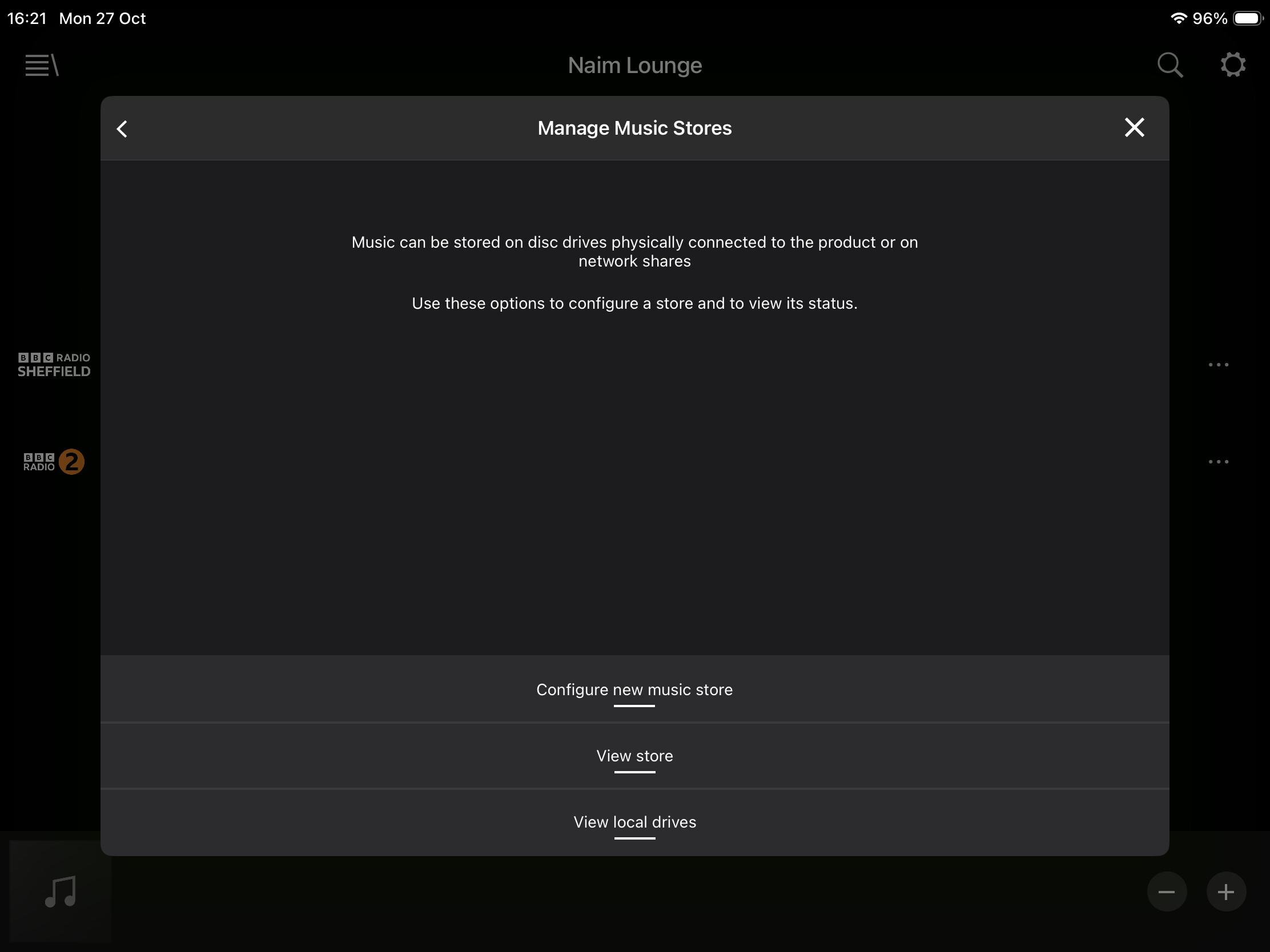
2 Likes
Unfortunately Naim abandoned proper manuals when the current Uniti range was released.
You might find the answer to some of your questions here:
2 Likes
Just scroll down to the information section in the app , instruction etc all there
1 Like
Well, it get’s weirder even.. i placed a 254 gb memory card in the back, ripped a cd after letting the Star format the memory card and now it displays “rip succesfully completed” and yet, noting on the memory card when i want to play back from it… starting to get to the end of my options here…
This is really becoming a let down on a Uniti that i am still getting used to sound wise..
1 Like
Well that’s something that works as it should appearantly. Would it work if i were to ripp cd’s into FLAC on the same drive?
Although the inability of the Start to replay even these nine albums makes me hesitant on the use of ripping my entire (app. 1000) cd collection
Yup, did all that
When this occasionally happens with my Core, I find that a hard switch off (unplug, leave for 5 mins, then plug back in and power up) and a dismiss and restart of the app sorts things out.
Doesn’t sound
Like a very big memory card for all your stuff. I’ve got a 1Tb ssd plugged into the rear USB .had my Star about 6 years and never had a problem.
I often use my Pc to add albums and MP3tag to add missing artwork and occasionally join together double albums
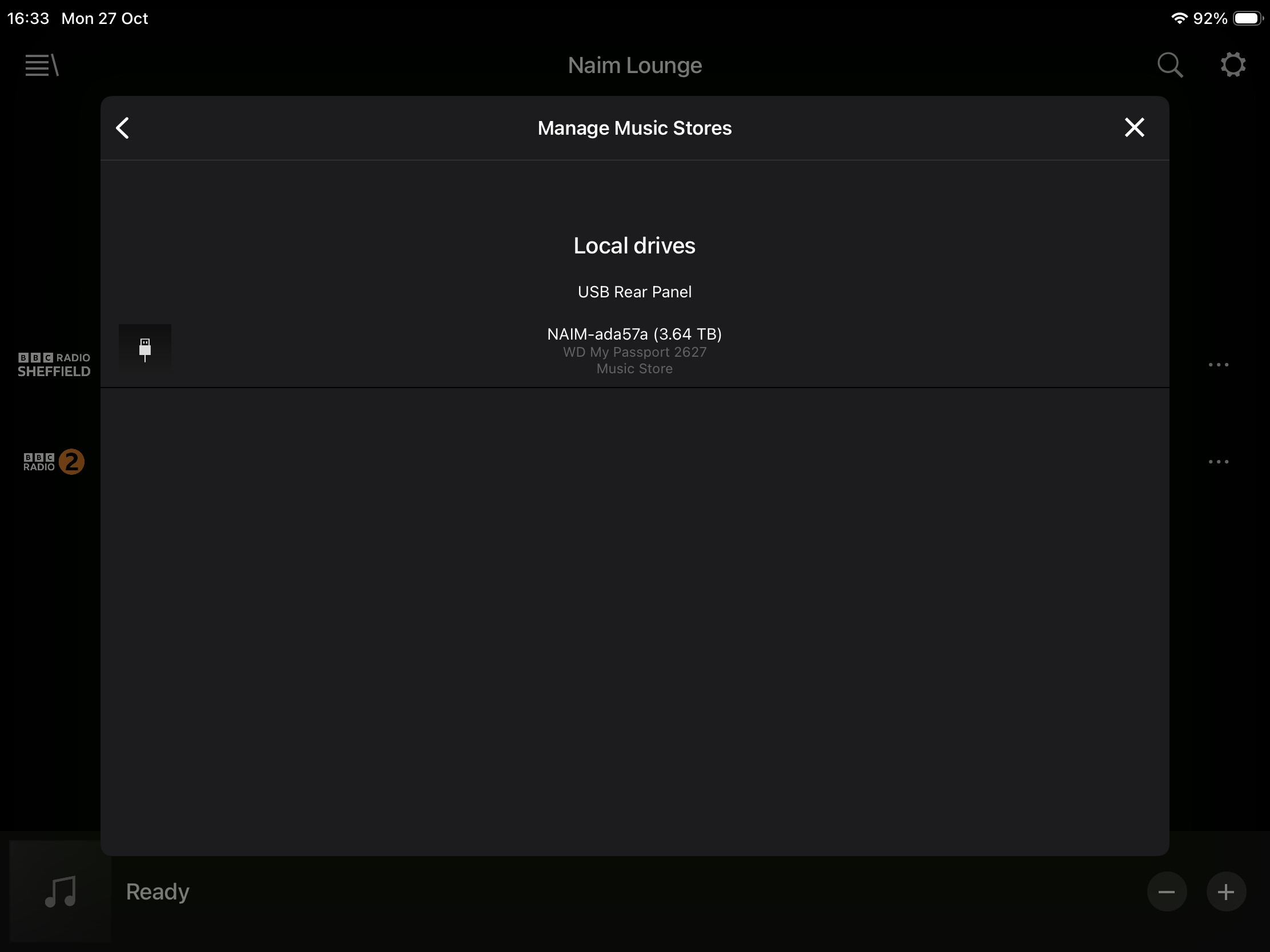
Yes I did this,thanks
Same here
The MQ folder is where all of your CD rips should go, but on no account should you attempt to put anything in there (or in LQ or HQ) other than CDs ripped on your Star.
Clearly you are going to need a much bigger CD drive to store your rips. You don’t need anything fancy, but maybe best to get a larger one up and running properly.
At some point you might decide that it’s better to manage a larger music collection on a separate storage device as the Star is pretty basic in this respect. You might never need to if you get the Star up and running, but a basic Synology or QNAP NAS running a UPnP server is a more versatile option.
I know that’s why o initially started of with a 1TB USb drive, which the Star lost after nine albums…