Like JohnHart in June 2025 ( Uniti Atom can't see new router ), I had to get a new router for new fiber Internet service mandated by my condo complex. So, I got a new SSID as well. I managed to get to the Network Setup screen on my Uniti Atom. It scanned for wireless access points, I saw my new network name listed, selected it, and entered my wireless password. The Atom reported it was “connecting to the wireless network,” and then “failed to connect to the wireless network.” Naturally, I repeated it four times to the same effect.
Now, I can’t even return the Atom to my old network and router, which is still hooked up. Same message, “failed to connect to the wireless network.” Even if I put my phone back on the old network, the Focal & Naim app doesn’t see the Atom.
I am not sure my solution will necessarily work for you. My difficulty was getting to the network setup screen. Once there, I saw my network listed and entered my wireless password, and the connection was made, and all is well.
I was on the edge of phoning Naim for support and/or carrying out a factory rest. This would be my next step if I were you. Unless others on here can step in to help you.
Thanks, Boris786. I found the network setup screen, saw my new network and entered my password. It chugged away for a little and then said it had failed to connect to the network. But the weird part is why it wouldn’t connect to my old network, which is still operational. I fear a factory reset is in my future.
Thanks, Proterra. I have powered down, waited, and powered up the Atom a few times. Unfortunately, I’ve already connected eight other devices to my new network, so I don’t want to have to reset all of them if I change the name of the network.
Hi - I have joined the forum to see if anyone can help with my similar issue of wi-fi no longer working on my Atom. I have gone through factory re-set and troubleshooting ( Internet connection via ethernet works, but the Atom cannot be seen on my wi- fi network or hot-spot from my mobile device). I did not change my router, all updates on the Atom done. The Atom just stopped being seen on the network. (As is probably clear, my technical knowledge is limited, but to date wasn’t necessary as the Atom was pretty much plug and play and has been flawless for the past 3 years of ownership). Any help most welcome!
My Atom does exactly this, too. All will be well for a couple of weeks, then it just drops off my wi-fi network, disappears from the app and the screen stays blank. The only solution that works for me, is to take the mains lead out of the back of the Atom, give it a minute and plug back in. The Atom goes through its setup cycle, reconnects to the wi-fi and becomes available in the Naim app again.
A first step is to ensure that you are running the latest firmware. When I got my Atom five years ago, I got issues like this quite often, but these were all solved by Naim firmware changes.

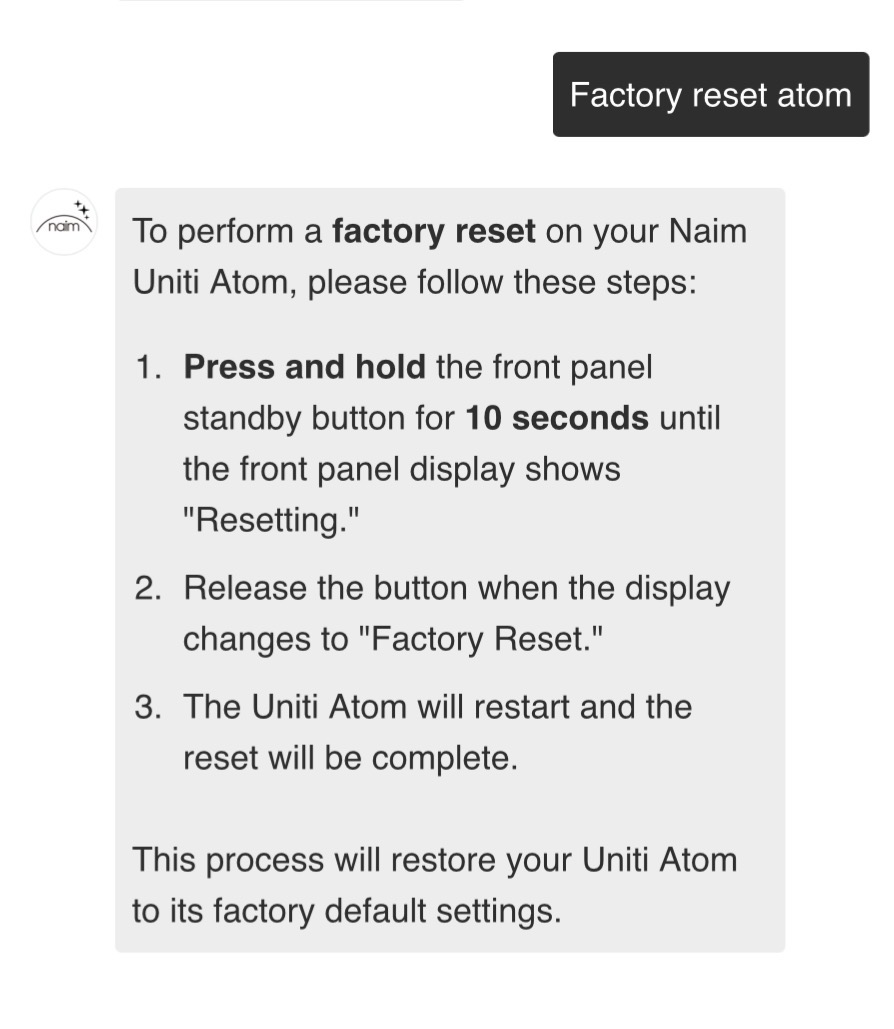
 The amount of time I spent the factory reset would probably have served me better.