Follow this link to the site of Focal Naim Deutschland (formerly Musicline)
https://www.music-line.biz/cms/software.778.0.html
click where it says “Musikserver” to expand, then click where it says “Download” in green.
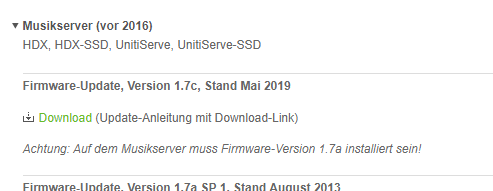
That opens up a pdf file.
scroll to the bottom and click where the link in green to download the zip file (127 Mb download)
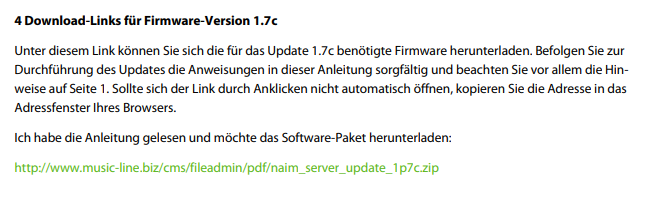
open up the archive in an appropriate bit of software for zip files and you’ll see it contains these files:
The pdf is just a copy of the one you’ve already opened from the music line site.
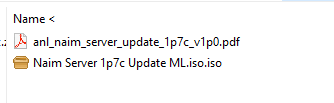
You need to burn the iso file to a CD-R which is then inserted into the unitiserve.
This is a translation of the instructions using Google translate.
Point 11 I think should read “1.7c” not “a”
Installation of version 1.7c
Important: During the update process, the music server must and may be connected to the network
under no circumstances be disconnected from the power supply! If an update is interrupted, the device must with
highly likely to be sent in for service.
Note: If you use Naim’s own Desktop Client program for Windows-based PCs for operation and configuration
Of your music server, you have to uninstall the existing version and the one on the update CD
Install version. If you are using n-Serve for Mac, the existing version may need to be
updated through the Mac App Store.
Note: If an external display is connected to the music server, this shows more extensive information
the status of the update process than the front display.
- Make sure the network connection is working, turn on the device and wait
until the start menu is displayed. Make sure that no USB sticks are connected.- Make sure that the version number is shown in the system status display (System Setup menu>
System status> Overall Version) begins with “1.7a”.
If the version number displayed is lower, download it from the Music Line website
(http://www.music-line.biz/cms/Software.778.0.html) download the corresponding update package and follow
The instructions it contains.- Insert the 1.7c update CD and close the CD drawer.
- The device now reads in the data. This process takes about a minute.
- DO NOT TURN OFF THE DEVICE DURING THE UPDATE PROCESS.
- After about a minute, the device ejects the CD. Remove the CD immediately, but leave the CD tray if necessary
open (not all music server models have a conventional CD tray).- After a few seconds the start menu is no longer displayed, but “Please Wait” or “Please wait”.
- After about twenty minutes the device will restart and display the start menu.
- Move the device using the remote control or the shutdown button (HDX, HDX-SSD, NS01, NS02, NS03)
or the front logo (UnitiServe, UnitiServe-SSD) in shutdown mode.- Restart the device by switching it off and on again using the power switch.
- Make sure that the version number is shown in the system status display (System Setup menu>
System status> Overall Version) begins with “1.7a”.
Note: If the version number is incorrect, please contact your Naim dealer or local authority
Sales company in connection.