Yes, I probably need 2 switches and 2 or more APs.
I plan to move the BT router out of the listening room and put it under the stairs to replace the old Cisco Catalyst that is currently there, but I need a switch in the listening room to feed wired ethernet to my streamer.
Router placement is key, middle of the house is obviously the ideal, however I expect almost all houses have the router close to an outside wall at the ISP entry point.
Mine is located (as bad as it could be) in a corner of the house. The house is largish 4 bed, 2 reception style and to make matters worse all the internal walls are brick or block, not good for wifi propagation.
Despite all that, and a few years of living with poor wifi coverage in parts of the house, its now excellent with just one BT SH2 ‘Complete WiFi’ (black) disc that covers all around the house. Plus it’s also opened up the garage and side garden area.
Yes, central positioning in a high place helps, but a single access point in a whole house is pushing it a bit. In that case you may as well just use the router’s own WiFi. The whole point of mesh setups like the Ubiquiti gear in question is that multiple APs work together to give full coverage - this the name.
The internal walls of my house are plasterboard, which is why I probably get a not too bad Wi-Fi signal in most areas of my house.
But the Wi-Fi signal could be a lot better in some parts of the house.
I am lucky that the house has ethernet sockets in most of the rooms already wired in by the previous owner when the house was built.
A BT full fibre cable terminates in the corner of my house in the corner of my listening room.
The four electrical ethernet slots on my BT smart hub2 router connect to:
The openreach box output socket.
The EE8 switch (that links to my ND555).
TV STB.
An ethernet wall socket, that links to the cupboard under my stairs in the centre of the house.
Currently, there’s an old Cisco catalyst white switch in the cupboard under my stairs.
I’m wondering if I could use that in-wall Ethernet link (number 4 above) to move my BT router to the cupboard under my stairs?
I suppose the answer is to have a ubiquity switch straight after the openreach box; and that can then link to the cupboard under my stairs and devices in the room (i.e. TV, Nintendo, and EE8/Naim system).
And replace the Cisco with a second ubiquity switch.
Your BT router needs a direct connection to the incoming Open Reach box, so I don’t think that will work. Given that you’ll be disabling WiFi on the router and letting the Ubiquiti APs handle it you don’t need to worry about the location of the router. Just wire an AP to it and see which location works best. You can add more APs one at a time until you have a wireless setup that gives good coverage.
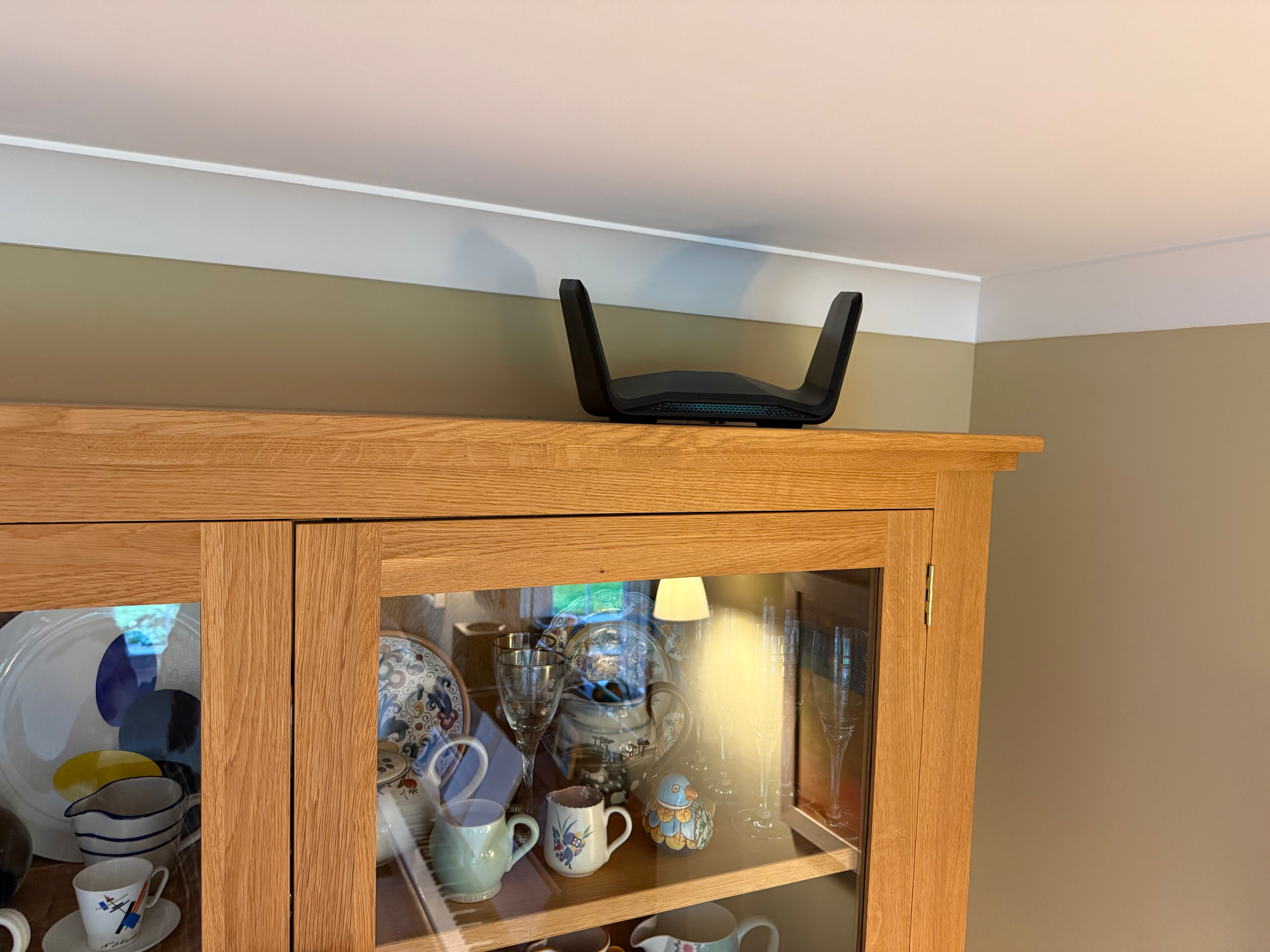
We had so many problems with mesh setups that we bought a Netgear Nighthawk router. It sits on top of a dresser in the dining room and covers the whole house absolutely fine. We can even download high res albums to the Mac upstairs really quickly, and get good wifi in the back garden too. It probably helps that while the downstairs walls are solid, those upstairs are plasterboard with compressed straw between.
I’m not sure why you’ve had problems with mesh. I don’t use it myself as my more primitive setup of ISP router plus a single Airport Extreme gives good coverage, but I’ve set up a couple of Ubiquiti mesh systems for friends who were having problems and they have both been rock solid.
I wonder if you were using consumer grade hardware which is marketed as mesh, but as far as I can tell, at best only loosely conforms to the principle of mesh networking. I think what’s really needed is a clearly defined standard to which all brands have to adhere, as is the case for WiFi, USB, UPnP etc.
Nor do I!! We went though three different systems, an Asus, a Google Nest thing and something else. With all of them one or more of our Naims vanished for between days and hours. Luckily I bought from Amazon so was able to return for a credit and try something else. In the end I admitted defeat and bought the Nighthawk. Unlike the mesh boxes, it just works. In all cases we were using an ISP supplied router in modem mode. Nowadays the Nighthawk is connected directly to the fibre ONT.
Does anyone have any reliable information on whether the higher power transceivers (e.g. a Netgear nighthawk) have any effect on human health in a normal home environment where they’re placed several metres away from any bed?
I did wonder about that because I wondered what would tell the Internet Signals to go to the router rather than any other destination from the first switch.
Maybe I could get some kind of powerful transceiver and put it in the under stairs cabinet?
Here it is, sitting on its perch. I do wonder whether it might one day swoop down and grab something off the table. In the settings it’s possible to turn off all the lights, so there is no flashing and it sits there in stealth mode.
As to why I bought it: I wanted something really powerful, and Clare Newsome, formerly of Naim, was very pleased with hers. We don’t have BT, we have Toob, over the City Fibre network.
Sorry to digress from the digression, but I just read this interesting review in the FT of a new album by Vikingur Olafsson and thought some others might find it of value.
 .
. .
.


 ]
]