If you have not removed any of the existing presets, then they point to the old vtuner service, and will not work. You need to delete them and replace via the new Naim radio service (ie everything that is now visible under iradio)
I have now removed all presets and have been trying to connect to the iRadio stations for a good five minutes now – the wheel os turning, nothing’s a-happening
If you were connected to a vtuner stream before, you will need to stop that stream.
I have been able to update my muso- qb 1 and want to update my 272 but the screen is dead. Will I still be able to do the update?
I’ve figured it out. I reset the app, unplugged the device, plugged it back in, and now it works.
I’d like to express my regards to Naim team for releasing this update in advance to expectation. My lovely UQ2 is up and running again with a fine manual on updating the device. The update went down smooth and with no problem what so ever.
Thumbs up! 
2 Likes
I replaced my screen a year back with the French ebay screen. Just relax and read the manual closely. It’s an easy swap! Here are some photo’s of my swap.
Take it easy, you should be fine.
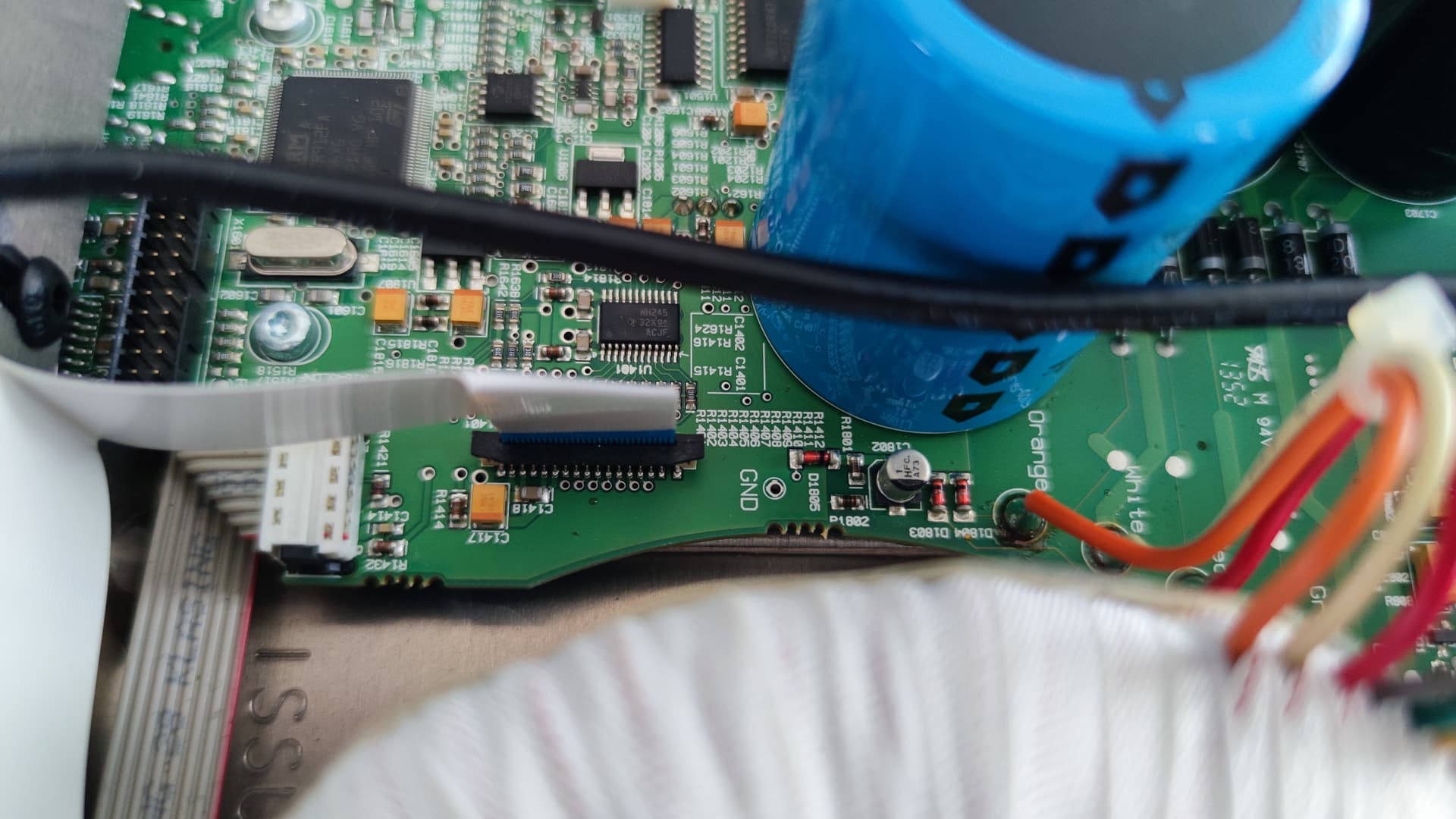
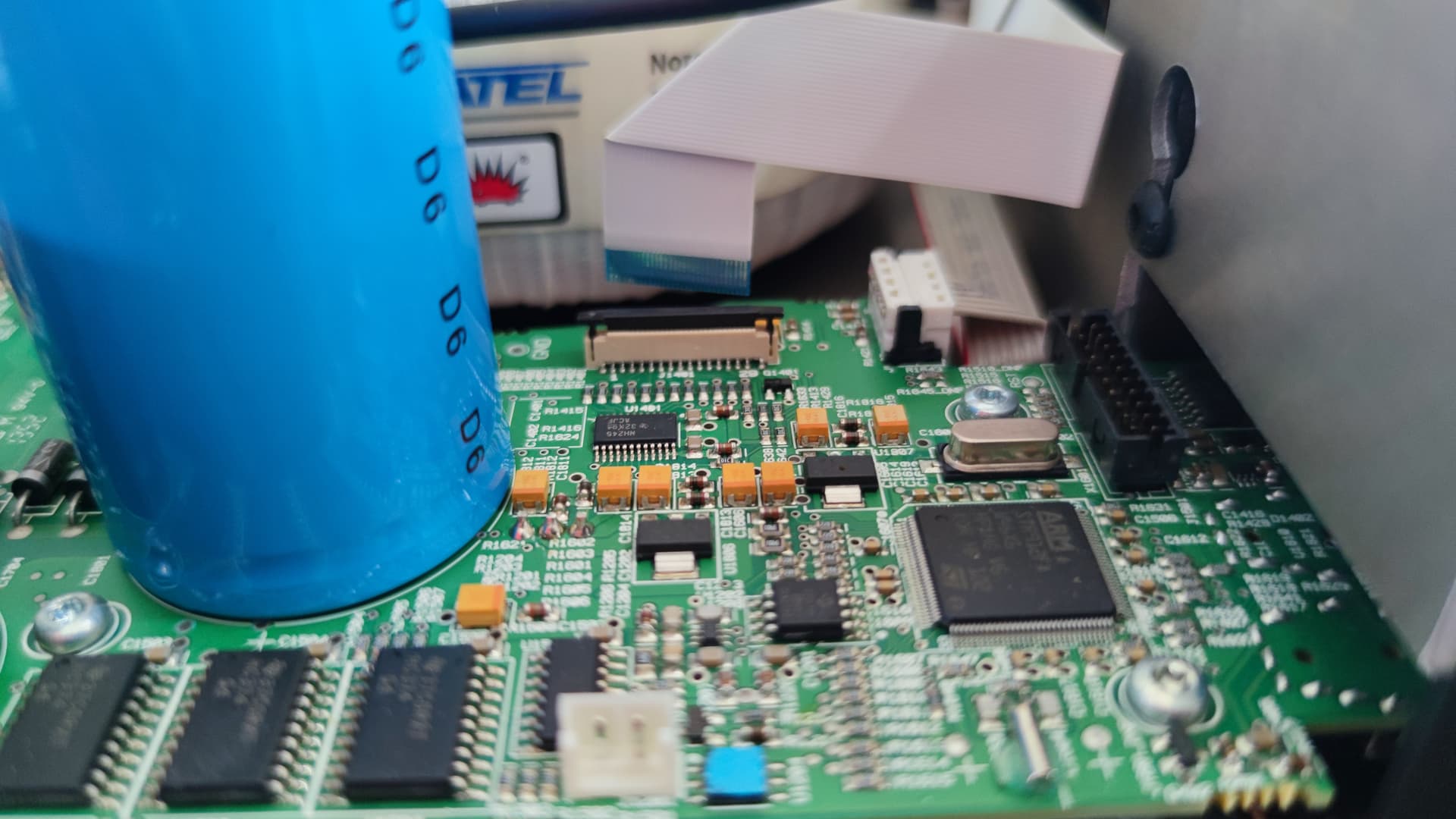


3 Likes
Mine was done with the same part. Hopefully these replacements will last longer than the originals?
Sorry if this has already been asked, but I live in Canada. When can I expect a Firmware update for my Uniti Star and separately for my Unitilite?
Neil in Winnipeg
It’s available now. Make sure your App is up to date, delete your existing Vtuner presets and then update the firmware. See the pinned thread in here for how to update your Unitilite.
I took the advice about deleting presets for online radio stations on my Uniti Star and I have been able to restore most if not all of them. Unfortunately the live feed for Classic FM is alluding me as well as Radio Paradise out of California.
I gather restoring service to my Unitilite will be another matter since firmware updates are not automatic or perhaps even available.
It’s available, see here:
Tale a look at the other 4.9 FW threads here as there’s some good advice if the update doesn’t take immediately (re-do the update).
1 Like
Just started it. I recall from last time the laptop too should be connected via an ethernet cable (well mine did). Also an FYI in the spirit of sharing, ensure any VPN is disconnected, as that seemed to stop my laptop and product connecting.
1 Like
All working wonderfully. Really pleased.
2 Likes
Do I have to remove the existing screen, or do I keep it and place the new one in front of it?
You take it out and throw it away.
I’ve just updated my Mu-so QB (gen1) to firmware 2.1.10 (is it?). It took a while populating iRadio and seemed to get stuck rebooting, but it seemed to stagger over the line and is now working. Hurrah. Thanks to Naim for bringing this to us.
If I have one observation and call it a modest request, it’s that two radio stations take upwards of 17 seconds to play: BBC R3 HD, BBC R4 HD. Average load time for my other presets (Naim Classical, Naim Jazz, BBC R4 Extra, all load in < 5 seconds). I have a 130mbps internet with ethernet connection to the Mu-So QB, so perhaps it’s some sort of load balancing for those stations. I don’t know, but if you that could be improved, that’d be wonderful.
My experience with a QB gen 1 and those stations is that they are unstable. I’ve resorted to using the non HD stations and since then has been stable.
By unstable I mean periodically doesn’t start the treat or pulses in and out.
@Diver99, what’s interesting is that BBC R4 Extra HD loads in <5 seconds, so I suspect it’s a load balancing issue (of sorts). Perhaps those channels have more listeners at any one time, and perhaps the resources allocated to deliver them are being stretched. That’s 100% speculation. But I shouldn’t like to drop to 128kbps. Definitely not for R3. It’s unthinkable.
The screen is a replacement. The glass in front is glued back with doublesided tape, which is provided.