Does anyone happen to have a zip of nDAC firmware version 4.10.6 to hand?
The link on the Naim website is broken.
I attempted to update mine straight to 4.11.8 (on Naim’s advice that it would definitely work) and lo and behold it didn’t
I remember Max Bertola of this parish having the same trouble.
Thanks.
However it hasn’t worked.
The DAC is still bricked and says it is on firmware 2.2.5.
Am peeved that Naim customer support said they had checked with service that it was safe to go straight to version 4.11.8 when clearly it wasn’t.
Has anyone any other suggestions?
Could I try an even older firmware version?
Is there a way to do some kind of hard reset and start again?
Any constructive advice much appreciated.
Yep I’d seen that one Iain.
Had been doing the forced update part each time I tried.
Wish I’d been able to find 4.10.6 before I went straight to trying 4.11.8
Hindsight eh?
Indeed, full of freebie bloatware, sometimes hidden, for USB encryption, passwording, AV, etc. which can really confuse (device) firmware searching for/confirming a basic/simple file/directory structure.
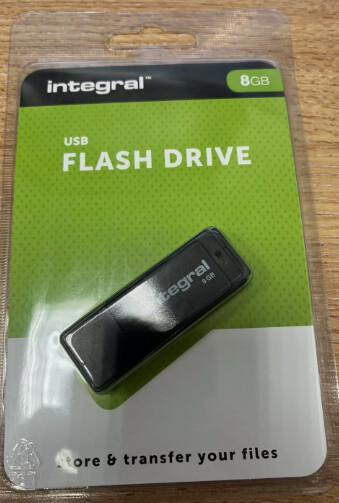
Yes, you do need to check that the USB stick will work with the DAC first - it can be fussy so worth trying a few. And also make sure that is free of any hidden partitions and that the firmware is in the root directory.
It worked fine to play WAV files.
The firmware install is tantalisingly doing the countdown of lights that it is supposed to, just doesn’t do the last bit of rebooting itself and working!
Try connecting the USB stick to your PC/Mac.
Find the stick in System/Finder.
Run Format.
Choose file system (FAT32, exFAT, or NTFS). I recommend FAT32.
Copy files, eject, and install on n-dac.
Let me know if it works. Good luck.
My question is, does n-dac autorun after the installation process? This is crucial and should be asked to Naim.
p.s. sometimes a slightly larger USB stick (32/64 GB) is necessary to manage system files useful to processes.
There are, on forums I can’t link to, threads about DAC users experiencing issues when installing the DSD firmware (4.8.11) when not having installed the FLAC firmware (4.10.6). Google will find these. However a forced firmware update with USB in rear port seemed to be the solution there, and I believe you’ve already tried.
Yep, that issue was described at length in threads on here which is how I knew about it.
I described my concerns to Naim support when I asked them for a copy of 4.10.6 as it wasn’t apparently available on the website.
The reply was ‘Nah, no need to do that, it’ll be fine to go straight to 4.11.8’
I’ve now found 4.10.6 by a back door route on the website a day too late.
I know they stopped selling this product 7 years ago but to give out duff advice that has knackered it despite the customer suspecting that it would is poor.
I wish I’d stayed at version 2.6.5 with its clicks.
That didn’t work unfortunately.
The instructions say that once the final light goes out for the firmware install, which it does get to, it will then reboot itself and work.
It seemingly doesn’t reboot, all the lights come on again and it remains bricked.
I use Mac for formatting..
The n-dac’s internal system should have a reboot page at boot time. The last option is to boot the system in recovery mode, specifying automatic reboot from a USB stick with the latest operating system suggested by Naim. I understand the risk involved, as it’s not for everyone. I don’t think Naim would approve of this intervention. The choice is yours.
I think it was “show all units” in the top menu that was needed to be selected in order to show top level of the USB-disk. Once I did that and formated from top level to FAT32 it worked. As default it was “show only volumes”. You also get the MBR/Master boot record option available when doing so which you shall choose.