New Naim Internet Radio - Feedback & Requests Part 8

A repeat of the opening post from Part 1:

At Naim, we understand that while many people use our products to get the best listening experience from their own music collection; sometimes you simply want to put the radio on and let someone else choose. We’ve offered a comprehensive internet radio solution for some time, and we are now delighted to announce the launch of our own in-house internet radio solution.

In a collaboration between XPeri and our team here at Naim, we have brought the internet radio server in-house to be maintained internally, as opposed to relying on a third party as with the previous server. This will improve reliability and has opened up a host of improvements to the service, detailed below:

- A selection of over 45,000 stations worldwide
- Advanced metadata feeds for artist, track and album info on many stations
- Focus on high-quality audio streams
- Improved station categorisation
- High-resolution station artwork
- Automated station scanning
- Station podcasts (where available)

The Focal & Naim app will identify any favourites and presets that should be resaved to use the new server.

These updates are not only improving the internet radio server but improving our streaming capabilities too. TIDAL’s new 24-bit, 192 kHz streaming tier, TIDAL Max, is now available through both the Focal & Naim app and TIDAL Connect.

In a significant update for our Chinese customers, Q-Play is now supported in Naim products. QQ Music is one of the largest music streaming services in China, and users are now able to select their Naim streamer from within the QQ Music app for a seamless listening experience.

Regards,
Naim Audio – Software team

With the launch of Naim’s new Internet Radio service (see above), I’ve created this dedicated thread where information can be posted relating to the service and members can post feedback and requests for the team at HQ.

Examples of how this thread can be used;

  • Announcements on key new stations / station rebrands etc. For example recently a big change in UK for Bauer Media and Global. Scala radio rebrands to Magic Classical and about 16 other new or existing stations changing.
  • request stations that we don’t have.
  • issues with a station. Eg, wrong meta / won’t play and so on.
  • notifications of any downtime on either our system in a given region, or a dependent system like the xperi live radio meta.
  • Search issues. We have the station but its hard to find as needs more tags.
  • feature requests / feedback / general radio gossip

Please ensure posts here are ONLY feedback re. the new Naim radio service or station requests. Thanks.

The latest June Update can be read here;
@Stevesky Would it be possible in a future firmware / app release to display information about stream quality (e.g. bitrate / HiRes) while browsing / searching stations. Currently you have to start a station to see that information. I am using the Android app and it does not display any details, except the station name.

Hi Folks,

I’m having issues with the Radio Paradise Main Mix on my ND555. I start the stream and it plays fine for a few minutes before starting to stutter and then stops. If I restart the stream, it may play ok but will then speed up before stopping again.

At best, I can only manage to listen to it for a few tracks before either of the above issues arise.

It plays fine on our Muso Qb.

Cheers,

Ian

1 Like

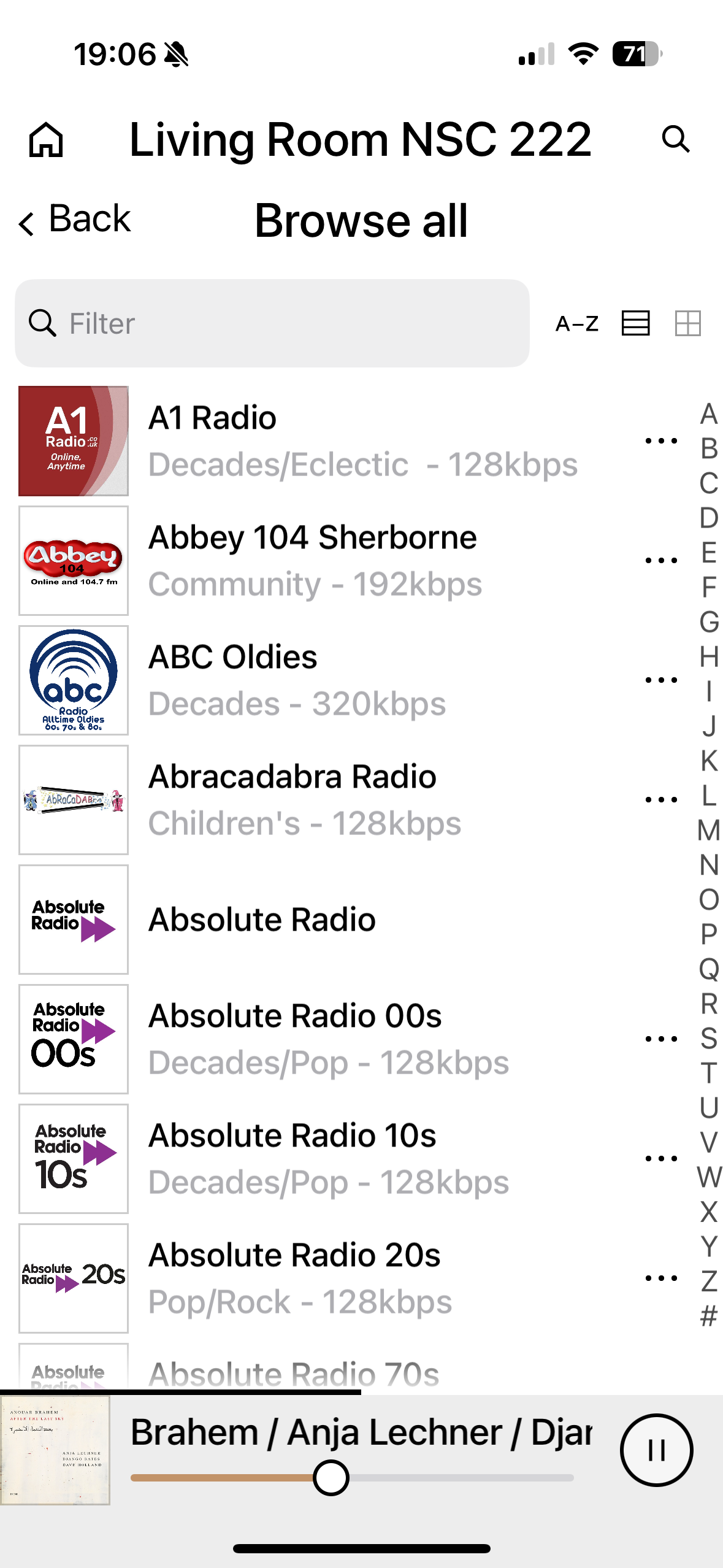
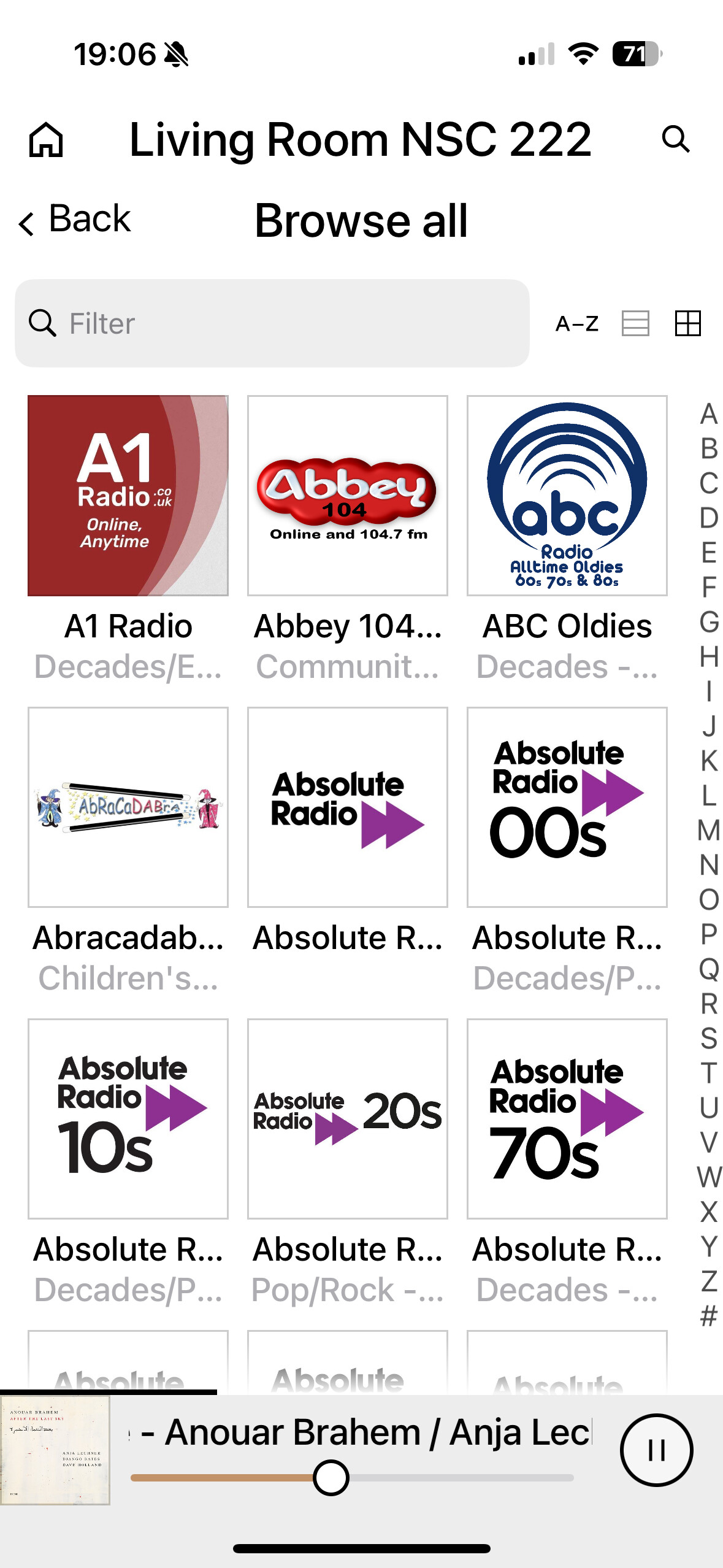
If you use the “list” view, rather than the “thumbnail” view of the stations you’re browsing, the bit rate is already included… I think the thumbnail view just has it outside the text viewable area under the image of the station logo, although sometimes you can see a bit of it if you vary the thumbnail size.

Here’s a couple of browsing images for “all UK stations” to show you what I mean. Also, in case the control interface is a bit obscure, note that you swap between list and thumbnail grid views using the icons at the top right (horizontal lines for list; windowpane for grid.. click windowpane to cycle through image size options)


1 Like

That’s strange. Are you using an iPhone or an Android phone? I am using the Android app and I was already using the list view. But it does not display any details below the station name. I reset the app and even re-installed it, but still no details below the station name.

Wow! I’m on iPhone, so there’s definitely an OS difference in the station metadata display.

Flagging @LiamScott as well as @Stevesky to bring to development team’s attention.

3 posts were split to a new topic: Internet Radio issue with mu-So Qb

Hi @IanF

I tried it here for a few hours and had no dropouts. Suggest:

  1. Power cycle your 555 PSU (so remove mains, wait 20secs, plug back in). See if its better.
  2. If not, try a different station like the FLAC lossless stream of “Naim Radio”. We know the state of those servers so will prove if its more a local network issue feeding the 555, or an issue between the stations server and the streamer.

Best

Steve

1 Like

Hi @whatu1tme2b

Based on the thread that has followed, I’ve asked the manager who handles this area to take a look. The apps are coded by 2 different teams and now and then differences do creep in on implementation.

Regards

Steve

Thanks! I can imagine the code-base of these two apps is completely different. A fix would be much appreciated.

Hi @Stevesky,

Thanks for the suggestions, which I tried. Naim Radio FLAC, FiP, BBC 5L - all play fine as did the RP FLAC streams of Mellow and Rock Mixes. I tried the RP Main mix again and 3 minutes in it stopped, stuttered, sped up, just the same as before. Tried it on our Muso Qb - played no problem. Both the Qb and ND555 are connected to the same router, both wired.

I checked the streams (saved to favourites in the app) to make sure they were the same and that is when I noticed I had inadvertently saved the AAC stream, rather than FLAC, on the ND555. Changed the preset to the FLAC version and it has run flawlessly since.

So, it would appear my ND555 has a problem with AAC, at least from RP!

I appreciate the help - I doubt I would have noticed this without your suggestion to try other FLAC streams.

However, I should point out that this favourite has been there since I needed to resave them after the iRadio update (which I guess is when I saved the AAC, rather than the FLAC stream) and the AAC stream has played without issue…until the recent FW update.

Cheers,

Ian

Hi Ian,

Thanks for the extra info, I’ve replicated the issue (on a Uniti Atom) and it seems to be a Radio Paradise server issue on their AAC stream when listening from their London server instance.

I’m writing to the guys at Radio Paradise as indicates something is messing around their side. The speeding up of audio is encoded into the AAC stream, rather than us somehow playing it faster.

Best

Steve

1 Like

This morning I experience a lot of streaming problems on Folk Alley the main stream.
This is on my wired nd555.
Other stations seems ttto play without any problems with the streams suddenly stopping, e.g. BBC radio 4, BBC world service, Danmarks Radio p1, Radio Mars the stations I have been listening to over the morning on qb and nd555.

Just checked and the same problems seem to happen in their app and on www.folkalley.com

Hi Claus,

Thanks for the update.

Typically if it gets to the point of playing then any other issues beyond that are typically the radio stations side rather than us.

The things that catch us out:

  • When they change backend servers at very inconvenient times (weekends/bank holidays etc)
  • They break their stream but technically it does still play but badly. Our scanner cannot detect such things.
  • Changing server but putting a message on the old server saying the stream has changed, hence our system thinks its working ok.

Best

Steve

I saw pinned message on new radio added.
Is there a guide to the radio stations?
at naim you did a great job analysing and selecting radio stations, would be wonderful having a single line description per radio station, within a musical categorization.. what do you think?

Job for a forum member with time on their hands (not volunteering) :grinning_face:

There are so many stations, but you could look back at the monthly updates from @Stevesky for some of them.

1 Like

Just look the station up via Google.